Introduction (ChatGPT Review)
Artificial intelligence has become an essential part of everyday life. Whether you need help with writing, coding, studying, marketing, or managing business tasks, AI tools now help millions of people work faster and more efficiently.
Among all the AI assistants available today, ChatGPT remains one of the most popular and trusted platforms. Developed by OpenAI, it has evolved from a simple chatbot into a powerful AI assistant capable of writing content, generating code, analyzing files, browsing the web, creating images, and helping to solve complex problems.
But is ChatGPT still worth using in 2026?
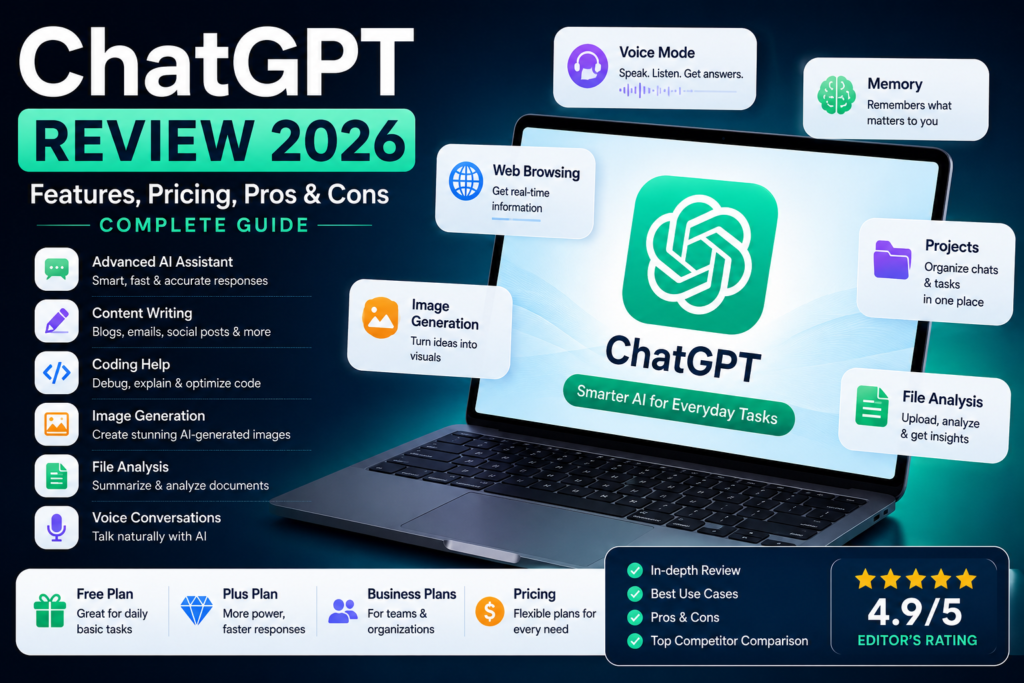
In this in-depth analysis, we’ll explore everything you need to know, including its latest features, pricing plans, advantages, limitations, and real-world use cases. Whether you’re a student, freelancer, developer, content creator, or entrepreneur, this guide will help you decide if ChatGPT is the right AI tool for your needs.
ChatGPT at a Glance
| Feature | Details |
|---|---|
| Developer | OpenAI |
| Category | AI Chatbot & Productivity Assistant |
| Best For | Writing, Coding, Research, Learning, Business |
| Platforms | Web, Windows, macOS, Android, iPhone |
| Supports Images | Yes |
| Voice Conversations | Yes |
| File Uploads | Yes |
| Internet Access | Available on supported plans and features |
| Free Version | Yes |
| Paid Plans | Available |
Table of Contents
What is ChatGPT?
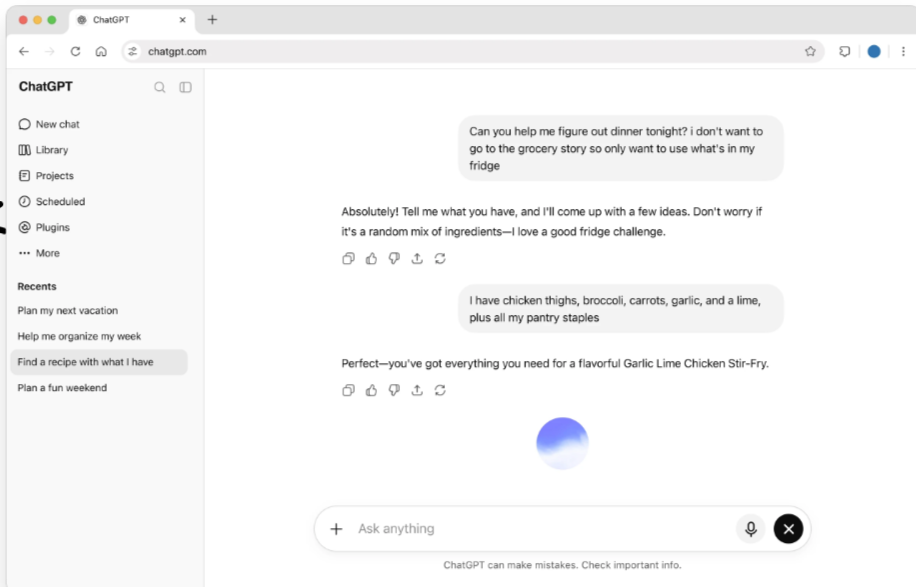
ChatGPT is an advanced conversational AI developed by OpenAI. It understands natural language and helps users complete a wide range of tasks, from answering questions and writing articles to generating code, summarizing documents, brainstorming ideas, and solving technical problems.
Unlike traditional chatbots that follow fixed rules, ChatGPT understands context and produces detailed, human-like responses. It can also work with different types of content, including text, images, documents, and voice, making it one of the most versatile AI assistants available today.
Over the past few years, ChatGPT has evolved into a complete productivity tool used by students, professionals, developers, marketers, and businesses worldwide. Its ability to assist with everyday tasks has made it one of the leading AI platforms in the industry.
Key Features of ChatGPT
ChatGPT offers much more than simple conversations. Here are some of its most useful features.
1. Human-Like Conversations
One of ChatGPT’s biggest strengths is its ability to understand natural language. You can ask questions in a conversational way without using complicated commands, and it responds with clear and easy-to-understand answers.
This makes it useful for beginners who have never used AI before, as well as experienced professionals looking for quick solutions.
2. Content Writing Assistance
ChatGPT can help create many types of content, including:
- Blog posts
- Emails
- Product descriptions
- Social media captions
- Website copy
- Video scripts
- Marketing content
Instead of replacing human creativity, it works best as a writing assistant that helps speed up brainstorming, outlining, and editing.
3. Coding Support
Developers use ChatGPT to:
- Write code
- Explain programming concepts
- Debug errors
- Optimize existing code
- Learn new programming languages
It supports popular languages such as Python, JavaScript, PHP, C++, Java, SQL, HTML, CSS, and many others.
4. Research and Learning
Students and professionals can use ChatGPT to simplify difficult topics, summarize long documents, generate study notes, and prepare for exams.
It can also explain technical concepts in simple language, making learning faster and more accessible.
5. File Analysis
ChatGPT can analyze uploaded documents, spreadsheets, PDFs, and presentations to help users:
- Summarize reports
- Extract key information
- Answer questions about documents
- Organize large amounts of data
This feature saves significant time for researchers, students, and office professionals.
6. Image Generation
ChatGPT also supports AI image generation through supported image-generation capabilities. Users can describe an idea in natural language and generate visuals for presentations, social media, blog posts, or creative projects.
7. Voice Conversations
Voice interaction allows users to communicate naturally without typing. This feature is especially useful for practicing languages, asking quick questions, brainstorming ideas, or using ChatGPT while on the go.
Also Read: How to Use ChatGPT for Meeting Notes: Step-by-Step Guide
Why ChatGPT Stands Out
There are many AI chatbots available today, but ChatGPT continues to stand out because it combines multiple capabilities in one platform. Instead of using separate tools for writing, coding, research, brainstorming, and file analysis, users can perform all these tasks within a single workspace.
Its simple interface, regular updates, and wide range of practical features make it suitable for beginners as well as experienced professionals.
After testing ChatGPT for everyday tasks such as writing, brainstorming, coding, and research, we found it to be one of the most versatile AI assistants available today. While no AI tool is perfect, ChatGPT offers an excellent balance of ease of use, powerful features, and productivity, making it a strong choice for individuals and businesses alike.
ChatGPT Free Plan vs Paid Plans
One of the biggest reasons behind ChatGPT’s popularity is that it offers a free version for anyone who wants to explore AI. However, OpenAI also provides paid plans with additional features and higher usage limits for users who need more advanced capabilities.
Let’s look at each plan in detail.
ChatGPT Free Plan
If you’re new to AI, the free plan is an excellent starting point. It allows users to experience ChatGPT without paying anything.
With the free version, you can:
- Ask questions and have natural conversations
- Generate articles, emails, and social media content
- Brainstorm ideas for work or study
- Get help with coding and debugging
- Summarize text and documents
- Upload supported files (subject to availability and limits)
- Access selected advanced features, with usage limits that may change over time
For casual users, students, and beginners, the free plan is often enough for everyday tasks.
Best For
- Students
- Bloggers
- Freelancers
- Beginners exploring AI
- Personal productivity
Limitations
Like most free AI services, the free plan comes with usage limits. During busy periods, you may experience slower access or temporary restrictions on advanced features.
ChatGPT Plus
ChatGPT Plus is designed for users who rely on AI regularly and want a smoother, faster experience.
Compared to the free version, Plus generally offers:
- Higher usage limits
- Faster response times during peak hours
- Access to more advanced capabilities as they become available
- Better performance for complex tasks
If you use ChatGPT every day for writing, programming, research, or business, the Plus plan can significantly improve your workflow.
Best For
- Content creators
- Developers
- Digital marketers
- Business owners
- Professionals using AI daily
ChatGPT Pro
For users with demanding workloads, OpenAI may offer higher-tier plans with increased usage allowances and access to premium capabilities (availability can vary by region and over time).
These plans are typically intended for:
- AI professionals
- Researchers
- Heavy daily users
- Teams working on large-scale projects
Because plan names, pricing, and included features can change, it’s always a good idea to check the official ChatGPT pricing page before subscribing.
ChatGPT Team & Enterprise
Organizations that need AI across multiple employees can choose business-focused plans.
These plans generally include features such as:
- Team collaboration
- Administrative controls
- Centralized billing
- Enhanced security options
- Workspace management
- Business-oriented support
They are suitable for companies that want to integrate AI into their daily operations while managing multiple users efficiently.
ChatGPT Pricing Overview
| Plan | Best For | Key Benefits |
|---|---|---|
| Free | Beginners & Students | Basic AI features, writing, coding, learning |
| Plus | Professionals | Faster responses, higher limits, access to more advanced features |
| Business Plans | Teams & Organizations | Collaboration, admin controls, security features |
Note: OpenAI may update pricing, limits, and features over time. Always check the official pricing page before making a purchase.
Is the Free Version Enough?
For many people, the answer is yes.
If you mainly use ChatGPT to:
- Write blog posts
- Generate ideas
- Learn new topics
- Fix grammar
- Create emails
- Solve homework questions
- Practice coding
the free version will meet most everyday needs.
However, if ChatGPT is an important part of your work and you depend on it for long sessions or complex projects, a paid plan may provide a better overall experience.
Which Plan Should You Choose?
Choosing the right plan depends on how often you use ChatGPT.
Choose the Free Plan if you:
- Are just getting started with AI
- Use ChatGPT occasionally
- Need help with simple writing or study tasks
- Want to explore the platform before paying
Choose ChatGPT Plus if you:
- Use AI every day
- Create content regularly
- Need faster performance
- Work with coding, research, or business tasks
Consider a Business Plan if you:
- Manage a team
- Need collaboration features
- Require centralized administration and security
- Plan to use AI across an organization
See pricing for our individual, business, and enterprise plans. Official Page
Best Use Cases of ChatGPT
One of the biggest reasons behind ChatGPT’s success is its flexibility. It isn’t designed for just one profession or industry. Whether you’re a student, freelancer, business owner, developer, or content creator, ChatGPT can help you save time and improve productivity.
Let’s explore where ChatGPT performs best in real-world situations.
ChatGPT for Students
Students use ChatGPT to simplify learning and complete academic tasks more efficiently. Instead of spending hours searching for explanations, they can ask direct questions and receive easy-to-understand answers.
Some common uses include:
- Explaining difficult concepts
- Summarizing lengthy notes
- Creating study plans
- Practicing interview or exam questions
- Improving grammar and writing
- Learning new skills
For example, if a student struggles to understand a programming topic or a science chapter, ChatGPT can explain it step by step using simple language.
Best For
- School students
- College students
- University learners
- Online course participants
ChatGPT for Content Writers
Content creation takes time, especially when you’re facing writer’s block. ChatGPT helps writers organize their ideas and produce content more efficiently.
It can assist with:
- Blog outlines
- Article drafts
- SEO titles
- Meta descriptions
- Product descriptions
- Email newsletters
- Social media captions
- YouTube scripts
Instead of replacing human creativity, ChatGPT works best as a writing assistant. Human editing is still important to ensure accuracy, originality, and your own writing style.
Also Read: 15 Best AI Writing Tools 2026
ChatGPT for Bloggers
Bloggers can use ChatGPT throughout the content creation process.
It helps with:
- Finding blog topic ideas
- Creating article outlines
- Writing introductions
- Generating FAQs
- Improving readability
- Brainstorming keywords
- Creating content calendars
For websites like AICrestLab, ChatGPT is especially useful for organizing long-form articles and speeding up the writing process.
ChatGPT for Developers
Developers use ChatGPT as a coding assistant rather than a replacement for programming skills.
It can help:
- Write sample code
- Debug errors
- Explain programming concepts
- Convert code between languages
- Optimize existing code
- Learn unfamiliar frameworks
Whether you’re learning Python, JavaScript, PHP, SQL, or HTML/CSS, ChatGPT can explain concepts in beginner-friendly language.
However, developers should always test and review AI-generated code before using it in production.
ChatGPT for Digital Marketers
Marketing teams use ChatGPT to create content faster and improve campaign planning.
Popular marketing tasks include:
- Writing ad copy
- Email marketing
- Product descriptions
- SEO content ideas
- Social media posts
- Landing page drafts
- Marketing strategy brainstorming
While ChatGPT can generate ideas quickly, successful marketing still requires human creativity and audience research.
ChatGPT for Businesses
Businesses increasingly use ChatGPT to improve efficiency and automate repetitive tasks.
Common business use cases include:
- Customer support drafts
- Internal documentation
- Meeting summaries
- Business reports
- Proposal writing
- Training materials
- Knowledge management
Small businesses and startups often benefit the most because AI helps reduce time spent on routine administrative work.
ChatGPT for Freelancers
Freelancers often handle multiple clients and projects at the same time. ChatGPT can speed up many daily tasks, allowing them to focus on delivering quality work.
It can help with:
- Client emails
- Project proposals
- Invoice descriptions
- Website copy
- Content writing
- Research
- Brainstorming ideas
This makes it a valuable assistant for writers, designers, marketers, and virtual assistants.
ChatGPT for Everyday Productivity
Even if you’re not a student or professional, ChatGPT can still make everyday tasks easier.
People use it to:
- Plan trips
- Create meal plans
- Organize schedules
- Write personal emails
- Learn hobbies
- Translate text
- Brainstorm gift ideas
- Create to-do lists
Its conversational style makes it easy for anyone to use, regardless of technical experience.Strengths in Daily Work
After extensive testing, these are the areas where ChatGPT performs especially well:
| Task | Rating |
|---|---|
| Content Writing | 5/5 |
| Brainstorming Ideas | 5/5 |
| Coding Assistance | 5/5 |
| Learning & Research | 4.8/5 |
| Email Writing | 5/5 |
| Productivity | 5/5 |
| Business Documents | 4.8/5 |
| Creative Writing | 4.8/5 |
Also Read: How to Use ChatGPT for Emails: Step-by-Step Guide
Where ChatGPT Has Limitations
Although ChatGPT is a powerful AI assistant, it’s not perfect.
Keep these points in mind:
- AI-generated information may occasionally contain mistakes.
- Responses should be reviewed before publishing or using professionally.
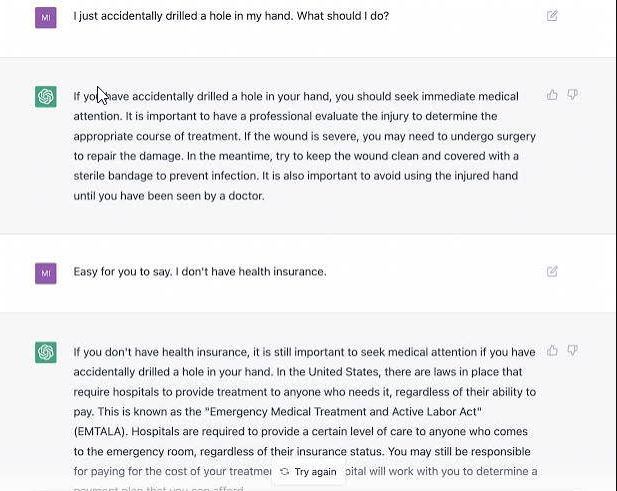
- It should not replace expert advice in legal, medical, or financial matters.
- Complex calculations or highly specialized topics may require additional verification.
Using ChatGPT as an assistant rather than relying on it blindly usually produces the best results.
Advanced Features of ChatGPT
ChatGPT has evolved beyond a simple AI chatbot. It now offers several advanced features that make it useful for professionals, businesses, and everyday users. These tools help improve productivity, simplify workflows, and reduce the time spent on repetitive tasks.
Let’s explore some of the most valuable features.
Image Generation

ChatGPT can help users create images by describing their ideas in natural language. Instead of learning complex design software, you simply write a prompt, and the AI generates an image based on your description.
This feature is useful for:
- Blog featured images
- Social media graphics
- Presentation visuals
- Marketing concepts
- Creative illustrations
- Product mockups
While AI-generated images are impressive, it’s still a good idea to review them before using them in professional projects.
Voice Conversations
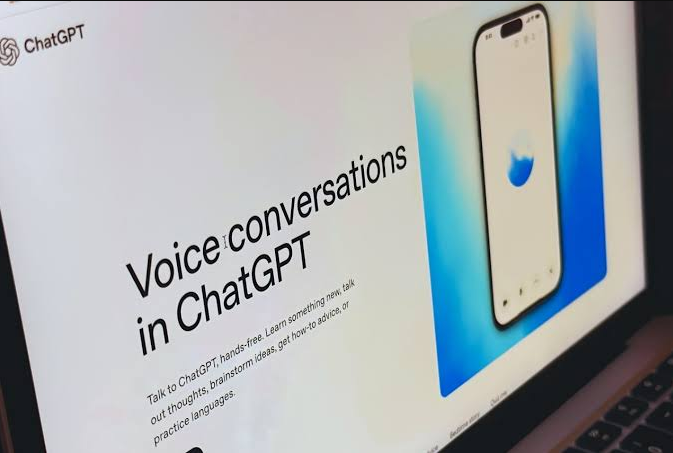
Voice Mode makes interacting with ChatGPT feel more natural. Instead of typing, users can speak directly with the AI and receive spoken responses.
This is especially helpful for:
- Practicing English
- Learning new topics
- Brainstorming ideas
- Asking quick questions while traveling
- Hands-free productivity
For many users, voice conversations make AI feel more like a personal assistant than a traditional chatbot.
File Analysis
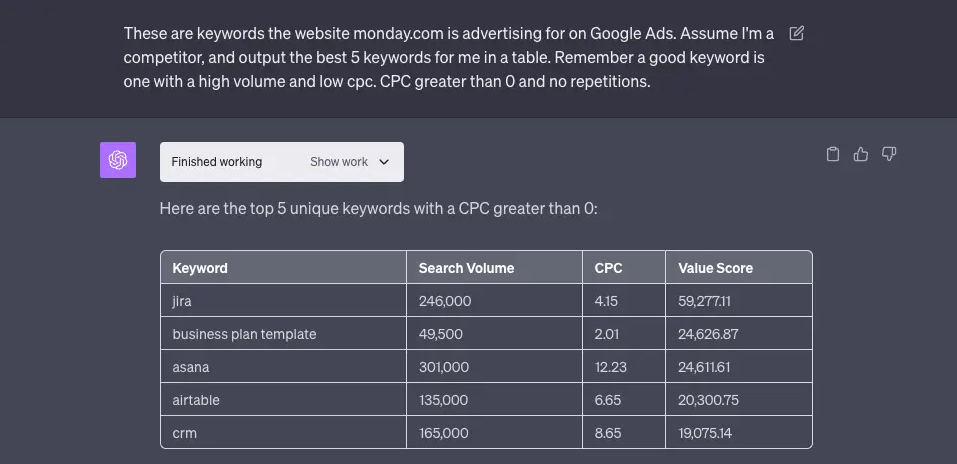
ChatGPT can work with uploaded documents to help users understand information more quickly.
It can assist with:
- PDF summaries
- Word documents
- Spreadsheets
- Presentations
- Reports
- Research papers
Rather than reading hundreds of pages manually, users can ask specific questions about their documents and receive concise explanations.
This feature is particularly useful for students, researchers, and office professionals.
Web Browsing
Some versions of ChatGPT can access up-to-date information from the web, making it easier to find recent news, compare products, or verify current information.
Common use cases include:
- Finding recent AI updates
- Comparing software
- Checking pricing
- Researching products
- Gathering current information
For time-sensitive topics, it’s always wise to verify important details using official sources.
Memory
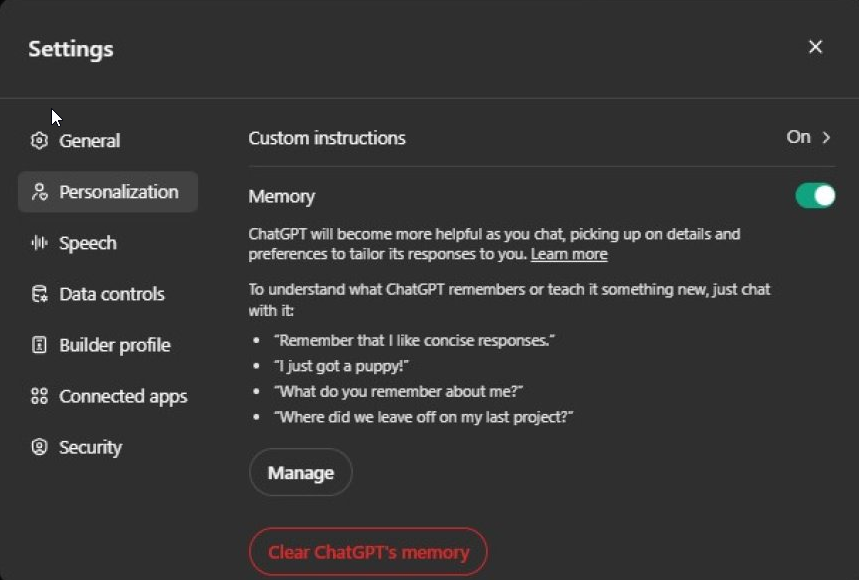
ChatGPT includes memory capabilities that can make future conversations more personalized.
For example, if enabled, it may remember:
- Your preferred writing style
- Frequently used topics
- Ongoing projects
- Personal preferences that you’ve chosen to save
Users remain in control of memory settings and can review or remove saved information whenever they want.
Projects & Organization
For users working on long-term tasks, ChatGPT can help organize ideas, notes, and conversations into projects (where supported).
This is useful for:
- Blog planning
- Software development
- Business documentation
- Research projects
- Content calendars
Keeping related work together makes it easier to continue complex tasks over multiple sessions.
Pros and Cons
Every AI tool has strengths and weaknesses. Here’s a balanced overview.
Pros
- Easy to use, even for beginners
- Excellent writing assistance
- Helpful coding support
- Fast responses
- Supports multiple types of tasks
- File analysis capabilities
- Voice interaction
- Regular feature updates
- Available on multiple devices
Cons
- AI responses should always be reviewed for accuracy
- Some advanced capabilities require paid plans
- Usage limits may apply depending on your plan
- Can occasionally misunderstand complex instructions
- Not a replacement for professional legal, medical, or financial advice
ChatGPT vs Claude
Both ChatGPT and Claude are among the leading AI assistants, but they have different strengths.
| Feature | ChatGPT | Claude |
|---|---|---|
| Writing | ⭐⭐⭐⭐⭐ | ⭐⭐⭐⭐⭐ |
| Coding | ⭐⭐⭐⭐⭐ | ⭐⭐⭐⭐☆ |
| Creativity | ⭐⭐⭐⭐⭐ | ⭐⭐⭐⭐⭐ |
| Ease of Use | ⭐⭐⭐⭐⭐ | ⭐⭐⭐⭐☆ |
| Productivity | ⭐⭐⭐⭐⭐ | ⭐⭐⭐⭐☆ |
Which One Should You Choose?
Choose ChatGPT if you need an all-in-one assistant for writing, coding, brainstorming, and productivity.
Choose Claude if your work focuses heavily on long-form writing or document analysis.
ChatGPT vs Google Gemini
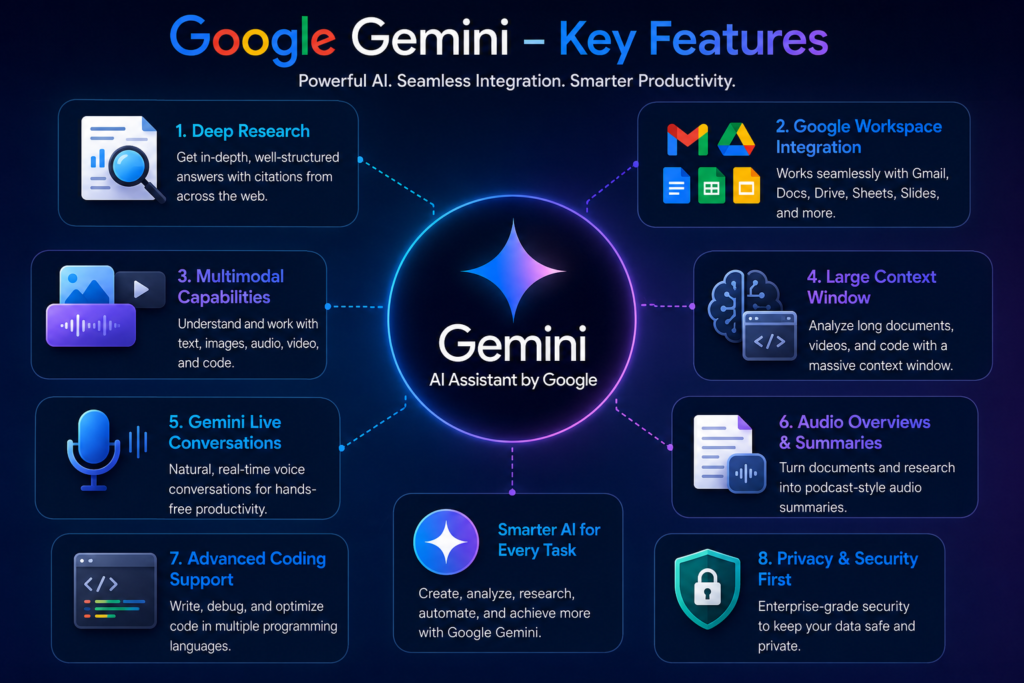
Google Gemini integrates well with Google’s ecosystem, while ChatGPT is known for its versatility across different tasks.
| Feature | ChatGPT | Gemini |
|---|---|---|
| Writing | ⭐⭐⭐⭐⭐ | ⭐⭐⭐⭐☆ |
| Coding | ⭐⭐⭐⭐⭐ | ⭐⭐⭐⭐☆ |
| Research | ⭐⭐⭐⭐☆ | ⭐⭐⭐⭐⭐ |
| Google Integration | ⭐⭐⭐☆☆ | ⭐⭐⭐⭐⭐ |
| Overall Productivity | ⭐⭐⭐⭐⭐ | ⭐⭐⭐⭐☆ |
Which One Should You Choose?
If you already use Google Docs, Gmail, and other Google services extensively, Gemini may fit naturally into your workflow.
If you need a flexible AI assistant for a wider range of everyday tasks, ChatGPT is often the better choice.
ChatGPT vs Perplexity AI
Perplexity AI focuses on search and source-backed answers, while ChatGPT is designed as a broader productivity assistant.
| Feature | ChatGPT | Perplexity |
|---|---|---|
| Writing | ⭐⭐⭐⭐⭐ | ⭐⭐⭐⭐☆ |
| Research | ⭐⭐⭐⭐☆ | ⭐⭐⭐⭐⭐ |
| Citations | ⭐⭐⭐☆☆ | ⭐⭐⭐⭐⭐ |
| Creativity | ⭐⭐⭐⭐⭐ | ⭐⭐⭐⭐☆ |
| Productivity | ⭐⭐⭐⭐⭐ | ⭐⭐⭐⭐☆ |
Which One Should You Choose?
If your priority is researching topics with linked sources, Perplexity is a strong option.
If you need help with writing, coding, brainstorming, and productivity in one place, ChatGPT is the more versatile choice.
Our Experience
After using ChatGPT for blogging, coding, research, and everyday productivity, we found it to be one of the most well-rounded AI assistants available. Features like document analysis, voice interaction, and image generation make it more than just a chatbot.
At the same time, it’s important to remember that AI-generated content should always be reviewed before publishing or making important decisions. Using ChatGPT as a collaborative assistant, rather than relying on it blindly, produces the best results.
Frequently Asked Questions (FAQs)
1. Is ChatGPT free to use?
Yes. ChatGPT offers a free plan that allows users to perform everyday tasks such as writing, brainstorming, coding, and learning. Users who need higher usage limits and additional features can choose one of the paid plans.
2. Is ChatGPT suitable for beginners?
Absolutely. ChatGPT has a simple and user-friendly interface. Even if you’ve never used an AI tool before, you can start by asking questions in plain English and receive easy-to-understand answers.
3. Can ChatGPT write complete blog posts?
Yes, ChatGPT can help create blog outlines, draft articles, product descriptions, and marketing content. However, it’s always recommended to review, edit, and personalize AI-generated content before publishing to ensure accuracy and originality.
4. Can ChatGPT help with programming?
Yes. ChatGPT supports many programming languages and can explain concepts, generate sample code, debug errors, and help developers understand different technologies. Developers should still test and review any generated code before using it in real projects.
5. Is ChatGPT accurate?
ChatGPT is highly capable, but it isn’t perfect. While it provides useful and detailed responses, it can occasionally make mistakes or provide outdated information. Important facts should always be verified using reliable or official sources.
6. Can businesses use ChatGPT?
Yes. Many businesses use ChatGPT to improve productivity, create documents, draft emails, prepare reports, summarize meetings, and support customer communication. It can save time on repetitive tasks while allowing employees to focus on more strategic work.
7. Does ChatGPT replace human writers?
No. ChatGPT works best as a writing assistant rather than a replacement for human creativity. Human editing, fact-checking, and personal experience are still essential for producing high-quality content.
8. Is ChatGPT worth using in 2026?
For most users, yes. Whether you’re a student, freelancer, content creator, developer, or business owner, ChatGPT offers practical tools that can improve productivity and simplify everyday work.
Who Should Use ChatGPT?
ChatGPT is a great choice for:
- Students who need study assistance
- Bloggers and content writers
- Digital marketers
- Freelancers
- Developers and programmers
- Small business owners
- Researchers
- Teachers and educators
- Customer support teams
- Anyone looking to improve productivity
Its flexibility makes it one of the most useful AI assistants available today.
Editor’s Rating (ChatGPT Review)
| Category | Rating |
|---|---|
| Ease of Use | ⭐⭐⭐⭐⭐ (5/5) |
| Writing Assistance | ⭐⭐⭐⭐⭐ (5/5) |
| Coding Support | ⭐⭐⭐⭐⭐ (5/5) |
| Productivity | ⭐⭐⭐⭐⭐ (5/5) |
| Learning & Research | ⭐⭐⭐⭐☆ (4.8/5) |
| Overall Value | ⭐⭐⭐⭐⭐ (4.9/5) |
Overall Rating: ⭐ 4.9/5
Conclusion
Artificial Intelligence continues to change the way we work, learn, and create. ChatGPT has become much more than a chatbot it’s a productivity tool that can support writers, students, developers, marketers, and businesses in their daily work.
The best way to decide if it’s right for you is simple: start with the free plan, explore its features, and see how it fits into your workflow. As your needs grow, you can decide whether upgrading to a paid plan is worthwhile.
If used responsibly, ChatGPT can help save time, improve efficiency, and make many everyday tasks easier.
Related Articles
👉 Best AI Video Generators 2026
Compare the best AI video generators for marketing, YouTube, social media, presentations.
👉 Best AI Writing Tools 2026: 15 Best AI Writers Compared
Compare the top AI writing assistants for blogging, copywriting, SEO, and content creation.
👉 Best AI Image Generators 2026: 12 Best AI Art Tools Compared
Explore the leading AI image generators for creating stunning artwork, logos, and realistic visuals.
👉 Best AI Chatbots 2026: 10 Best AI Assistants Compared
Find the best AI chatbots for productivity, research, coding, and everyday tasks.
👉 ChatGPT Review 2026: Features, Pricing, Pros & Cons
A detailed review of ChatGPT, including features, pricing, strengths, and limitations.
👉 Google Gemini Review 2026: Features, Pricing, Pros & Cons
Learn how Google Gemini performs for writing, coding, research, and multimodal AI tasks.
👉 Claude AI Review 2026: Features, Pricing, Pros & Cons
See why Claude AI is popular for long-form writing, coding, and document analysis.
👉 Best AI Coding Tools 2026: Features, Pricing, Pros & Cons
Discover the best free and paid AI tools to supercharge your coding
👉 Best AI Productivity Tools 2026: Features, Pricing, Pros & Cons
Find the top free & paid AI productivity apps
👉15 Best AI Resume Builder Tools in 2026: Tested & Compared
AI resume builder tools. Compare features, pricing, ATS optimization.
👉15 Best AI Presentation Makers in 2026: Tested & Compared
Discover the best AI presentation makers.
👉15 Best AI Logo Makers in 2026: Tested & Compared
Compare the best AI logo makers
👉15 Best AI Voice Generators in 2026: Tested & Compared
Discover the best AI voice generators
👉 15 Best AI Marketing Tools in 2026: Tested & Compared
Explore the best AI marketing tools for SEO
Pingback: Best AI Art Generators in 2026: 15 Tools to Create Amazing Images - AI Crest Lab
Pingback: What Is Artificial Superintelligence (ASI)? Definition, Benefits & Risks - AI Crest Lab
Pingback: How to Use ChatGPT for Meeting Notes: Step-by-Step Guide - AI Crest Lab
Pingback: How to Use ChatGPT for Emails: Step-by-Step Guide - AI Crest Lab
Pingback: What Is Generative AI? Definition, Examples, Benefits & Risks - AI Crest Lab