Introduction (Best AI Image Generators)
Making pictures once required design training and costly tools. Today with AI image generators anyone can turn a written prompt into artwork, realistic photos, marketing graphics or social media images in seconds. I have seen these tools transform an idea into a picture instantly. That is why finding AI image generators in 2026 is more important for artists, businesses, students and advertisers.
AI image generators use machine learning models to read written prompts and create pictures. If you need a YouTube thumbnail, a blog header, a product mockup or digital art AI image generators can reduce the time and effort required to create graphics. I think AI image generators help with design needs.
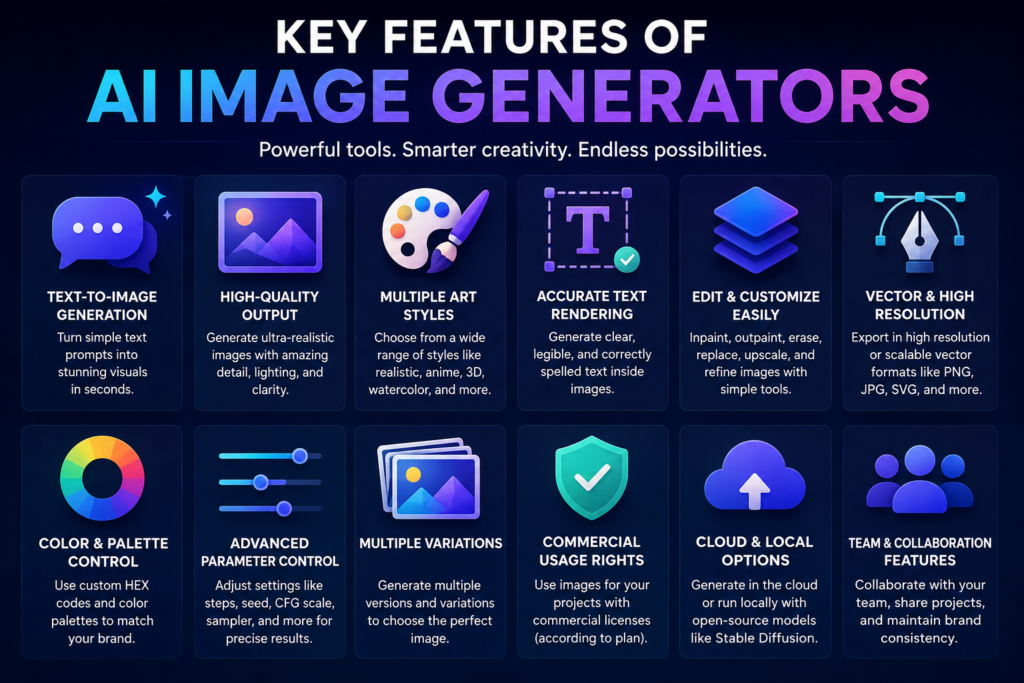
Over the years AI image creation has improved greatly. Today AI image generators can produce lighting, textures, clear text and detailed illustrations that once required design software. I have seen that many AI image generators let users edit existing pictures add backgrounds create design variations and produce visuals, in styles.
Also Read: 25 Best Free AI Tools in 2026
Who Should Use AI Image Generators?
AI image generators are useful for a wide range of users and industries.
Bloggers
Bloggers can make their featured images, infographics and article illustrations instead of using generic stock photos. Bloggers find this helps improve branding and Bloggers notice that content becomes more engaging, for readers.
Also Read: Best AI Writing Tools 2026
Graphic Designers
Professional designers use AI tools to generate concepts, mood boards, design ideas, and quick prototypes before starting detailed projects.
Content Creators
YouTubers, podcasters, and social media creators can design eye-catching thumbnails, banners, and promotional graphics without spending hours editing images manually.
Also Read: Best AI Video Generators 2026
Digital Marketers
Marketing teams use AI image creators to produce advertising creatives, social media posts, landing page graphics, and campaign visuals much faster than traditional workflows.
Also Read: 15 Best AI Marketing Tools in 2026
Businesses
Companies benefit from AI-generated product mockups, presentation graphics, website visuals, promotional banners, and branded marketing materials.
Students
Students can quickly create educational illustrations, presentation graphics, diagrams, and creative project visuals without advanced design skills.
Why Trust This Guide?
Choosing an AI image generator can be tricky because each platform is built for types of creative work. We looked at these tools by comparing their features how easy they are to use the quality of the images they produce editing options, cost and the kinds of users who get the most out of them.
Since AI tools often change their models update features and adjust prices it’s best to visit the website of each tool before picking a plan.
Table of Contents
Quick Comparison Table
| Tool | Best For | Free Plan | Starting Price | Overall |
|---|---|---|---|---|
| Midjourney | Best Overall | No | $10/month | 4.9/5 |
| DALL·E | Beginners | Yes | $20/month | 4.8/5 |
| Google Imagen | Realistic Images | Yes | Free / Paid | 4.8/5 |
| Adobe Firefly | Commercial Design | Yes | $4.99/month | 4.8/5 |
| Leonardo AI | Game & Concept Art | Yes | $10/month | 4.7/5 |
| Ideogram | Text & Typography | Yes | $7/month | 4.6/5 |
| Stable Diffusion | Open Source | Yes | Free | 4.8/5 |
| Microsoft Designer | Social Media | Yes | Free | 4.4/5 |
| Canva Magic Media | Beginners & Design | Yes | $14.99/month | 4.5/5 |
| DreamStudio | Pay-As-You-Go | Yes* | $10 credits | 4.3/5 |
| FLUX.2 | Photorealistic Images | Limited | Usage-based | 4.7/5 |
| Recraft AI | Vector & Branding | Yes | $20/month | 4.6/5 |
Note: Free access, credits, features, and pricing can change over time, so verify the current plan before publishing.
Quick Take: No single AI image generator is perfect for everyone. Midjourney delivers overall image quality and creative artwork. Google Imagen and DALL·E are easier for beginners. Adobe Firefly is especially useful for design workflows. Ideogram shines when you need text‑heavy graphics. Stable Diffusion gives the flexibility, for advanced users. Which AI image generator you pick depends on the type of images you create how control you want and your budget.
Also Read: Best AI Art Generators in 2026: 15 Tools to Create Amazing Images
How We Compared These AI Image Generators
We have compared these tools based on their image-generation capabilities, ease of use features, editing options, pricing models and the types of users for whom they are best suited. Since features and prices may change over time readers should visit the product pages for the latest information.
Our comparison considers common use cases such as:
- Creating photorealistic portraits
- Designing social media graphics
- Generating digital artwork
- Producing marketing banners
- Creating logos and typography
- Rendering landscapes
- Generating product mockups
Evaluation Criteria
Our comparison focused on the following areas:
- Image Quality – Sharpness, lighting, textures, and overall realism.
- Prompt Accuracy – How closely the generated image matched the written prompt.
- Creativity – Ability to produce unique and visually appealing artwork.
- Text Rendering – Accuracy when generating readable text inside images.
- Speed – Average time required to generate images.
- Ease of Use – User interface and overall experience.
- Pricing – Value offered across free and paid plans.
- Commercial Licensing – Availability of commercial usage rights.
- Editing Features – Support for image editing, inpainting, and background expansion.
- Overall Value – Balance between features, quality, and cost.
Related Guides: You may also like our Best Free AI Tools and Best AI Chatbots for more productivity-focused AI software.
1. Midjourney
Midjourney remains one of the most respected AI image generators available today. It is widely known for producing stunning digital artwork, cinematic scenes, and highly detailed photorealistic images.
Overview
Unlike other options Midjourney puts a lot of focus on artistic quality. Its rendering engine always creates lighting, real looking textures and eye catching designs that usually need very little or no changes.
Even though it does not have a plan that lasts forever many designers and creative people think it is worth the cost because of the very high quality results it gives.
Key Features
- Advanced artistic image generation
- High-quality photorealistic rendering
- Style Reference support
- Image variations
- Inpainting & Outpainting
- Aspect ratio controls
- Powerful prompt customization
Pros
- Outstanding image quality
- Excellent artistic style
- Consistent prompt interpretation
- Great for concept art
- Active creator community
Cons
- No free plan
- Learning curve for beginners
- Premium subscription required
Pricing
- Basic – $10/month
- Standard – $30/month
- Pro – $60/month
- Mega – $120/month
Free Plan
❌ No
Best For
Professional artists, designers, creative agencies, and digital illustrators.
Our Rating
4.9/5
2. DALL·E 3
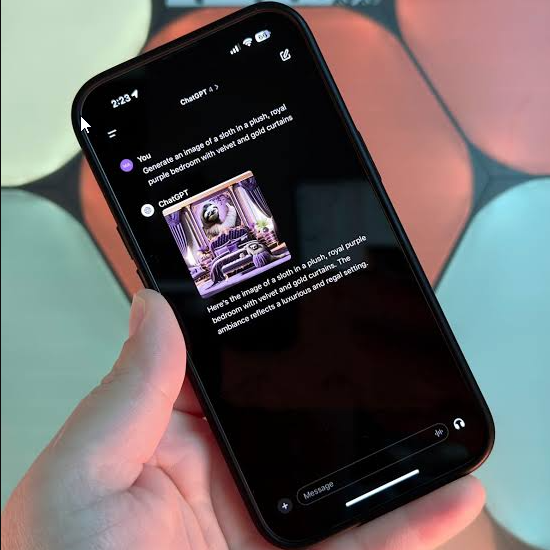
Developed by OpenAI, DALL·E 3 makes AI image creation simple by allowing users to generate images through natural conversation inside ChatGPT.
Overview
Of learning hard ways to create prompts people can just say what they want. ChatGPT takes care of improving the prompt. Creates good images. This makes DALL·E 3 one of the AI image generators, for people who are just starting out.
Key Features
- ChatGPT integration
- Natural language prompting
- Image editing
- Strong text rendering
- High prompt accuracy
- Safe image generation
Pros
- Extremely beginner-friendly
- Excellent prompt understanding
- High-quality images
- Accurate text generation
- Fast workflow
Cons
- Limited manual controls
- Less customization than Midjourney
Pricing
- Free through Microsoft Copilot (limited)
- ChatGPT Plus – $20/month
Free Plan
✅ Yes
Best For
Bloggers, marketers, educators, and everyday users.
Our Rating
4.8/5
3. Google Imagen
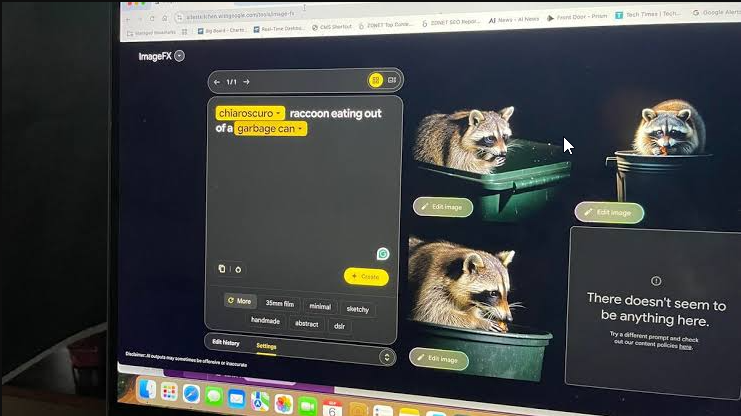
Google Imagen is Google’s flagship AI image generation model, designed to create realistic, high-quality visuals directly within the Gemini ecosystem.
Overview
Google Imagen excels at producing clean, realistic images with natural lighting and excellent prompt accuracy. Its integration with Google services makes it especially convenient for users already working with Gemini and other Google products.
Key Features
- Realistic image generation
- Gemini integration
- Fast rendering
- Enterprise API support
- SynthID watermarking
- Strong prompt understanding
Pros
- High-quality realistic images
- Easy to use
- Fast image generation
- Excellent prompt accuracy
- Seamless Google ecosystem integration
Cons
- Strict safety filters
- Fewer advanced creative controls
Pricing
- Gemini Free – Free
- Gemini Advanced – $19.99/month
- Vertex AI – Usage-based pricing
Free Plan
✅ Yes
Best For
Content creators, businesses, marketers, educators, and Google Workspace users.
Our Rating
4.8/5
4. Adobe Firefly
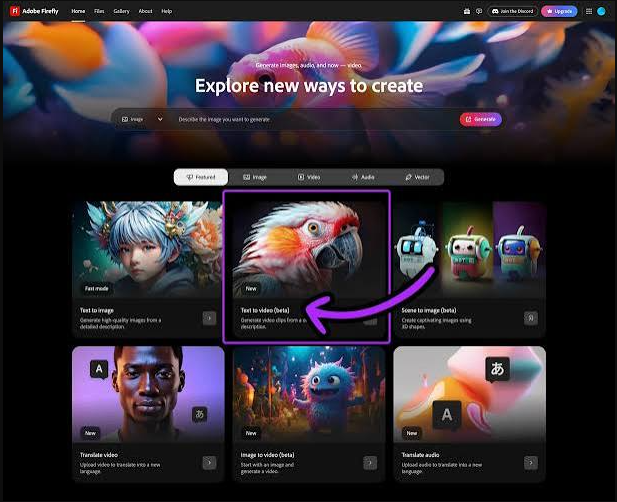
Adobe Firefly is an AI image creation tool that designers and businesses trust when they need visuals for commercial projects. Unlike AI services Adobe Firefly is integrated directly into Adobe Creative Cloud. With Adobe Firefly users can. Edit AI-generated images without leaving programs such, as Photoshop, Illustrator and Adobe Express.
People who work regularly on client projects, logos, marketing materials and social media graphics find that Adobe Firefly offers a creative process. Adobe Firefly fits naturally into their workflow.
Overview
One of Adobe Fireflys strengths is the training data it uses. Than using random images from the internet Adobe trained Firefly on Adobe Stock, public domain assets and licensed content. This method helps avoid copyright issues. That makes Adobe Firefly a reliable option, for projects.
If you already use Adobe products, Firefly feels like a natural extension of your existing workflow.
Key Features
- Generative Fill – Remove, replace, or add objects inside Photoshop using simple text prompts.
- Text-to-Vector Graphics – Instantly create editable vector illustrations and icons in Adobe Illustrator.
- Reference Style Matching – Generate artwork that follows the colors and composition of a reference image.
- Commercial-Friendly AI Model – Designed with business users and copyright safety in mind.
Pros
- Excellent integration with Adobe Creative Cloud.
- Creates editable SVG vector graphics.
- Suitable for commercial branding and marketing projects.
- Beginner-friendly interface.
Cons
- Artistic creativity isn’t as dramatic as Midjourney.
- Free credits can run out quickly during large projects.
Pricing
| Plan | Price |
|---|---|
| Free | 25 monthly AI credits |
| Premium | $4.99/month |
| Creative Cloud All Apps | $59.99/month |
Free Version
Yes. Every Adobe account includes free monthly AI generation credits.
Best For
Graphic designers, agencies, branding specialists, and businesses already using Adobe software.
Our Rating
4.8/5
5. Leonardo AI
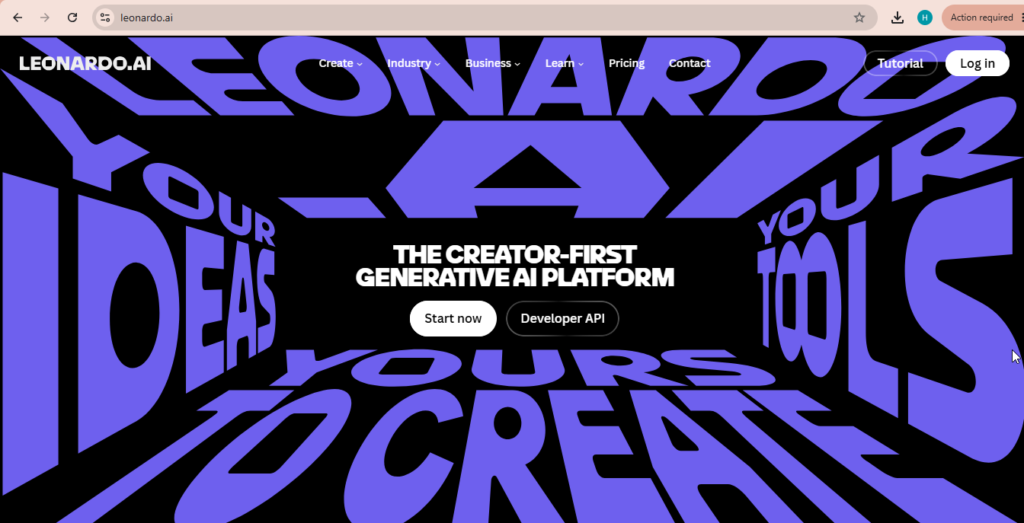
Leonardo AI has become a favorite among game developers, digital artists, and creative professionals who need more control over AI-generated artwork. It combines beginner-friendly templates with advanced customization tools, making it suitable for both hobbyists and professionals.
Overview
Unlike many simple AI art generators, Leonardo AI focuses on creativity and flexibility. Users can create character designs, game assets, architectural concepts, product mockups, and detailed illustrations while maintaining a consistent visual style.
Its active community also provides thousands of ready-made AI models that speed up creative projects.
Key Features
- Custom AI Model Training – Build your own image model using personal artwork.
- Realtime Canvas – Draw and generate images simultaneously.
- Alchemy Engine – Enhances textures, lighting, and image quality.
- 3D Texture Creation – Useful for gaming and 3D development.
Pros
- Generous free daily credits.
- Powerful customization tools.
- Large community model library.
- Excellent image quality.
Cons
- Dashboard may feel overwhelming for beginners.
- Advanced rendering consumes credits quickly.
Pricing
| Plan | Price |
|---|---|
| Free | 150 daily credits |
| Apprentice | $10/month |
| Artisan | $24/month |
| Maestro | $48/month |
Free Version
Yes. Leonardo AI refreshes free credits every day.
Best For
Concept artists, game developers, digital illustrators, and creators who want advanced AI image control.
Our Rating
4.7/5
6. Ideogram AI
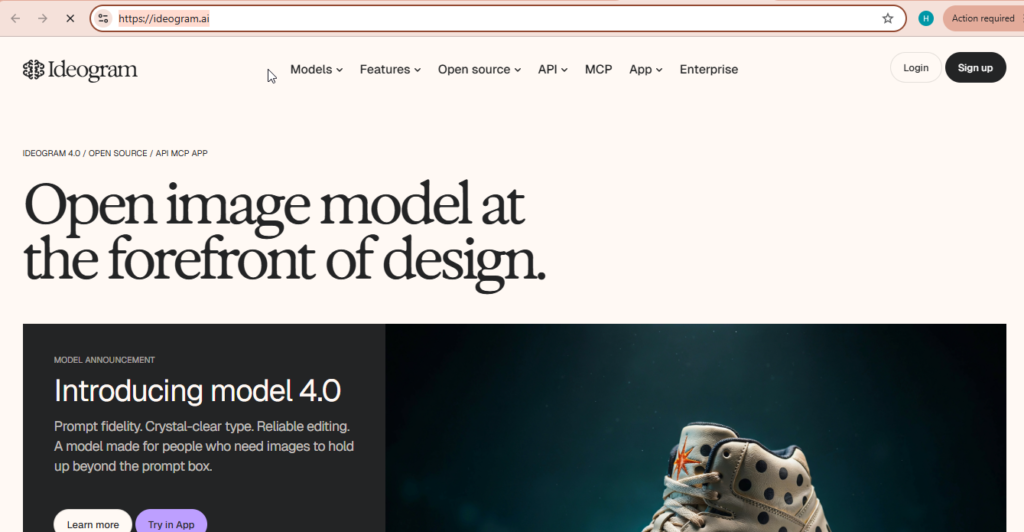
Ideogram AI has earned recognition for solving one of the biggest problems in AI image generation—creating accurate and readable text inside images. If your designs include logos, posters, banners, product labels, or social media graphics, Ideogram is one of the strongest options available.
Overview
Many AI image generators struggle with typography, often producing distorted or unreadable text. Ideogram AI performs exceptionally well in this area, making it ideal for branding, merchandise, and promotional graphics.
The platform also offers an intuitive interface that makes image creation simple, even for beginners.
Key Features
- Industry-leading text generation inside images.
- AI-powered prompt enhancement.
- Custom color palette support.
- Multiple aspect ratio presets for different platforms.
Pros
- Best choice for typography.
- Easy-to-use interface.
- Excellent color consistency.
- Great for branding projects.
Cons
- Portrait realism isn’t as strong as Midjourney.
- Free users may experience slower generation during busy hours.
Pricing
| Plan | Price |
|---|---|
| Free | 10 daily images |
| Basic | $7/month |
| Plus | $16/month |
| Pro | $48/month |
Free Version
Yes. Registered users receive daily free generations.
Best For
Logo designers, social media marketers, poster creators, and print designers.
Our Rating
4.6/5
7. Stable Diffusion
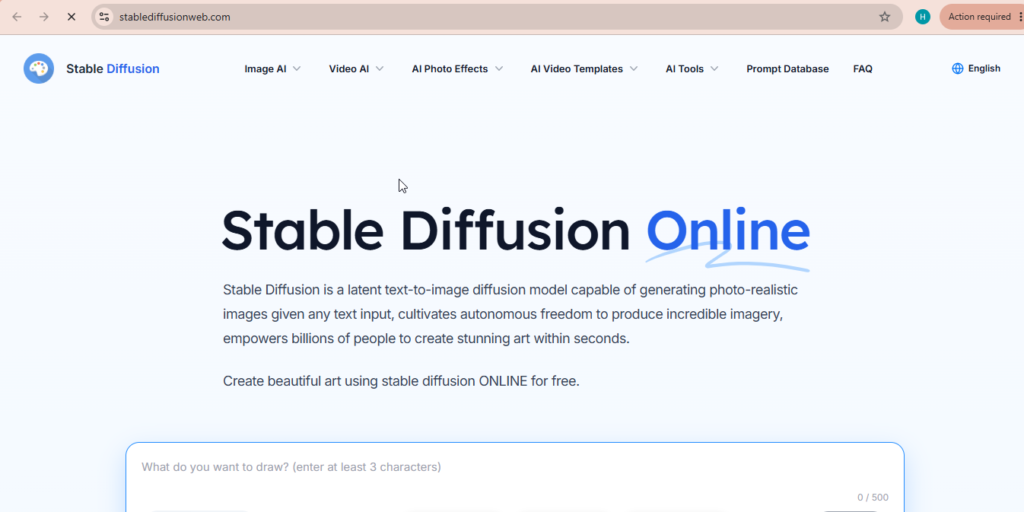
Stable Diffusion is one of the most flexible AI image generators available today. As an open-source model, it gives users complete control over image creation without requiring expensive subscriptions.
Developers, AI enthusiasts, and advanced creators prefer Stable Diffusion because they can run it locally and customize every aspect of the generation process.
Overview
Unlike cloud-based platforms, Stable Diffusion can be installed on your own computer. This gives users complete privacy, unlimited creativity, and access to thousands of community-built models and extensions.
Although setup requires more technical knowledge, the level of customization is unmatched.
Key Features
- Run images locally without internet.
- Full ControlNet support.
- Thousands of community-trained LoRA models.
- Advanced customization through plugins.
Pros
- Completely free for local use.
- Maximum privacy.
- Extremely flexible.
- Huge developer community.
Cons
- Requires a powerful GPU.
- Difficult setup for beginners.
- Steeper learning curve than web-based tools.
Pricing
| Plan | Price |
|---|---|
| Local Installation | Free |
| Cloud Services | Pay-as-you-go |
Free Version
Yes. Stable Diffusion is permanently free for local installation.
Best For
Developers, AI enthusiasts, privacy-focused users, and advanced digital artists.
Our Rating
4.8/5
8. Microsoft Designer
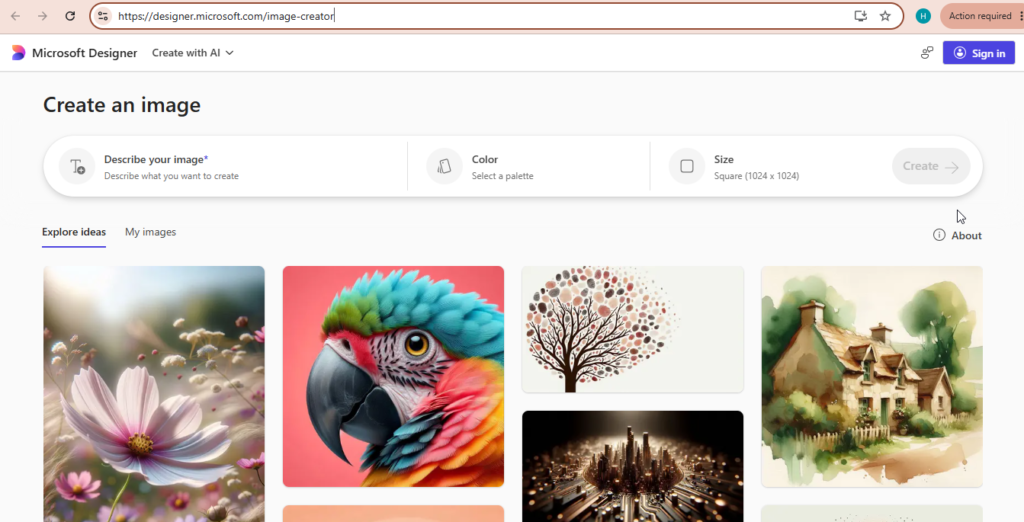
Microsoft Designer combines AI image generation with ready-made design templates, making it an excellent solution for creating social media graphics, presentations, invitations, and marketing materials.
Overview
Powered by Microsoft’s AI technology, Designer automatically builds attractive layouts around your generated images. Instead of designing from scratch, users can create professional-looking graphics in just a few minutes.
Its simple interface makes it particularly useful for beginners and small business owners.
Key Features
- AI-powered layout generation.
- One-click background removal.
- Built-in brand kit.
- Cloud synchronization across devices.
Pros
- Completely free to start.
- Beginner-friendly interface.
- Fast design creation.
- Ideal for social media content.
Cons
- Limited artistic control.
- Less flexible than professional design software.
Pricing
| Plan | Price |
|---|---|
| Free | Included |
| Microsoft 365 Copilot Pro | $20/month |
Free Version
Yes.
Best For
Teachers, marketers, small businesses, and content creators.
Our Rating
4.4/5
9. Canva Magic Media
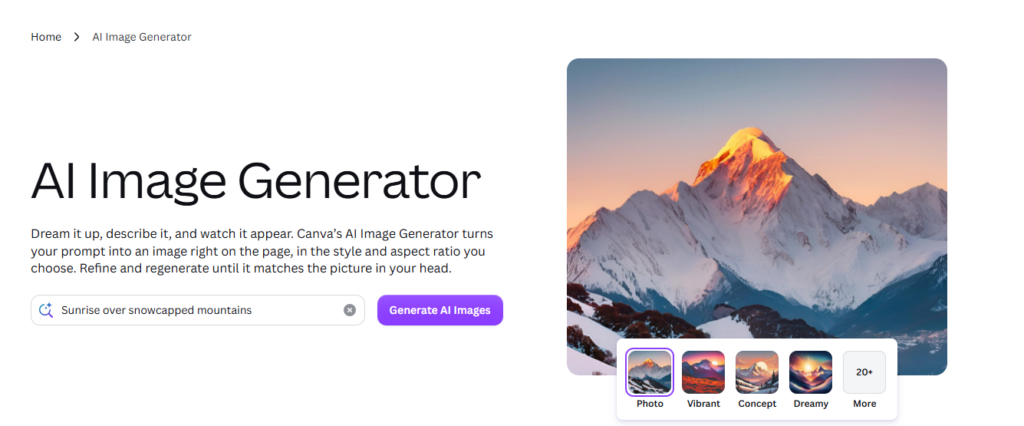
Canva Magic Media brings AI image generation directly into Canva’s popular design platform. Users can create images, edit graphics, and publish content without switching between multiple applications.
Overview
For people already using Canva, Magic Media significantly speeds up content creation. Whether you’re designing Instagram posts, YouTube thumbnails, presentations, or marketing materials, AI-generated visuals can be added directly into your project.
This makes Canva one of the easiest AI design platforms for beginners.
Key Features
- AI image generation inside Canva.
- Multiple image sizes for every platform.
- Built-in artistic styles.
- Magic Edit for object replacement.
Pros
- Perfect for Canva users.
- Huge template library.
- Team collaboration features.
- Very easy to use.
Cons
- Limited free AI generations.
- Lower maximum image resolution than premium AI art platforms.
Pricing
| Plan | Price |
|---|---|
| Canva Free | Limited AI credits |
| Canva Pro | $14.99/month |
| Canva Teams | $29.99/month |
Free Version
Yes, with limited monthly AI generations.
Best For
Bloggers, marketers, social media managers, students, and businesses that already use Canva.
Our Rating
4.5/5
10. DreamStudio
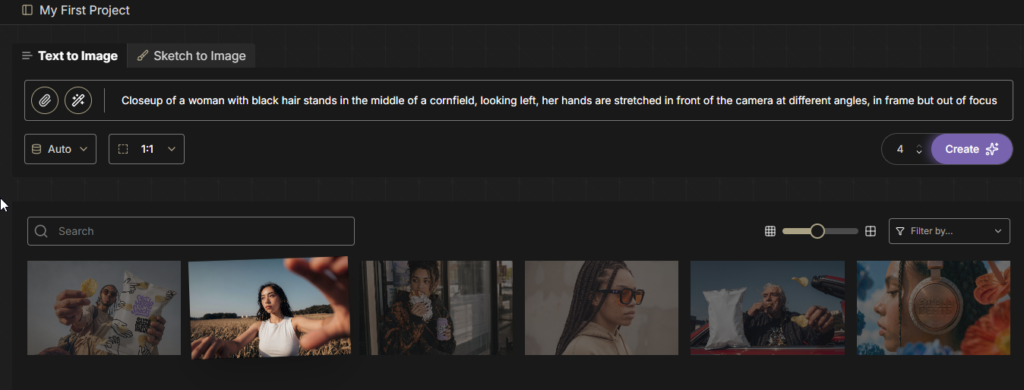
DreamStudio is the official online platform developed by Stability AI for accessing Stable Diffusion models without installing any software. It offers a clean interface and flexible pay-as-you-go pricing, making it a great option for users who don’t want the complexity of running AI models on their own computers.
Overview
Unlike subscription-based AI image generators, DreamStudio charges users based on image generation credits. This makes it ideal for occasional creators who only need AI artwork from time to time.
The platform also provides advanced settings for users who want more control over image quality, style, and rendering options.
Key Features
- Advanced Image Controls – Adjust image size, CFG scale, seed values, and sampling methods.
- Multiple Image Variations – Generate several versions of a prompt at once.
- Image Editing Tools – Expand existing artwork or remove unwanted objects with inpainting and outpainting.
- Stable Diffusion Models – Easily switch between different model versions depending on your project.
Pros
- Flexible pay-as-you-go pricing.
- No monthly subscription required.
- Advanced customization options.
- Fast image generation.
Cons
- Interface is designed more for experienced users.
- Credits can be used quickly when generating high-resolution images.
Pricing
| Plan | Price |
|---|---|
| New Account | Free starter credits |
| Credit Packs | Starting at $10 |
Free Version
Yes. New users receive free credits after creating an account.
Best For
Freelancers, hobbyists, and creators who prefer paying only for the images they generate.
Our Rating
4.3/5
11. FLUX.2
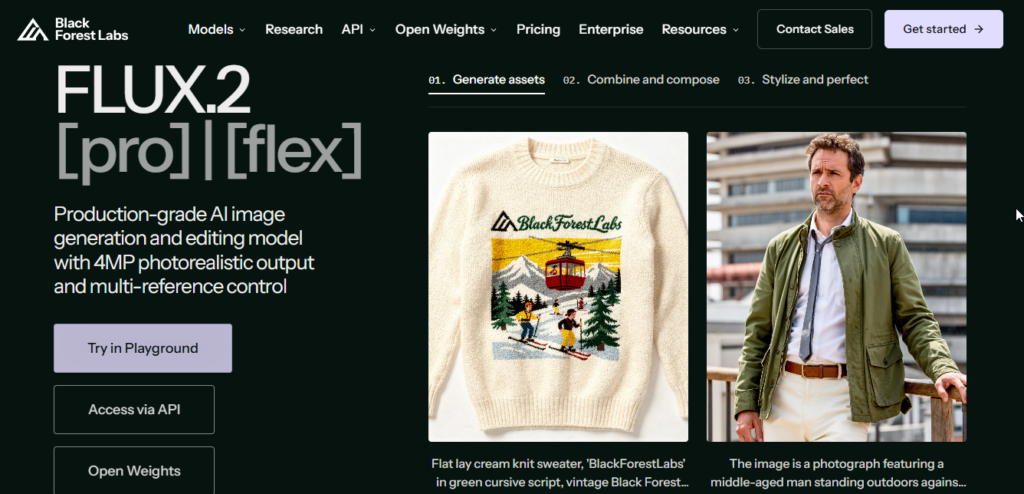
FLUX.2 is a powerful AI image generation family from Black Forest Labs, designed for high-quality image creation and editing. It is particularly useful for users who want strong prompt understanding, realistic visuals, and more control over the generation process.
Overview
FLUX.2 offers several models for different image-generation needs, including higher-end options such as FLUX.2 Pro and Max as well as lighter Klein models. The platform is suitable for creators, developers, marketers, and businesses that need high-quality AI-generated visuals.
Key Features
- High-quality AI image generation
- Strong prompt understanding
- Image editing capabilities
- Multiple model options
- Photorealistic image generation
- Developer/API access
- Different models for different workloads
Pros
- Excellent image quality
- Strong prompt interpretation
- Multiple models available
- Suitable for creative and professional workflows
- API access for developers
Cons
- Pricing varies by model and usage
- Some advanced features are better suited to experienced users
- Free availability depends on the platform or service being used
Pricing
FLUX.2 uses different pricing depending on the model and service used. API access is usage-based.
Free Version
Limited/free options may be available through third-party platforms, while official API usage is paid based on usage.
Best For
Photographers, content creators, marketers, developers, and users who want high-quality AI-generated images with more control.
Our Rating
4.7/5
12. Recraft AI
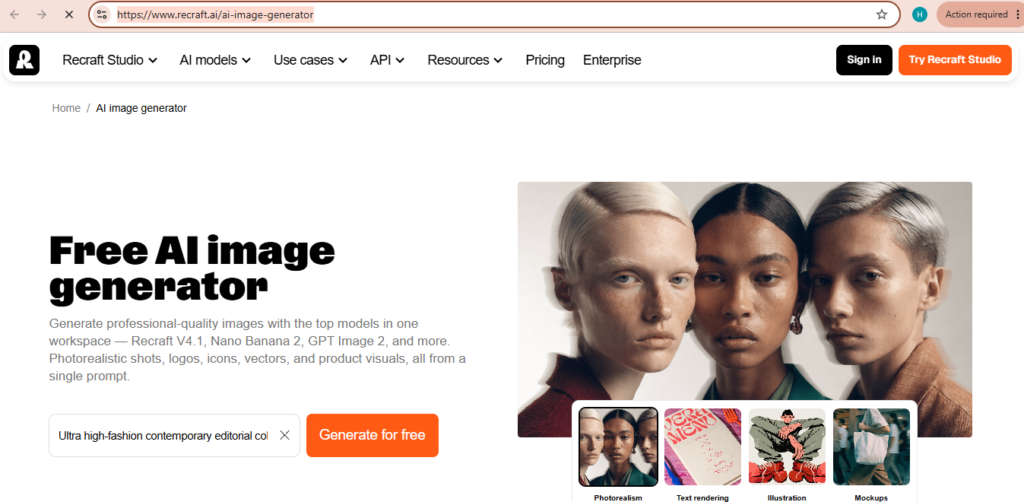
Recraft AI is built specifically for vector graphics, branding materials, UI elements, and scalable illustrations. While many AI image generators focus on realistic photography, Recraft specializes in producing clean vector artwork suitable for professional design projects.
Overview
If your work involves creating logos, icons, website graphics, or mobile app assets, Recraft AI offers features that traditional AI art generators often lack.
Because it supports SVG export, designers can easily edit generated graphics without losing quality.
Key Features
- Vector Image Generation – Create fully scalable SVG graphics.
- Brand Color Locking – Maintain consistent color palettes across designs.
- Icon Set Generator – Produce matching icon collections.
- Style Customization – Adjust line thickness, illustration depth, and design appearance.
Pros
- Excellent vector quality.
- Perfect for branding projects.
- Consistent icon generation.
- Professional design workflow.
Cons
- Not intended for realistic photography.
- Commercial exports require a paid subscription.
Pricing
| Plan | Price |
|---|---|
| Free | Limited daily credits |
| Basic | $20/month |
| Pro | $40/month |
Free Version
Yes. Free users receive limited daily generations.
Best For
UI/UX designers, branding agencies, web designers, and businesses creating scalable graphics.
Our Rating
4.6/5
How to Choose the Best AI Image Generator
Choosing the Best AI Image Generators 2026 depends on your goals, budget, and creative workflow. Every platform has its own strengths, so selecting the right one will save both time and money.
Choose Midjourney or Google Imagen if…
- You want highly realistic images.
- You create artwork for portfolios or premium content.
- Photo quality is your top priority.
Choose DALL·E 3 or Ideogram AI if…
- You need accurate text inside images.
- You create posters, banners, thumbnails, or logos.
- Easy prompting is important.
Choose Adobe Firefly or Recraft AI if…
- You work with brands or commercial clients.
- Vector graphics are part of your workflow.
- Copyright safety is essential.
Choose Stable Diffusion if…
- You prefer complete control.
- Privacy matters.
- You have a powerful computer and enjoy customization.
Choose Canva Magic Media or Microsoft Designer if…
- You need quick social media graphics.
- You are a beginner.
- You want an all-in-one design platform.
Tips for Writing Better AI Image Prompts
Even the best AI image generator performs better when you provide detailed prompts. Following a few simple techniques can dramatically improve image quality.
1. Be Specific
Instead of writing:
“A cat”
Write:
“A fluffy white Persian cat sitting on a wooden chair beside a sunny window, ultra realistic, 8K.”
2. Mention the Style
Include styles such as:
- Photorealistic
- Watercolor
- Oil Painting
- 3D Render
- Anime
- Pixel Art
- Flat Illustration
3. Describe Lighting
Examples include:
- Golden hour lighting
- Studio lighting
- Soft natural light
- Cinematic lighting
- Neon lighting
Lighting often has a huge impact on image quality.
4. Add Camera Details
For realistic photos, include details like:
- DSLR photo
- 35mm lens
- Macro photography
- Shallow depth of field
- Bokeh background
5. Use Negative Prompts
Many AI image generators allow negative prompts.
Examples:
- blurry
- low quality
- watermark
- extra fingers
- distorted face
- cropped image
- duplicate objects
Negative prompts help remove unwanted artifacts and improve overall results.
Expert Tips for Getting Better Results from AI Image Generators
Creating high-quality AI images isn’t about picking the right platform. It’s also, about how you write your prompts and improve your workflow. These two things make a difference in the final result. No matter if you are just starting out or have been designing for a time using a few simple and practical techniques can help you get better and more professional-looking images.
Start with a Clear Idea
Before typing your prompt, decide exactly what you want to create. Think about:
- The main subject
- Background or environment
- Art style
- Lighting
- Camera angle
- Mood
- Colors
A detailed prompt almost always produces better results than a short or vague description.
Experiment with Different Styles
Most AI image generators support multiple artistic styles. Don’t limit yourself to one approach.
Popular styles include:
- Photorealistic
- Digital Painting
- Anime
- Watercolor
- Oil Painting
- 3D Render
- Pixel Art
- Cartoon
- Minimalist Illustration
- Cyberpunk
Testing different styles helps you discover the best look for your project.
Generate Multiple Variations
Instead of accepting the first image, create several versions of the same prompt.
Small prompt adjustments can produce dramatically different results, allowing you to choose the strongest image.
Professional designers often generate dozens of variations before selecting the final design.
Improve Images with Editing Tools
Most modern AI platforms include editing features such as:
- Inpainting
- Outpainting
- Background removal
- Object replacement
- Upscaling
- Color correction
These tools allow you to improve an already good image instead of starting over.
Save Your Best Prompts
Whenever you create an image you really like, save the exact prompt.
Over time you’ll build your own prompt library that can be reused for future projects.
Many professionals organize prompts by category, such as:
- Blog Featured Images
- YouTube Thumbnails
- Product Photography
- Social Media Posts
- Logo Concepts
- Fantasy Art
Common Mistakes to Avoid
Even experienced users make mistakes that reduce image quality.
Try to avoid these common issues:
Writing Very Short Prompts
Poor example:
“A car”
Better example:
“A modern red electric sports car parked beside a mountain lake during golden hour, ultra realistic, cinematic lighting, 8K.”
Ignoring Image Aspect Ratio
Always generate the correct size for your platform.
Examples:
- Blog Featured Image — 16:9
- Instagram Post — 1:1
- Instagram Story — 9:16
- YouTube Thumbnail — 16:9
- Pinterest Pin — 2:3
Forgetting Negative Prompts
Negative prompts remove unwanted elements like:
- Blurry image
- Low quality
- Watermark
- Extra fingers
- Cropped face
- Duplicate objects
Using them often produces cleaner results.
Note: Our ratings are editorial scores based on overall usability, image quality, features, pricing, and the intended use case. They are provided for comparison purposes and may change as these platforms update their models and plans.
Our Top Recommendations
🏆 Best Overall AI Image Generator
Midjourney
Perfect for professional artists, photographers, and creators who want the highest-quality AI-generated artwork.
💰 Best Free AI Image Generator
Google Imagen
An excellent choice for beginners and everyday users looking for high-quality images without paying for a subscription.
🎨 Best for Graphic Designers
Adobe Firefly
Its seamless integration with Photoshop and Illustrator makes it ideal for commercial design work.
✍️ Best for Bloggers & Content Creators
DALL·E 3
Easy prompting, excellent image quality, and smooth integration with AI writing tools make it a strong option for blog featured images and social media graphics.
🖥 Best Open-Source Option
Stable Diffusion
Offers maximum flexibility, privacy, and customization for advanced users.
Conclusion
Frequently Asked Questions (FAQs)
AI image generation has come a way in just a few years. It now lets creators make high-quality images quickly in just seconds. This helps people in different roles—like bloggers, designers, marketers, students or business owners. There’s an AI image generator there for almost every kind of job and budget.
When looking at the tools available today it’s clear that each one shines in its own way. Midjourney keeps getting better with artistic results. DALL·E 3 is simple to use and very easy to get started with. Adobe Firefly works great for design projects that need to be used. Stable Diffusion gives users control over how their images look making it ideal, for those who want to experiment.
1. Which is the best AI image generator in 2026?
I think the answer depends on your needs. If you are looking for photorealistic artwork Midjourney is one of the best options. For users who want prompt writing and good integration, with AI assistants DALL·E 3 is a good option. If commercial safety is your priority Adobe Firefly is a solution because it is trained on licensed content.
2. Are AI-generated images free to use?
Many AI image generators offer free plans with daily or monthly limits. Platforms like Google Imagen, Microsoft Designer, Canva Magic Media, Leonardo AI, and Ideogram AI allow users to create images without paying.
However, premium plans unlock higher-quality images, faster generation, commercial rights, and additional editing features.
3. Can I use AI-generated images for commercial projects?
Yes, in most cases you can use AI-generated images commercially if your subscription includes commercial usage rights.
Before using images for client work, advertising, or products, always review the licensing policy of the platform you are using. Adobe Firefly is especially popular among businesses because of its commercially safe training data.
4. Which AI image generator creates the most realistic photos?
For realistic photography, these platforms consistently perform well:
- Midjourney
- Google Imagen
- DALL·E 3
- Leonardo AI
These tools produce detailed lighting, realistic textures, and high-quality facial features.
5. Which AI image generator is best for beginners?
If you’re completely new to AI image creation, these tools are easy to learn:
- Microsoft Designer
- Canva Magic Media
- DALL·E 3
- Google Imagen
They have simple interfaces and require very little technical knowledge.
6. Which AI image generator is best for logos and text?
When creating logos, posters, banners, or graphics containing readable text, Ideogram AI is one of the strongest choices. It handles typography much better than most AI image generators currently available.
7. Is Stable Diffusion completely free?
Yes. Stable Diffusion is open-source software that can be downloaded and installed on your own computer for free.
Keep in mind that running it locally requires a reasonably powerful GPU to achieve the best performance.
8. What should I include in an AI image prompt?
A strong prompt usually includes:
- Main subject
- Background or environment
- Art style
- Lighting
- Camera angle
- Color palette
- Image quality
- Negative prompts (optional)
The more specific your prompt is, the better the generated result will usually be.
Our Overall Rankings
| Category | Winner |
|---|---|
| Best Overall | Midjourney |
| Best Free Tool | Google Imagen |
| Best for Beginners | DALL·E 3 |
| Best for Bloggers | DALL·E 3 |
| Best for Designers | Adobe Firefly |
| Best for Social Media | Canva Magic Media |
| Best for Typography | Ideogram AI |
| Best Open-Source | Stable Diffusion |
| Best Value | Leonardo AI |
Related Articles
Best AI Video Generators 2026
Compare the best AI video generators for marketing, YouTube, social media, presentations.
Best AI Productivity Tools 2026: Features, Pricing, Pros & Cons
Find the top free & paid AI productivity apps
15 Best AI Resume Builder Tools in 2026: Tested & Compared
AI resume builder tools. Compare features, pricing, ATS optimization.
15 Best AI Presentation Makers in 2026: Tested & Compared
Discover the best AI presentation makers.
15 Best AI Logo Makers in 2026: Tested & Compared
Compare the best AI logo makers
15 Best AI Voice Generators in 2026: Tested & Compared
Discover the best AI voice generators
Pingback: Best AI Art Generators in 2026: 15 Tools to Create Amazing Images - AI Crest Lab