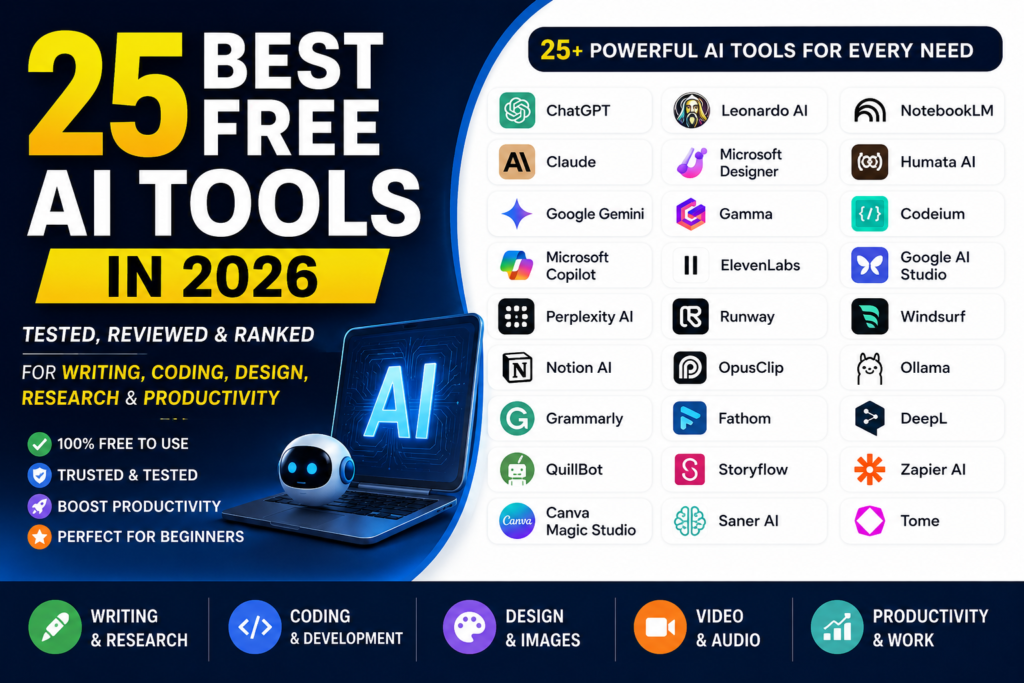
Introduction (25 Best Free AI Tools in 2026)
Artificial intelligence is not a trend anymore; it is a core part of daily living. If you are a student, a content creator, a freelancer, an entrepreneur or a software developer AI tools can help you work faster boost productivity and save time.
The challenge is that hundreds of AI tools appear every month. Many are shown as “free “. Some provide only short trials or demand payment, for full features. Searching for useful free AI tools can become frustrating.
To make things easier I have. Compared dozens of popular AI platforms. In this guide you will find the 25 free AI tools of 2026 chosen for ease of use helpful features, free plan cost and overall performance.
If you need help with writing, research, programming, image creation, presentations or video production this list will show you AI tools that give plans or free access so you can start without a paid subscription.
Quick Comparison Table
| Sr. # | Tool | Best Used For | Free Tier | Our Rating |
|---|---|---|---|---|
| 01 | Storyflow | Visual Workspaces & Canvas | Free basic access | 9.5/10 |
| 02 | NotebookLM | Research & Document Summary | Free access with limits | 9.4/10 |
| 03 | Claude | Advanced Reasoning & Writing | Free plan with usage limits | 9.2/10 |
| 04 | ChatGPT | All-Purpose AI Assistance | Free plan with usage limits | 9.1/10 |
| 05 | Google Gemini | AI Assistance & Google Ecosystem | Free plan with usage limits | 8.9/10 |
| 06 | Perplexity AI | AI-Powered Web Research | Free plan with usage limits | 8.8/10 |
| 07 | Microsoft Designer | AI Graphics & Image Creation | Free plan with usage limits | 8.5/10 |
| 08 | ElevenLabs | AI Voice & Audio Generation | Free plan with monthly limits | 8.4/10 |
| 09 | Gamma | AI Presentations & Documents | Free plan with limits | 8.3/10 |
| 10 | Windsurf | AI Coding Assistance | Free plan with usage limits | 8.2/10 |
| 11 | Saner AI | Personal Knowledge & Organization | Free access with limits | 8.2/10 |
| 12 | Notion AI | Notes, Documents & Productivity | Limited AI trial/responses | 8.1/10 |
| 13 | Fathom | Meeting Transcription & Notes | Free plan available | 8.1/10 |
| 14 | Grammarly | Grammar & Writing Improvement | Free basic features | 8.0/10 |
| 15 | QuillBot | Paraphrasing & Writing | Free plan with limits | 8.0/10 |
| 16 | Cline | AI-Assisted Coding & Development | Free open-source tool; AI inference may cost extra | 8.0 / 10 |
| 17 | Humata AI | PDF & Document Analysis | Free plan with limits | 7.9/10 |
| 18 | Canva Magic Studio | Graphic Design & Presentations | Free access with AI limits | 7.9/10 |
| 19 | Leonardo AI | AI Image Generation | Free plan with usage limits | 7.8/10 |
| 20 | OpusClip | Short Video & Social Clips | Free plan with limits | 7.8/10 |
| 21 | Google Veo | AI Video Generation | Free plan with usage limits | 7.7/10 |
| 22 | Runway | AI Video Creation & Editing | Free plan with usage limits | 7.6/10 |
| 23 | Google AI Studio | Gemini Testing & AI Prototyping | Free access with usage limits | 7.5/10 |
| 24 | Ollama | Running AI Models Locally | Free to run locally | 7.3/10 |
| 25 | Mistral Le Chat | AI Chat & General Assistance | Free access with usage limits | 7.2/10 |
How We Selected These AI Tools
Instead of choosing tools based on popularity alone, we evaluated each platform using several practical criteria:
- Ease of use for beginners
- Quality of the free plan
- Speed and accuracy
- Real-world usefulness
- Regular updates and improvements
- Overall value without requiring a paid subscription
These recommendations are designed for people who want reliable AI tools they can start using immediately.
Also Read: Best AI Tools for Students in 2026: 15 Tools to Study Smarter
Table of Contents
Rating Note: Overall ratings reflect each tool’s performance across the full list of AI tools, while category ratings reflect how well a tool performs compared with other tools in its specific category. Because these ratings use different comparison criteria, a tool’s overall and category ratings may differ.
Category 1: Best Free AI Chatbots & All-Rounders
1. ChatGPT

ChatGPT continues to be one of the most versatile AI assistants available. It can help with writing articles, answering questions, brainstorming ideas, summarizing information, creating emails, learning new skills, and much more.
The free version is suitable for most everyday tasks, making it an excellent starting point for anyone exploring artificial intelligence.
Key Features
- Natural conversations
- Content writing assistance
- Coding support
- Brainstorming ideas
- Language translation
- Document summarization
Pros
✔ Beginner-friendly interface
✔ Fast responses
✔ Excellent writing quality
✔ Useful for almost every profession
Cons
✘ Some advanced models and features require ChatGPT Plus.
Best For
- Students
- Bloggers
- Freelancers
- Business owners
- Digital marketers
2. Claude
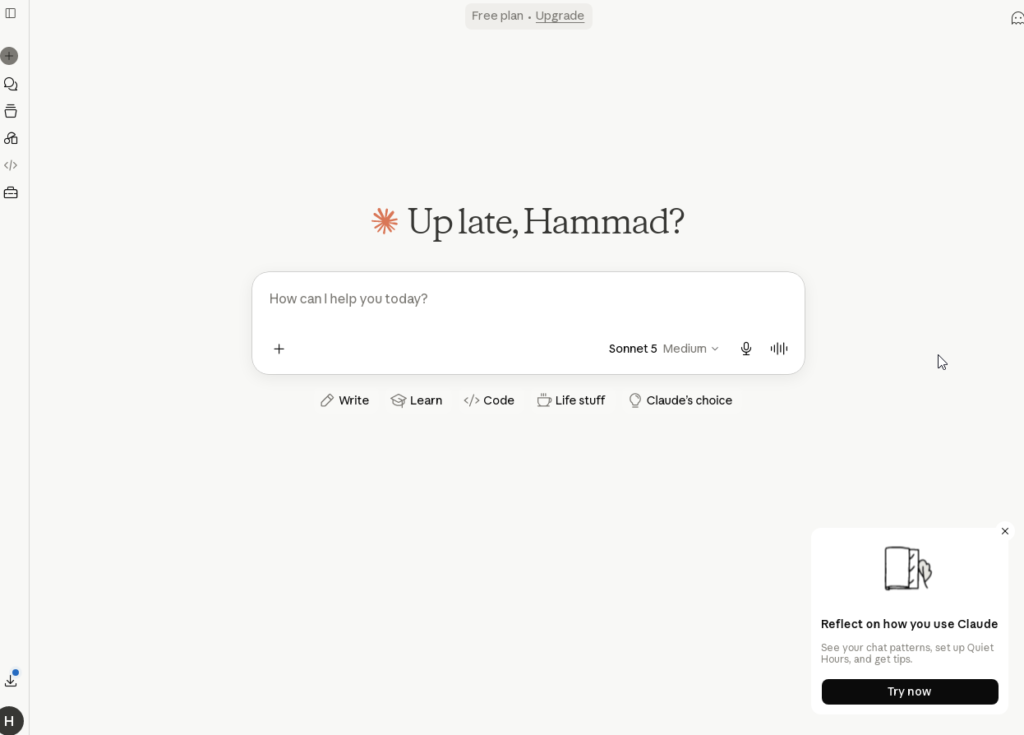
Claude has become one of the strongest competitors in the AI industry. It is especially known for producing natural, well-structured writing and handling long documents more effectively than many other chatbots.
Many writers and researchers prefer Claude because its responses often sound more human and organized.
Key Features
- Long document analysis
- Human-like writing
- Creative content generation
- Research assistance
- Strong reasoning capabilities
Pros
✔ Excellent writing quality
✔ Great for research
✔ Understands long conversations
✔ Easy to use
Cons
✘ Daily usage limits apply to free users.
Best For
- Writers
- Researchers
- Students
- Bloggers
- Professionals
3. Google Gemini
Google Gemini works particularly well for users already using Gmail, Google Docs, Google Drive, and other Google services.
It provides up-to-date information, integrates smoothly with Google’s ecosystem, and performs well when working with documents, spreadsheets, and online research.
Key Features
- Google Workspace integration
- Large context window
- Web-connected responses
- Image understanding
- Productivity assistance
Pros
✔ Works well with Google apps
✔ Accurate online information
✔ Supports multiple content formats
✔ Easy for beginners
Cons
✘ Some advanced AI capabilities require a paid plan.
Best For
- Students
- Office workers
- Researchers
- Google Workspace users
4. Mistral Le Chat

Mistral Le Chat is an emerging AI chatbot that focuses on speed, privacy, and open AI models. It offers a clean interface and performs well for everyday conversations, coding assistance, and writing tasks.
Although it isn’t as widely known as ChatGPT or Claude, it continues to improve rapidly and is worth trying.
Key Features
- Fast responses
- Privacy-focused approach
- Strong multilingual support
- Open-model technology
Pros
✔ Fast performance
✔ Free to use
✔ Simple interface
✔ Reliable for general tasks
Cons
✘ Smaller ecosystem compared to ChatGPT.
Best For
- Everyday AI assistance
- Learning
- Writing
- Coding
- Research
Comparison Table: Best Free AI Chatbots & All-Rounders
| Tool | Best For | Free Plan | Rating |
|---|---|---|---|
| Claude | Writing & Reasoning | Yes, with usage limits | 9.2/10 |
| ChatGPT | All-Purpose AI Assistant | Yes, with usage limits | 9.0/10 |
| Google Gemini | Google Ecosystem & Research | Yes, with usage limits | 8.9/10 |
| Mistral Le Chat | General AI & Multilingual Tasks | Yes | 7.2/10 |
Also Read: Best AI Chatbots 2026: 10 Best AI Assistants Compared
Category 2: Best Free AI Tools for Productivity & Work
AI isn’t just about writing content anymore. Many modern AI platforms help you manage projects, organize notes, schedule tasks, and improve team collaboration. If you’re looking for tools that make your daily work easier, these options are worth exploring.
5. Storyflow
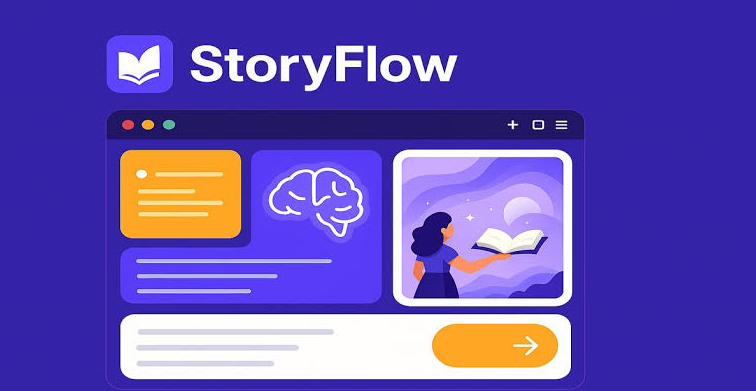
Storyflow is one of the most interesting productivity tools introduced in recent years. Instead of using a traditional document editor, it provides an infinite visual workspace where you can organize ideas, create mind maps, and manage projects with AI assistance.
Its clean interface makes it suitable for freelancers, startups, content creators, and teams that prefer visual planning.
Key Features
- Infinite visual canvas
- AI-assisted brainstorming
- Mind mapping
- Team collaboration
- Drag-and-drop workspace
Pros
✔ Simple interface
✔ Great for project planning
✔ Free basic workspace
✔ Excellent collaboration tools
Cons
✘ Some advanced automation features require a premium subscription.
Best For
- Project Managers
- Marketing Teams
- Freelancers
- Startup Founders
- Content Creators
6. Saner AI
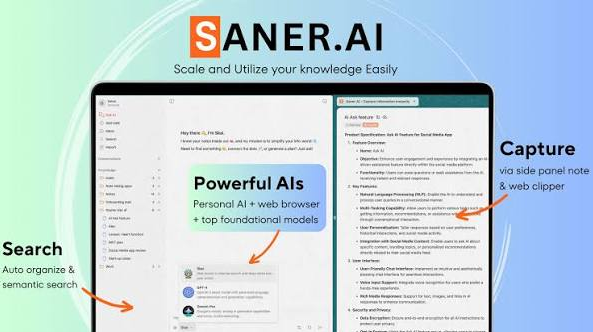
Saner AI is designed for people who constantly collect ideas, notes, and tasks but struggle to keep everything organized. Think of it as a digital second brain that helps you find information quickly.
It can organize scattered notes, reminders, and documents, making daily work much more efficient.
Key Features
- Smart note organization
- Natural language search
- Task management
- Calendar integration
- AI-powered knowledge base
Pros
✔ Easy to organize ideas
✔ Fast search
✔ Beginner-friendly
✔ Helpful for productivity
Cons
✘ Limited project management features.
Best For
- Students
- Writers
- Entrepreneurs
- Busy Professionals
7. Notion AI
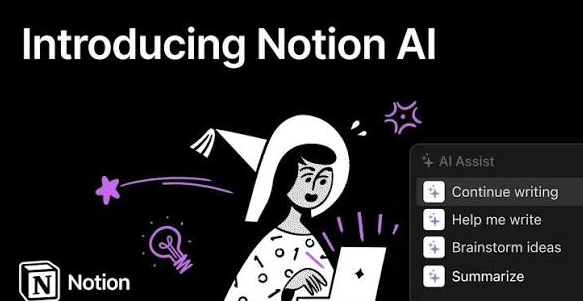
Notion has become one of the world’s most popular productivity platforms. Its built-in AI assistant can summarize notes, rewrite content, generate meeting summaries, create task lists, and improve writing quality without leaving your workspace.
If you already use Notion for work or study, the AI integration saves a significant amount of time.
Key Features
- AI writing assistant
- Meeting summaries
- Task generation
- Knowledge management
- Workspace organization
Pros
✔ Easy to use
✔ Powerful note management
✔ Excellent collaboration
✔ Works inside Notion
Cons
✘ Free AI requests are limited each month.
Best For
- Students
- Bloggers
- Remote Teams
- Businesses
8. Fathom
Fathom is an AI meeting assistant that automatically records, transcribes, and summarizes online meetings. Instead of taking notes manually, you can focus on the conversation while Fathom captures the important details.
After each meeting, it generates a summary along with action items and key discussion points.
Key Features
- Meeting recording
- AI transcription
- Automatic summaries
- Action item detection
- Zoom, Google Meet & Teams support
Pros
✔ Saves time
✔ Accurate meeting notes
✔ Easy sharing
✔ Improves productivity
Cons
✘ Requires permission to access meeting platforms.
Best For
- Remote Teams
- Managers
- Sales Professionals
- Consultants
Comparison Table: Best Free AI Tools for Productivity & Work
| Tool | Best For | Free Plan | Rating |
|---|---|---|---|
| Storyflow | Visual Workspaces & Planning | Yes | 9.5/10 |
| Notion AI | Notes & Documents | Limited | 9.2/10 |
| Saner AI | Personal Knowledge Management | Yes | 9.1/10 |
| Fathom | Meeting Transcription & Summaries | Yes | 8.8/10 |
Which Productivity Tool Should You Choose?
Choosing the right productivity tool depends on your workflow.
- Storyflow is ideal if you like visual planning and brainstorming.
- Saner AI is a great option for organizing personal notes and daily tasks.
- Notion AI works best for users who already manage projects or documents inside Notion.
- Fathom is perfect for professionals who attend frequent online meetings and want automatic summaries.
If you’re just getting started, try one tool for a week before switching to another. This will help you understand how it fits into your daily routine.
Also Read: 15 Best AI Productivity Tools 2026
Category 3: Best Free AI Tools for Research & Writing
Whether you’re a student, blogger, researcher, or business professional, finding accurate information and writing high-quality content can take hours. The following AI tools simplify research, improve writing, and help you work more efficiently while maintaining quality.
9. NotebookLM
NotebookLM is one of Google’s most useful AI tools for research. Instead of answering questions from general internet knowledge, it focuses on the documents you upload. You can add PDFs, research papers, notes, or web pages, and NotebookLM will answer questions based only on those sources.
This makes it an excellent choice for students, researchers, and professionals who need reliable information from their own documents.
Key Features
- AI-powered document analysis
- PDF and document support
- Smart question answering
- Source-based responses
- Audio summaries
Pros
✔ Excellent accuracy
✔ Great for studying
✔ Easy to organize research
✔ Free to use
Cons
✘ Limited to uploaded sources rather than general internet knowledge.
Best For
- Students
- Researchers
- Teachers
- Business Professionals
Our Rating: ⭐ 9.4/10
10. Perplexity AI
Perplexity AI combines the power of a search engine with artificial intelligence. Instead of showing a list of websites, it generates clear answers while citing reliable sources, making research faster and more transparent.
It’s especially useful when you need current information without spending time opening multiple tabs.
Key Features
- AI-powered web search
- Source citations
- Follow-up questions
- Fast research
- Real-time information
Pros
✔ Reliable references
✔ Fast answers
✔ Beginner-friendly
✔ Great research assistant
Cons
✘ Advanced search features are limited on the free plan.
Best For
- Bloggers
- Students
- Researchers
- Journalists
Our Rating: ⭐ 9.4/10
11. Grammarly AI
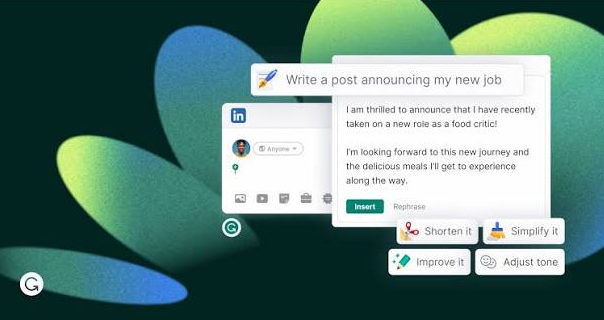
Grammarly has evolved into much more than a grammar checker. It now provides AI-powered writing
suggestions that improve clarity, readability, grammar, punctuation, and tone.
Whether you’re writing blog posts, emails, reports, or academic assignments, Grammarly helps make your content more professional.
Key Features
- Grammar correction
- Tone suggestions
- Spelling checker
- AI writing assistance
- Browser extension
Pros
✔ Very accurate
✔ Works across multiple platforms
✔ Improves writing quality
✔ Easy to install
Cons
✘ Some advanced AI writing features require a premium subscription.
Best For
- Bloggers
- Students
- Copywriters
- Business Users
Our Rating: ⭐ 9.3/10
12. QuillBot
QuillBot is a popular AI writing assistant that helps rewrite sentences while keeping their original meaning. It is useful when you want to improve readability, simplify complex text, or avoid repetitive wording.
Many students and content creators use QuillBot to polish their drafts before publishing.
Key Features
- AI paraphrasing
- Grammar checker
- Summarizer
- Citation generator
- Multiple writing modes
Pros
✔ Easy to rewrite sentences
✔ Beginner-friendly
✔ Fast processing
✔ Useful free plan
Cons
✘ Free users have word limits for paraphrasing.
Best For
- Students
- Bloggers
- Writers
- Researchers
Our Rating: ⭐ 9.1/10
13. Humata AI
Humata AI is designed to help users analyze long documents quickly. Instead of reading hundreds of pages manually, you can upload your document and ask questions in plain English.
The AI highlights relevant sections and provides answers based on your uploaded files, making it valuable for legal documents, reports, and research papers.
Key Features
- Document analysis
- AI question answering
- PDF support
- Source highlighting
- Fast search
Pros
✔ Saves research time
✔ Accurate document search
✔ User-friendly interface
✔ Great for large files
Cons
✘ Free plan has document upload limits.
Best For
- Researchers
- Lawyers
- Students
- Business Teams
Our Rating: ⭐ 9.0/10
Comparison Table: Best Free AI Tools for Research & Writing
| Tool | Best For | Free Plan | Rating |
|---|---|---|---|
| NotebookLM | Research & Document Analysis | Yes | 9.6/10 |
| Perplexity AI | Web Research | Yes | 9.4/10 |
| Grammarly | Grammar & Editing | Limited | 9.3/10 |
| QuillBot | Paraphrasing & Rewriting | Limited | 9.1/10 |
| Humata AI | PDF & Document Analysis | Limited | 9.0/10 |
Which Research Tool Should You Choose?
If your work mainly involves reading, writing, or researching information, selecting the right AI assistant can save hours every week.
- NotebookLM is the best option for studying PDFs, reports, and personal documents.
- Perplexity AI is ideal for quick online research with source citations.
- Grammarly helps improve grammar, clarity, and writing style.
- QuillBot is useful for rewriting sentences and improving readability.
- Humata AI works best for analyzing lengthy PDFs and technical documents.
Many professionals use a combination of these tools rather than relying on just one. For example, you can research with Perplexity AI, organize documents in NotebookLM, write your article, and then polish it with Grammarly before publishing.
Also Read: 15 Best AI Writing Tools
Category 4: Best Free AI Tools for Images, Design & Presentations
Creating professional graphics, social media posts, presentations, and marketing materials no longer requires advanced design skills. Modern AI design tools allow anyone to produce high-quality visuals within minutes.
Whether you’re a blogger, freelancer, marketer, or small business owner, these AI tools can help you create eye-catching content without spending hours learning complicated software.
14. Microsoft Designer

Microsoft Designer is an AI-powered graphic design tool that helps users create images, social media posts, invitations, banners, and marketing materials using simple text prompts.
Its clean interface makes it an excellent choice for beginners who want professional-looking designs without learning complex editing software.
Key Features
- AI image generation
- Social media templates
- Background removal
- Text-to-image creation
- Easy editing tools
Pros
✔ Beginner-friendly interface
✔ Fast image generation
✔ Free daily credits
✔ High-quality templates
Cons
✘ Daily AI generation credits are limited for free users.
Best For
- Bloggers
- Social Media Managers
- Small Businesses
- Students
Our Rating: ⭐ 9.2/10
15. Canva Magic Studio
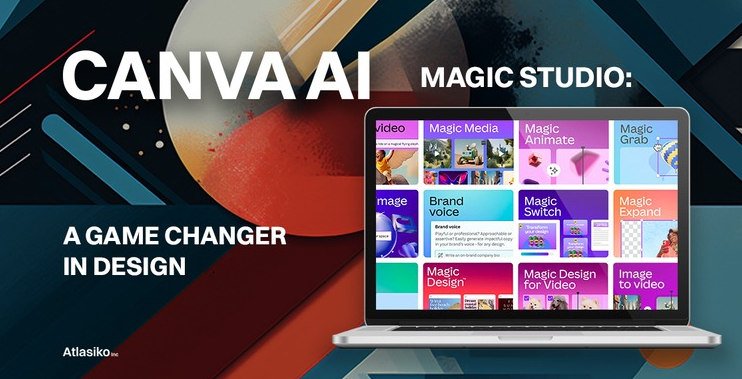
Canva has transformed graphic design by combining simple drag-and-drop editing with powerful AI features. Magic Studio helps generate images, write text, remove backgrounds, resize designs, and create presentations much faster.
If you’re already using Canva, the AI features fit naturally into your workflow.
Key Features
- AI image generator
- Magic Write
- Background remover
- AI design suggestions
- Presentation templates
Pros
✔ Extremely easy to use
✔ Thousands of templates
✔ Cloud-based workspace
✔ Great for beginners
Cons
✘ Some premium AI features require Canva Pro.
Best For
- Bloggers
- Content Creators
- Teachers
- Businesses
Our Rating: ⭐ 9.4/10
16. Gamma
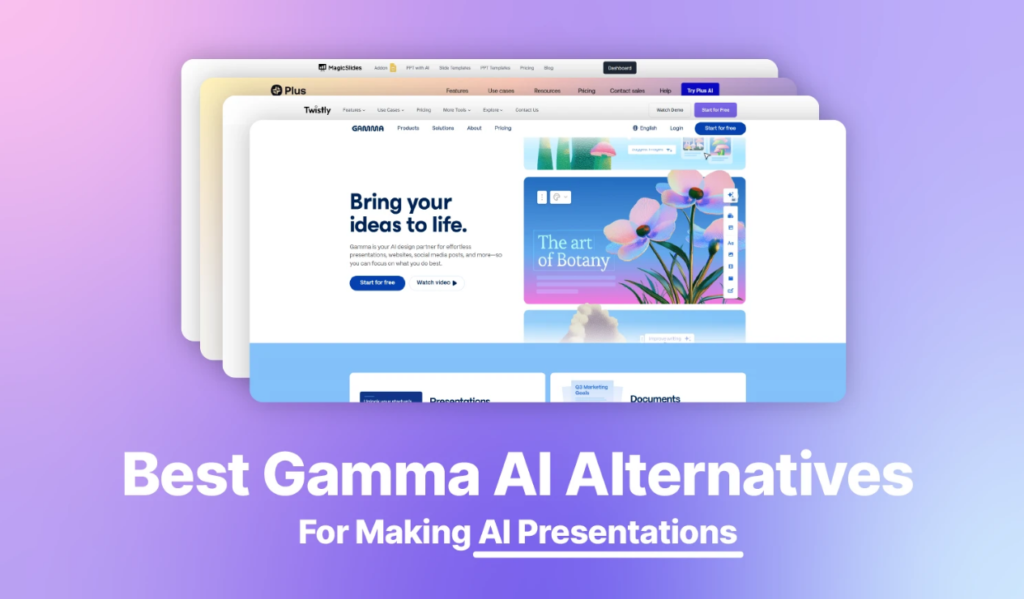
Gamma is an AI presentation tool that turns your ideas into professional slides within minutes. Instead of spending hours formatting PowerPoint presentations, you simply enter a topic, and Gamma generates a complete presentation with layouts, headings, and images.
It’s an excellent solution for students, professionals, and marketers who need polished presentations quickly.
Key Features
- AI presentation generation
- Professional templates
- Smart layouts
- Easy editing
- Online sharing
Pros
✔ Saves hours of work
✔ Beautiful presentation designs
✔ Beginner-friendly
✔ Fast generation
Cons
✘ Free credits are limited.
Best For
- Students
- Teachers
- Business Professionals
- Freelancers
Our Rating: ⭐ 9.0/10
17. Leonardo AI

Leonardo AI is one of the most popular AI image generators available today. It allows users to create digital artwork, realistic photos, game assets, concept art, and illustrations using simple text prompts.
The platform offers more creative control than many beginner-friendly image generators, making it a favorite among designers and artists.
Key Features
- AI image generation
- Multiple artistic styles
- Photo-realistic images
- Prompt customization
- Daily free tokens
Pros
✔ Excellent image quality
✔ Multiple art styles
✔ Free daily credits
✔ Active community
Cons
✘ Beginners may need some time to learn advanced settings.
Best For
- Graphic Designers
- Bloggers
- YouTubers
- Digital Artists
- Game Developers
Comparison Table: Best Free AI Tools for Images, Design & Presentations
| Tool | Best For | Free Plan | Rating |
|---|---|---|---|
| Leonardo AI | AI Image Generation | Yes | 9.5/10 |
| Canva Magic Studio | Graphic Design | Limited | 9.4/10 |
| Microsoft Designer | Social Media Graphics | Yes | 9.2/10 |
| Gamma | AI Presentations | Limited | 9.0/10 |
Which Design Tool Should You Choose?
The best AI design tool depends on what you want to create.
- Microsoft Designer is perfect for quick graphics and social media posts.
- Canva Magic Studio is the best all-in-one design platform for beginners.
- Gamma is ideal for creating professional presentations without spending hours on formatting.
- Leonardo AI is the top choice if your main focus is AI-generated artwork and creative visuals.
Many creators use Canva for editing, Leonardo AI for image generation, and Gamma for presentations to build a complete content creation workflow.
Pro Tip
If you run a blog like AICrestLab, you can use:
- Leonardo AI for featured images.
- Canva to add titles, icons, and branding.
- Microsoft Designer for social media graphics.
- Gamma to create presentation-style content for LinkedIn or educational posts.
This combination can significantly speed up your content creation process while maintaining a professional appearance.
Category 5: Best Free AI Tools for Video & Audio
Video content continues to dominate the internet, but editing videos and creating professional voiceovers can take a significant amount of time. Fortunately, AI-powered tools now make video production much easier, even for beginners.
The following platforms can help you create short videos, realistic voiceovers, edit content, and produce social media clips with minimal effort.
18. ElevenLabs AI
ElevenLabs is one of the most realistic AI voice generators available today. It can transform text into natural-sounding speech suitable for YouTube videos, podcasts, audiobooks, presentations, and marketing content.
Its free plan is generous enough for beginners who want to experiment with AI voice technology.
Key Features
- Text-to-speech
- Multiple voice styles
- Multilingual support
- Voice cloning (limited)
- Studio-quality audio
Pros
✔ Very realistic voices
✔ Easy to use
✔ High-quality audio output
✔ Multiple language options
Cons
✘ Monthly character limits apply on the free plan.
Best For
- YouTubers
- Podcasters
- Bloggers
- Content Creators
Our Rating: ⭐ 9.6/10
19. OpusClip
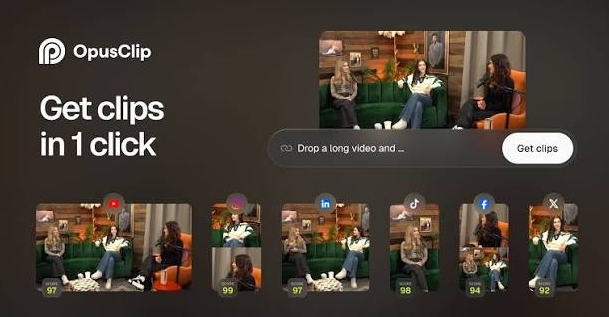
OpusClip helps transform long videos into short clips optimized for platforms like TikTok, Instagram Reels, Facebook, and YouTube Shorts.
The AI automatically detects the most engaging moments and adds captions to improve viewer engagement.
Key Features
- AI video clipping
- Automatic captions
- Social media optimization
- Face tracking
- Auto reframing
Pros
✔ Saves editing time
✔ Great for social media
✔ Automatic subtitles
✔ Beginner-friendly
Cons
✘ Free exports include limited customization.
Best For
- YouTubers
- Social Media Managers
- Podcasters
Our Rating: ⭐ 9.1/10
20. Google Veo
Google Veo is Google’s AI video generation technology that creates short videos from text prompts. It produces realistic motion, cinematic visuals, and creative scenes, making it an exciting tool for content creators.
Key Features
- Text-to-video
- High-quality visuals
- Realistic motion
- Creative scene generation
- AI-powered storytelling
Pros
✔ Impressive video quality
✔ Easy prompt-based generation
✔ Excellent realism
Cons
✘ Availability and free usage may vary by region.
Best For
- Creators
- Marketers
- Educators
Our Rating: ⭐ 9.2/10
21. Runway AI
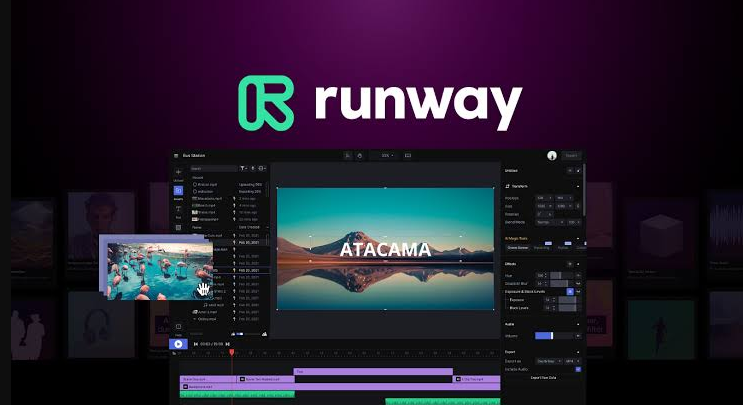
Runway is a powerful AI-powered video editing platform. It allows users to generate videos, remove backgrounds, edit footage, and apply creative AI effects with just a few clicks.
Key Features
- AI video editing
- Background removal
- Text-to-video
- Motion effects
- Object removal
Pros
✔ Professional editing tools
✔ Clean interface
✔ Fast processing
Cons
✘ Free exports have limitations.
Best For
- Video Editors
- Designers
- Marketing Teams
Comparison Table: Best Free AI Tools for Video & Audio
| Tool | Best For | Free Plan | Rating |
|---|---|---|---|
| ElevenLabs | AI Voice Generation | Limited | 9.6/10 |
| Runway | AI Video Editing & Generation | Limited | 9.3/10 |
| Google Veo | AI Video Generation | Varies | 9.2/10 |
| OpusClip | Short Video Creation | Limited | 9.1/10 |
Category 6: Best Free AI Tools for Developers & Programmers
Artificial Intelligence is transforming software development by helping developers write code faster, fix bugs, explain programming concepts, and automate repetitive tasks.
22. Cline
Cline is an open-source AI coding assistant designed to help developers write, understand, and improve code directly inside their development environment. Unlike basic code-completion tools, Cline can work across project files, suggest changes, run commands, and help developers complete multi-step coding tasks.
It is particularly useful for developers who want more control over how an AI assistant works with their code. Cline supports popular development environments and can connect with different AI model providers, giving users flexibility over the models they use.
Key Features
- AI-assisted coding
- Multi-file code editing
- Code explanation and debugging
- Terminal and command support
- VS Code and JetBrains support
- Open-source architecture
- Human approval for important actions
Pros
✔ Free and open source
✔ Powerful coding assistance
✔ Can work across multiple project files
✔ Supports different AI model providers
✔ Useful for complex coding tasks
Cons
✘ AI model usage may require API credits
✘ Beginners may need some time to understand the setup
Best For
- Developers
- Software Engineers
- AI Coding Enthusiasts
- Students Learning Programming
- Freelancers
Our Rating: 8.0/10
23. Google AI Studio
Google AI Studio allows developers and AI enthusiasts to experiment with Gemini models, build prototypes, and test prompts without creating a full application.
Key Features
- Prompt testing
- Gemini API access
- Multimodal AI
- Fast prototyping
- Developer tools
Pros
✔ Powerful free environment
✔ Great learning platform
✔ Supports text, images, and more
Cons
✘ Beginners may need time to understand all features.
Best For
- Developers
- AI Learners
- Startups
Our Rating: ⭐ 9.4/10
24. Windsurf AI
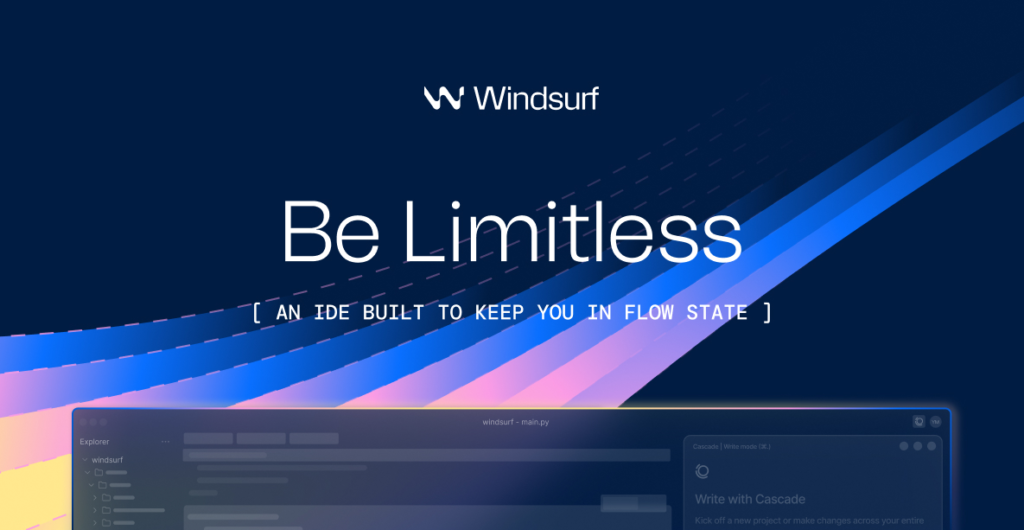
Windsurf is an AI-powered coding environment that helps developers understand projects, generate code, and fix errors with intelligent suggestions.
Key Features
- AI coding assistant
- Smart code navigation
- Error fixing
- Project understanding
- Productivity tools
Pros
✔ Easy to learn
✔ Speeds up development
✔ Helpful AI guidance
Cons
✘ Advanced automation features may have usage limits.
Best For
- Beginner Developers
- Freelancers
- Students
Our Rating: ⭐ 9.0/10
25. Ollama AI
Ollama allows users to run open-source AI models directly on their own computer. Instead of relying on cloud services, everything runs locally, giving users greater privacy and control.
Key Features
- Local AI models
- Offline access
- Open-source support
- Privacy-focused
- Multiple model compatibility
Pros
✔ Complete privacy
✔ No subscription required
✔ Offline functionality
✔ Large community support
Cons
✘ Requires a capable computer for the best experience.
Best For
- Developers
- Privacy-focused users
- AI Enthusiasts
Comparison Table: Best Free AI Tools for Developers & Programmers
| Tool | Best For | Free Plan | Rating |
|---|---|---|---|
| Google AI Studio | Gemini & AI Prototyping | Yes, with limits | 9.4/10 |
| Ollama | Running AI Locally | Free | 9.3/10 |
| Windsurf | AI Coding Assistance | Yes, with limits | 9.2/10 |
| Cline | AI Coding Agent | Free extension; model usage may cost | 9.1/10 |
Also Read: 12 Best AI Coding Tools 2026
Frequently Asked Questions
Which is the best free AI tool in 2026?
There isn’t a single best option for everyone. ChatGPT is excellent for everyday tasks, Claude is ideal for writing, NotebookLM works well for research, Leonardo AI is a strong choice for image generation, and Cline is useful for coding.
Are free AI tools safe to use?
Most well-known AI platforms are safe when used responsibly. However, avoid uploading confidential business information, passwords, financial details, or personal documents unless you fully understand the platform’s privacy policy.
Can I use free AI tools for my business?
Yes. Many freelancers, bloggers, marketers, and small businesses use free AI tools for content creation, customer support, research, graphic design, and productivity.
Which AI tool is best for students?
NotebookLM, ChatGPT, Google Gemini, Grammarly, and Perplexity AI are among the most useful options for studying, research, note-taking, and assignment preparation.
Which AI tool is best for content creators?
Many creators combine ChatGPT for writing, Canva Magic Studio for graphics, Leonardo AI for images, ElevenLabs for voiceovers, and Runway for video editing to build an efficient content creation workflow.
Conclusion
Artificial Intelligence continues to evolve rapidly, offering tools that simplify writing, research, design, coding, and content creation. The best choice depends on your goals rather than choosing the most popular platform.
If you’re just starting, focus on one or two tools instead of trying everything at once. As your workflow grows, you can combine multiple AI tools to save time and improve productivity.
For most beginners, ChatGPT, Claude, NotebookLM, Perplexity AI, Canva Magic Studio, and Leonardo AI provide an excellent balance of features and ease of use. Developers may prefer Cline, Google AI Studio, or Ollama depending on their technical needs.
The AI industry changes quickly, so it’s worth revisiting your toolkit every few months to discover new features and emerging platforms.
Editor’s Choice ⭐
🏆 Best Overall AI Tool: ChatGPT
📚 Best for Research: NotebookLM
✍️ Best for Writing: Claude
🎨 Best for Images: Leonardo AI
🎥 Best for Video: Runway
💼 Best for Productivity: Notion AI
💻 Best for Coding: Cline
Related Articles
Best AI Chatbots 2026: 10 Best AI Assistants Compared
Best AI Productivity Tools 2026: Features, Pricing, Pros & Cons
What Is Generative AI? Definition, Examples, Benefits & Risks
Pingback: Best AI Tools for Students in 2026: 15 Tools to Study Smarter - AI Crest Lab