Introduction ( Best AI Resume Builder Tools)
Getting noticed in today’s job market is not about listing past jobs on a resume. Many employers now use Applicant Tracking Systems or ATS to go through applications before a human even reads them. That means your resume has to work with software systems while also feeling real and strong to recruiters.
That’s where the best AI resume builders of 2026 come in.
These smart tools can take your career details. They turn them into more powerful bullet points. They can find words from job postings clean up your formatting and help you customize your resume, for specific roles. What once took hours of rewriting and adjusting can now be done quickly with the tool.
Remember this: AI should be a helper, not a replacement. An AI resume builder can help improve how your resume looks, how it is written and how well it fits job requirements. No tool can promise an interview. No tool can guarantee an ATS score. You still need to review every word that comes out of the AI. Make sure each line truly reflects your experience. Make sure it is something you would personally stand behind.
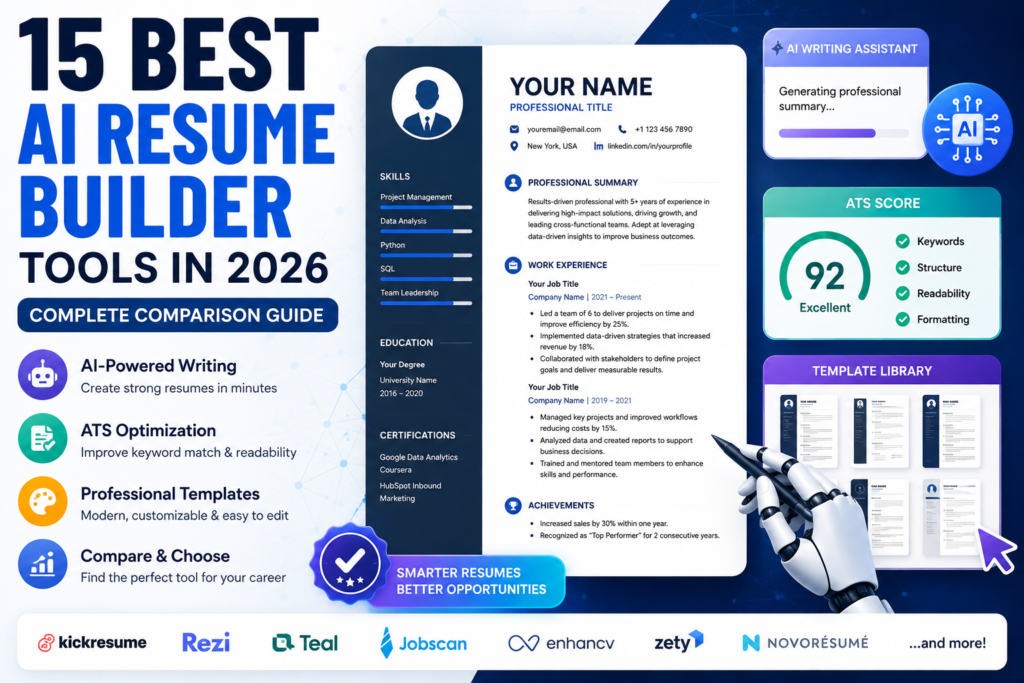
Whether you’re looking for a free AI resume builder or a more advanced paid platform, this guide compares 15 popular AI resume tools based on features, ATS support, pricing, ease of use, and overall value.
Also Read: 25 Best Free AI Tools in 2026 (Tested & Reviewed)
Table of Contents
What Are AI Resume Builders?
An AI resume builder combines traditional resume creation features with artificial intelligence. Instead of simply providing a template that you fill in manually, these platforms can analyze your experience, skills, career goals, and target position to help create more relevant resume content.
For example, you can provide a basic description of your previous job and let an AI resume maker suggest clearer, action-focused bullet points. Some tools can also analyze a job advertisement and recommend keywords that may be relevant to your resume.
Depending on the platform, an AI resume tool may also include features such as:
- AI-generated professional summaries
- Resume bullet-point suggestions
- Job-description matching
- ATS optimization
- Resume scoring
- Cover letter generation
- Resume templates
- LinkedIn profile optimization
- Job application tracking
Some platforms focus primarily on resume creation, while others combine resume building with broader job-search and application-management features.
How AI Resume Tools Work
Understanding how an AI CV builder works can help you use these platforms more effectively. Most AI resume tools rely on several technologies and processes to analyze your information and improve your resume.
Also Read: Best AI Writing Tools 2026: 15 Best AI Writers Compared
1. Natural Language Processing (NLP)
Natural language processing helps AI systems understand and create language. In resume builders this technology can examine your work history, skills, job titles and the position you want to apply for.
When you enter information, about your experience or share a job description the AI can detect the skills and important words. It can then recommend how to write action verbs, professional summaries and bullet points that focus on your accomplishments.
This can be very helpful when you know what you did in a job but don’t know how to present it on a resume.
2. ATS Parsing and Keyword Matching
Many employers use Applicant Tracking Systems to process large numbers of applications. These systems can extract information from resumes and look for relevant qualifications, skills, and keywords.
An AI resume builder for ATS can simulate some of this process by comparing your resume against a specific job description. Depending on the platform, it may identify missing keywords, highlight potential formatting problems, or provide a match score.
This can help you identify areas that deserve attention before submitting an application.
3. Dynamic Resume Formatting
Formatting remains another element of an ATS resume builder. A resume may appear attractive to a reader yet still cause trouble if its layout is hard for recruitment software to read. AI resume platforms usually supply organized templates with standard sections clear typography, proper spacing and common file types such, as PDF or DOCX. The goal is to craft a document that stays professional while keeping details easy for both software and recruiters to grasp.
Key Benefits of Using AI Resume Generators
An AI resume generator can make several parts of the resume-writing process faster and easier.
Faster Resume Creation
Creating a resume from a blank page can take a significant amount of time. AI can help generate an initial structure, professional summary, and experience bullet points much faster, giving you a starting point that you can review and customize.
Easier Resume Customization
A single resume may not be ideal for every job application. AI tools can help tailor your resume to individual job descriptions by identifying relevant skills and terminology.
This makes it easier to create a more targeted application instead of sending exactly the same resume everywhere.
Stronger, Action-Focused Writing
AI can help replace weak or passive descriptions with clearer action-oriented language.
For example, instead of writing:
“Was responsible for managing daily tasks.”
A stronger version could be:
“Coordinated daily project workflows to improve team productivity.”
The important point is to make sure any achievement or result mentioned is actually true and supported by your experience.
Better ATS Readability
Some AI resume tools analyze formatting and keywords to help you identify potential ATS issues. This can include missing terms from a job description, overly complicated layouts, or sections that may be difficult for automated systems to interpret.
Help When You Don’t Know Where to Start
Writers block can make creating a resume tough especially for students, new graduates or people who are switching careers.
Artificial intelligence can help by giving you ideas, for the summary section the skills list, the work experience details and even the cover letter. You can then change the suggestions to match your experiences and the way you like to write.
What to Look For When Choosing an AI Resume Tool
Not every AI resume tool offers the same features. The right choice depends on your career goals, budget, experience level, and the type of jobs you’re applying for.
1. ATS Compatibility and Optimization
If you’re applying through online job portals, ATS support can be particularly useful.
Look for tools that can analyze your resume against a job description, identify relevant keywords, and provide feedback on potential ATS compatibility.
2. Customization and Design Quality
A professional resume needs to work for both software and human readers.
Look for clean templates that are easy to customize without introducing unnecessary design elements. The ability to adjust spacing, fonts, headings, and other formatting details can also be useful.
For most traditional job applications, a simple and readable layout is generally more practical than an overly decorative design.
3. Transparent Pricing and Free Plans
The word “free” doesn’t always mean that every important feature is free.
Some resume builders allow you to create a resume without paying but restrict features such as PDF downloads, AI writing, advanced templates, or ATS analysis.
Before choosing a tool, check exactly what the free plan includes and whether exporting your completed resume requires a subscription. Pricing and feature limits can also change over time or vary by region.
Pricing Note: Pricing, free-plan limits, AI features, export options, and availability can change over time. They may also vary by region or promotional offer. Always check the tool’s official website for the latest pricing and plan details before purchasing.
4. Job-Search and Workflow Features
If you only want to create one professional resume, a simple AI resume builder may be enough. If you’re applying to many jobs, you may benefit from a platform that also includes:
- Job application tracking
- Resume customization
- Cover letter generation
- Job-description analysis
- LinkedIn optimization
- Application management
Choosing a tool that matches your workflow can prevent you from paying for features you won’t use.
Quick Comparison: 15 Best AI Resume Tools in 2026
The table below provides a quick overview of the 15 AI resume tools covered in this guide. The detailed reviews later in the article explain their features, strengths, weaknesses, pricing, and ideal use cases.
| Tool | Best For | Free Option | Starting Paid Price | ATS Optimization | Rating |
|---|---|---|---|---|---|
| Kickresume | Design & AI Content | Yes | ~$8/month | Moderate–High | 4.7/5 |
| Teal | Job Tracking & Matching | Yes | ~$9/week | High | 4.6/5 |
| Rezi | ATS Optimization | Yes | ~$29/month | Very High | 4.8/5 |
| Enhancv | Visual Resumes | Limited | ~$13/month | Moderate | 4.5/5 |
| Resume.io | Fast Resume Creation | Limited | ~$2.95 trial | Moderate | 4.1/5 |
| Zety | Guided Resume Writing | Limited | ~$1.95 trial | Moderate | 4.0/5 |
| Jobscan | ATS Keyword Auditing | Limited | ~$50/month | Very High | 4.7/5 |
| Novorésumé | Clean Resume Layouts | Yes | ~$15/month | Moderate–High | 4.3/5 |
| Resume Worded | Resume Feedback | Yes | ~$49/month | Very High | 4.5/5 |
| Huntr | Job Tracking & Tailoring | Yes | ~$40/month | High | 4.4/5 |
| Canva Resume Builder | Visual Customization | Yes | ~$15/month | Low–Moderate | 4.2/5 |
| SkillSyncer | Keyword Matching | Limited | ~$15/month | High | 4.3/5 |
| Standard Resume | Minimalist Resumes | Yes | ~$19/month | High | 4.2/5 |
| Resume Genius | Guided Writing | Limited | ~$2.95 trial | Moderate–High | 4.1/5 |
| ChatGPT | AI Writing & Rewriting | Yes | ~$20/month | User-dependent | 4.6/5 |
Note: Pricing, free-plan limits, AI features, and availability can change over time. Check the official website of each tool before purchasing a subscription.
1. Kickresume
Overview
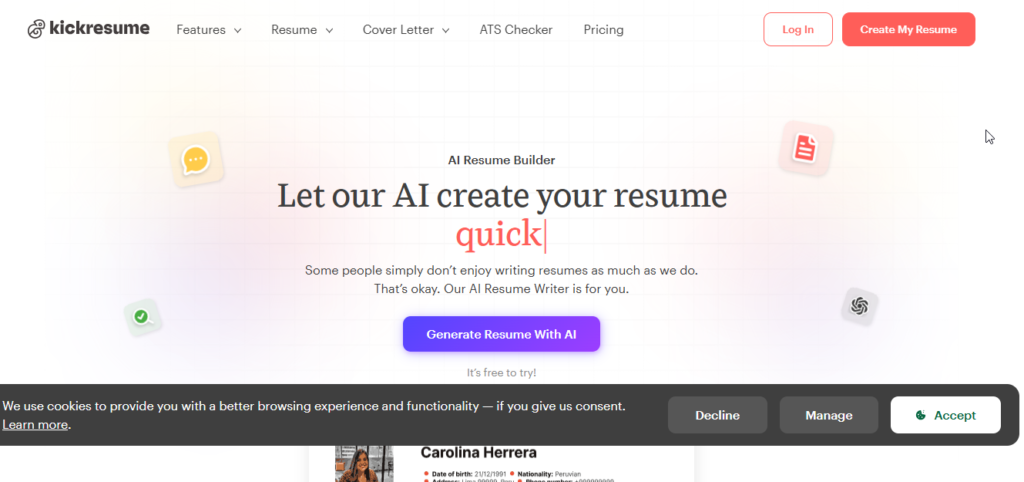
Kickresume is a career platform that brings together expertly made resume templates and smart writing help. It lets people make resumes cover letters and personal website portfolios.
The tool is great, for people who want their resume to look clean and professional while also getting support with the writing part. Of spending a lot of time adjusting each section by hand people can begin with a well-designed template and use AI to make their content better.
Key Features
AI Resume Writer: Generates professional summaries and achievement-focused experience bullet points based on your role and career information.
AI Reschecker: Reviews a completed resume for readability, grammar, structure, and potential ATS-related issues.
Personal Website Builder: Converts resume information into a customizable online portfolio with minimal setup.
Mobile Editing: Supports resume creation and editing on mobile devices.
ATS Optimization
Kickresume offers single‑column layouts and a few two‑column designs that can work well with standard Applicant Tracking Systems.
However users must be careful with decorative templates that contain graphics, icons or progress bars. These designs may look impressive, to recruiters. They may not work best in every ATS environment.
The built‑in ATS checker can help users spot sections and potential keyword‑related problems before a user submits an application.
Templates & Cover Letter Support
Kickresume offers professionally designed resume templates along with matching cover letter layouts.
Its AI cover letter generator can create content that follows the visual style of your selected resume, helping maintain a consistent appearance throughout your application.
Free Plan & Pricing
Free Plan: Includes a limited selection of resume and cover letter templates, along with access to pre-written content.
Paid Plans: Premium access provides additional templates, AI features, and other advanced functionality.
Pricing can vary depending on the billing period, promotional offers, and region.
Pricing Note: The prices mentioned in this article are approximate and can change over time. Check Kickresume’s official pricing page before subscribing.
Pros
- Excellent selection of modern resume designs
- Convenient mobile editing
- Personal website builder included
- AI assistance for resume and cover letter writing
Cons
- Advanced AI features require a paid plan
- Some decorative templates may require additional ATS consideration
- Highly visual layouts may not be ideal for strict ATS environments
Best For: Students, recent graduates, and professionals who want a polished resume and personal website without spending excessive time on formatting.
Our Rating: 4.7 / 5.0
2. Teal
2. Teal
Overview
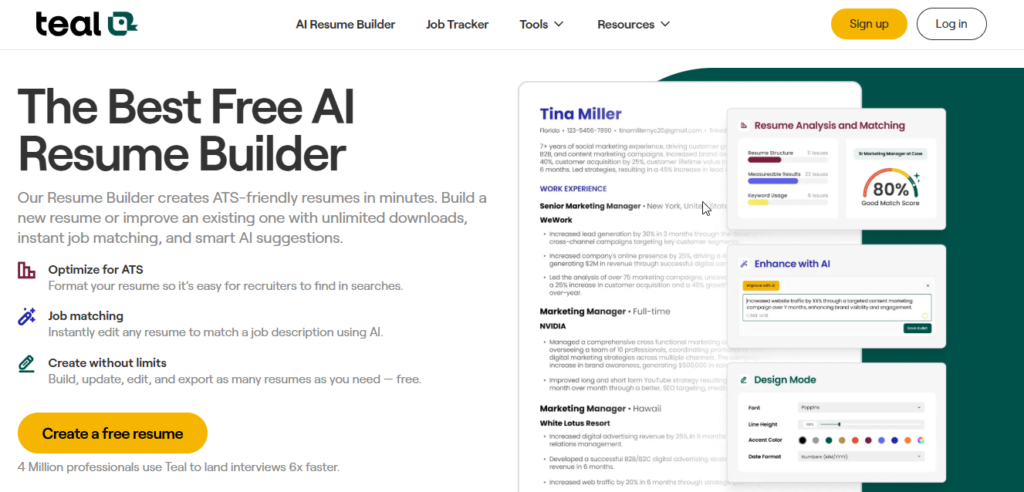
Teal offers a way to build a resume compared to regular resume builders. Than focusing mostly on templates and how things look it brings together resume making with tracking jobs and managing applications.
The platform acts as a place to keep a job search organized. People can store job postings check how their resume matches job descriptions and adjust their application documents.
Key Features
Job Tracker: Helps users organize job opportunities and track their application progress.
Job Matching: Compares your resume with a specific job description and provides feedback on how closely they match.
AI Bullet Point Generator: Helps rewrite work experience bullets to emphasize accomplishments and incorporate relevant job keywords.
Work History Database: Stores career achievements in one place so you can select the most relevant experience for different applications.
ATS Optimization
Teal places a strong emphasis on ATS compatibility.
The platform can identify technical keywords and soft skills within a job description. It then highlights missing terms and provides guidance on where relevant keywords could naturally be included in your resume.
This is especially useful when you’re applying for multiple positions that require slightly different qualifications.
Templates & Cover Letter Support
Teal’s templates focus on clean typography, straightforward sections, and ATS-friendly structures.
Paid features provide additional customization and AI-assisted tools for creating application materials.
Free Plan & Pricing
Free Plan: Teal provides a useful free option that includes resume-building and job-tracking functionality.
Paid Plan: The paid tier unlocks additional matching, keyword analysis, and other advanced features.
Pricing varies depending on the billing period and current offers.
Pricing Note: Teal’s pricing and feature limits can change. Check the official Teal website for the latest plan details before purchasing.
Pros
- Useful free job-tracking features
- Strong ATS keyword matching
- Helpful for managing multiple applications
- Combines resume building with job-search organization
Cons
- Advanced features require a paid plan
- Fewer creative design options than design-focused resume builders
Best For: Technology professionals, career changers, and organized job seekers applying to multiple positions.
Our Rating: 4.6 / 5.0
3. Rezi
Overview
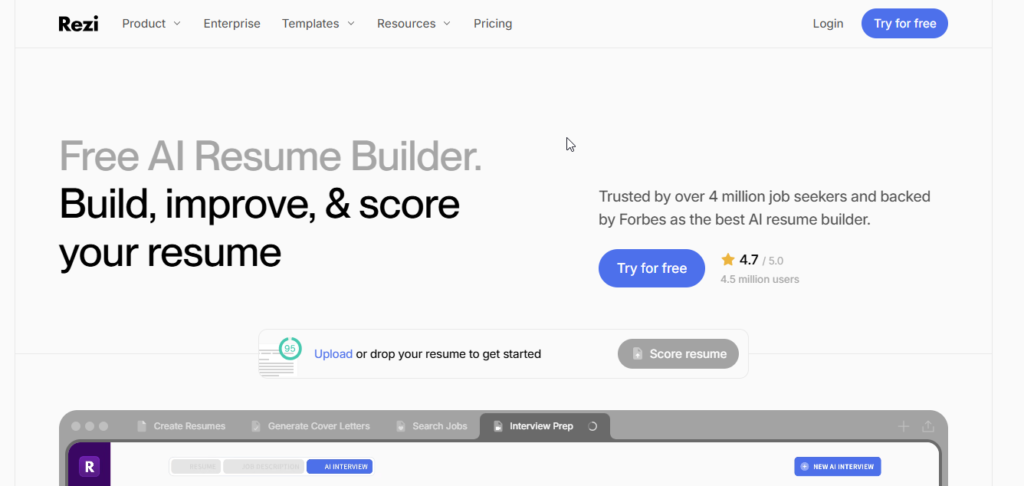
Rezi is created with one purpose in mind: helping job seekers build resumes that perform well with Applicant Tracking Systems.
Of worrying about fancy designs Rezi focuses on clear content using the right words keeping the same style all through and checking the resume automatically.
This is especially useful, for people applying to companies and groups that use ATS systems to handle job applications.
Key Features
Rezi Score: Reviews a resume across multiple factors, including content quality, bullet length, punctuation, and formatting.
AI Keyword Inspector: Extracts important keywords from job descriptions and checks whether they appear appropriately in your resume.
AI Writer & Rewriter: Creates or improves professional summaries, experience bullets, and skills sections based on the target position.
Automatic Formatting: Manages margins, spacing, and page breaks to help keep the resume clean and properly structured.
ATS Optimization
Rezi is one of the strongest options in this list for applicants who prioritize ATS optimization.
The platform emphasizes straightforward resume structures and discourages design elements that can sometimes cause parsing issues, such as excessive graphics, images, tables, text boxes, and unusual formatting.
The result is a resume format that prioritizes machine readability while remaining easy for recruiters to scan.
Templates & Cover Letter Support
Rezi’s templates are intentionally simple and functional. Instead of emphasizing visual effects, they focus on clear headings, consistent spacing, and easy-to-read content.
The platform also provides AI-assisted cover letter creation that can be tailored around the target job.
Free Plan & Pricing
Free Plan: Provides limited access to resume creation, AI features, and exports.
Pro: Provides additional AI tools, resume analysis, and other advanced features.
Lifetime Plan: Rezi has also offered a lifetime purchase option, depending on the current plans available.
Pricing Note: Rezi pricing and plan availability may change. Check the official pricing page for current prices and feature limits before subscribing.
Pros
- Strong focus on ATS optimization
- Detailed resume auditing
- Useful keyword analysis
- Simple, ATS-friendly formatting
- Lifetime option may be available
Cons
- Templates offer limited creative customization
- Free plan has restrictions
- Not the best choice for highly visual resumes
Best For: Candidates applying to corporate, finance, government, and other organizations where ATS screening is an important part of the application process.
Our Rating: 4.8 / 5.0
4. Enhancv
Overview
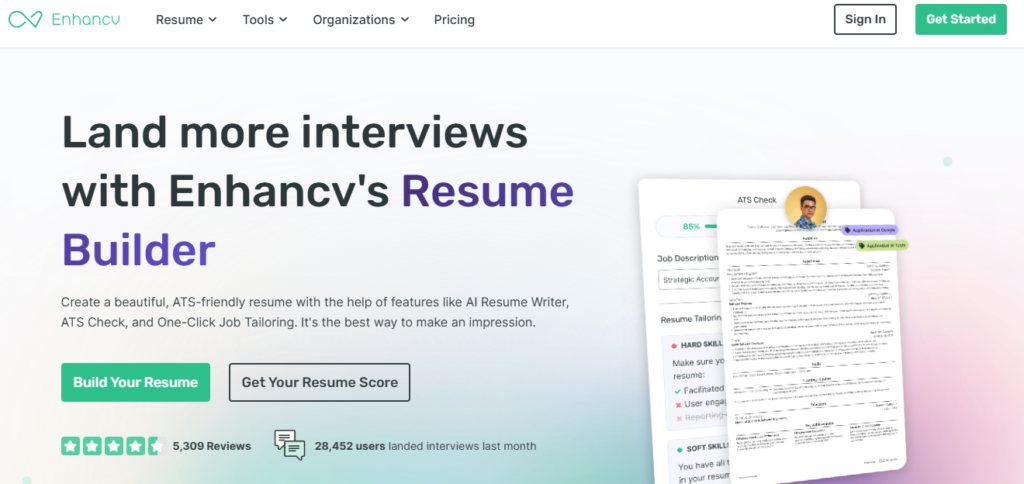
Enhancv focuses on helping candidates present both their professional experience and personality. The platform combines modern visual layouts with AI-powered feedback and resume optimization features.
This approach makes Enhancv particularly appealing to candidates who don’t want their resume to look like a basic text document but still want professional presentation.
Key Features
AI Content Suggestions & Proofreader: Identifies passive language, repetitive wording, and common clichés while suggesting improvements.
Job Description Tailoring: Compares resume content with target job descriptions and provides keyword recommendations and fit-related feedback.
Custom Storytelling Sections: Allows users to include additional sections to provide more context about their background and achievements.
Multi-Language Support: Provides tools for working with resume content in multiple languages.
ATS Optimization
Enhancv attempts to balance visual presentation with ATS compatibility.
Its standard templates use relatively straightforward structures, while its ATS-related tools can help identify formatting problems and keyword issues.
For traditional corporate applications, users should favor cleaner layouts over heavily decorative designs.
Templates & Cover Letter Support
Enhancv provides modern resume templates designed for corporate roles, creative careers, and different professional levels.
Matching cover letter designs are also available, allowing applicants to maintain consistent branding throughout their application.
Free Plan & Pricing
Free/Trial Options: Basic editing and trial access may be available depending on the current offer.
Pro: Paid plans provide additional templates, exports, and advanced features.
Pricing Note: Enhancv pricing, trial terms, and available features can change. Review the current terms before starting a subscription or trial.
Pros
- Strong visual design
- Creative storytelling options
- Helpful content feedback
- Multiple template styles
- Useful for visually distinctive resumes
Cons
- Paid plans can be expensive for occasional users
- Longer commitments may provide better value
- Highly decorative designs may not be suitable for every ATS
Best For: Mid-level and senior professionals, project managers, and creative candidates who want a visually distinctive resume while maintaining a professional presentation.
Our Rating: 4.5 / 5.0
- Best for ATS-focused resumes: Rezi
- Best for job tracking: Teal
- Best for visual design: Kickresume
- Best for creative resumes: Enhancv
- Best for quick resume creation: Resume.io
5. Resume.io
Overview
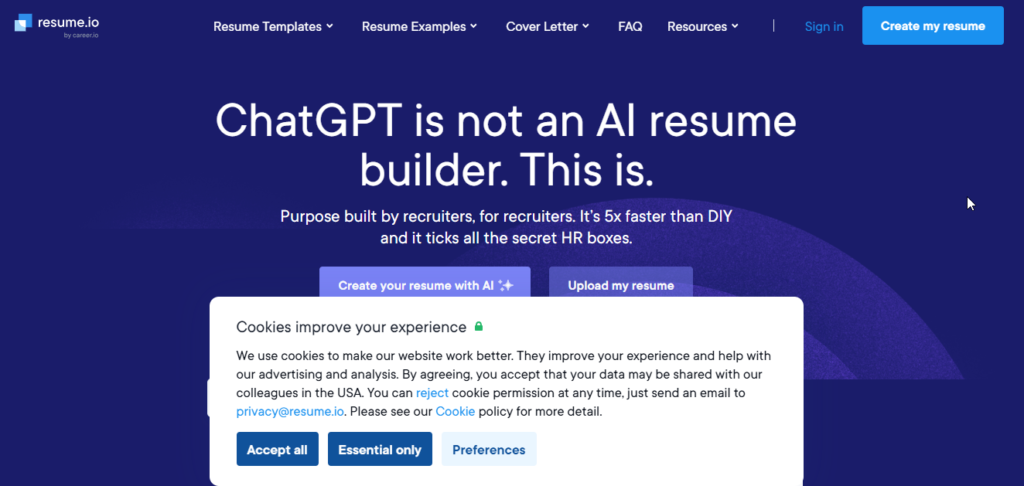
Resume.io helps people make a resume fast. It avoids the trouble of formatting. The site has to-use forms, clean templates and ready-made text. This lets users go from a page to a finished resume, in just a short time.
Students and job seekers who are just starting out don’t want to waste hours changing fonts or fixing margins. Resume.io gives them a path. They can focus on content of design. It’s built for people who want results without stress.
Key Features
Pre-Written Content: Provides ready-made phrases and examples for different industries and job roles.
AI Summary & Bullet Assistance: Helps create professional summaries and improve experience bullet points.
Automatic Layout: Handles spacing, page breaks, margins, and other formatting details automatically.
Spelling & Grammar Support: Helps identify common spelling and grammatical mistakes while editing.
ATS Optimization
Resume.io provides clean and straightforward templates that are generally designed to remain readable by standard ATS systems.
However, its ATS analysis is less comprehensive than specialized platforms such as Rezi and Jobscan. Users looking for detailed keyword matching and job-description analysis may find those tools more suitable.
Templates & Cover Letter Support
The platform offers several template styles, including modern, professional, creative, and simple designs.
It also provides matching cover letter templates, with fonts, colors, and header styling synchronized with the selected resume design.
Free Plan & Pricing
Free Tier: Users can create and edit a resume, but export options may be limited.
Trial: Resume.io may offer a low-cost trial that can convert into a recurring subscription if not canceled according to the stated terms.
Paid plans provide additional export and premium features.
Pricing Note: Trial prices, renewal prices, subscription terms, and available features can change. Always review the checkout page carefully before starting a trial.
Pros
- Very quick setup
- Simple and beginner-friendly interface
- Useful pre-written content suggestions
- Good selection of clean templates
- Automatic formatting
Cons
- Free export options may be limited
- Trial subscriptions require careful attention to renewal terms
- ATS analysis is not as deep as specialized ATS platforms
Best For: Students, entry-level candidates, and job seekers who want to create a clean, standard resume quickly.
Our Rating: 4.1 / 5.0
6. Zety
Overview
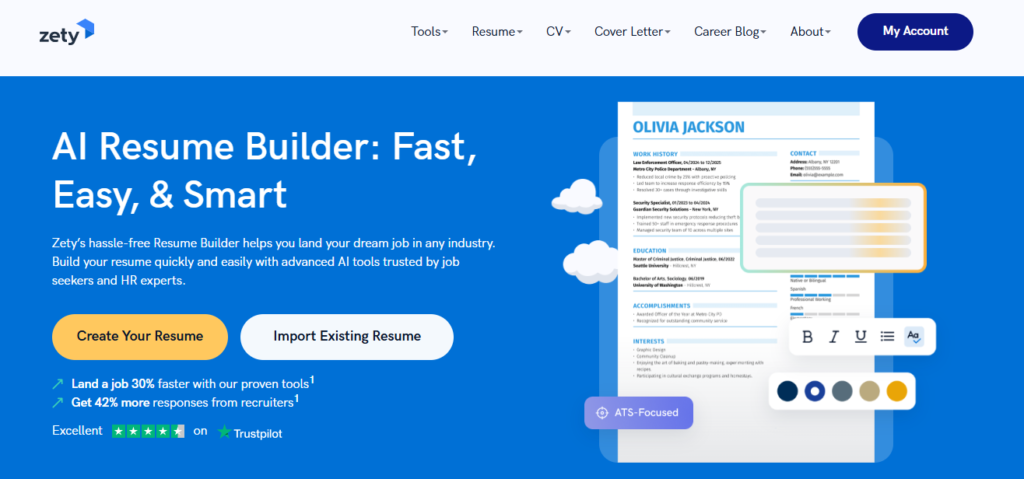
Zety is a resume builder that you can use online. It helps people who want to follow a step-by-step process of starting with a page. The resume wizard in Zety takes users through each part of the resume. It gives suggestions that are already written based on what the user has done. The job they want.
This makes Zety very helpful for people who are making a resume for the time. It is also good, for students and people who are just starting their careers and need help putting their information together.
Key Features
Guided Resume Wizard: Builds the resume section by section with prompts based on your background.
AI Content Suggestions: Provides job-specific bullet points, skills, and wording ideas.
Content Quality Checks: Helps identify incomplete sections, basic grammar problems, and formatting issues.
Cover Letter Builder: Creates matching cover letters using information from your resume.
ATS Optimization
Zety uses straightforward headings and standard formatting that can work well with common ATS platforms.
However, its optimization is less advanced than dedicated ATS tools such as Jobscan or Rezi because it does not provide the same depth of job-description keyword analysis.
For ATS-based applications, choosing a simple template and avoiding unnecessary graphics or complex layouts is still recommended.
Templates & Cover Letter Support
Zety offers a variety of resume templates, from traditional layouts to more modern designs.
Matching cover letter templates are also available, making it easy to keep your application documents visually consistent.
Free Plan & Pricing
Free Option: Users can build and preview a resume, but download options may be limited.
Paid Plans: Paid access provides additional export options and premium features.
Trial and subscription pricing can change, so users should check the current checkout terms before purchasing.
Pricing Note: Pricing, trial periods, renewal terms, and available features can change over time. Always review the current pricing and billing conditions before subscribing.
Pros
- Easy step-by-step resume creation
- Helpful pre-written content suggestions
- Good selection of professional templates
- Matching cover letter builder
- Beginner-friendly workflow
Cons
- Free downloads are limited
- Advanced ATS analysis is not its strongest feature
- Trial pricing and recurring billing require careful attention
Best For: First-time resume writers, students, and entry-level candidates who want guided help creating a professional resume.
Our Rating: 4.0 / 5.0
7. Jobscan
Overview
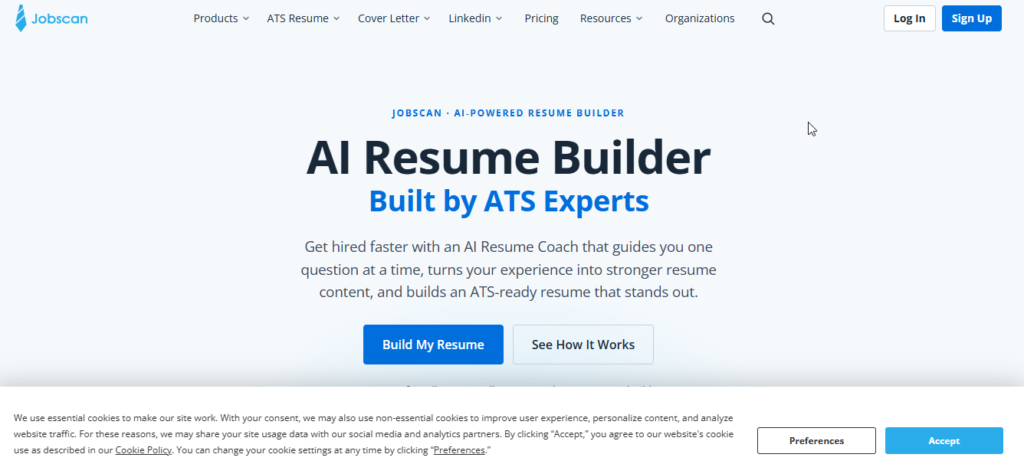
Jobscan is made mainly for job seekers who want to make their resumes better for Applicant Tracking Systems.
It doesn’t focus much on how the resume looks. Instead it checks your resume, against a job description. It points out missing keywords, skills and possible formatting problems.
This helps applicants who are going after corporate jobs. ATS screening plays a role in hiring for these roles. So using Jobscan can give you a chance of getting noticed.
Key Features
ATS Match Score: Provides an overall comparison between your resume and a target job description.
Keyword Analysis: Identifies important terms and skills that may be missing from your resume.
Resume Optimization: Provides recommendations for improving resume sections and making the content more relevant to the target role.
LinkedIn Optimization: Reviews aspects of your LinkedIn profile and provides suggestions for improving recruiter visibility.
ATS Optimization
ATS optimization is Jobscan’s main strength.
The platform focuses on common resume issues such as missing keywords, complicated layouts, text boxes, unusual section structures, and other elements that may affect parsing.
This makes it useful for checking whether your resume is closely aligned with a particular job description before submitting an application.
However, an ATS match score should be treated as guidance rather than a guarantee of getting through an employer’s actual screening system.
Templates & Cover Letter Support
Jobscan focuses more heavily on resume analysis than visual design.
Its formats prioritize straightforward structures and readability rather than highly decorative templates. The platform also provides tools that can help with application materials such as cover letters.
Free Plan & Pricing
Free Option: A limited number of scans and basic ATS feedback may be available.
Paid Plans: Paid subscriptions provide additional scans and more advanced optimization features.
Pricing Note: Jobscan pricing, scan limits, and available features can change. Check the official website for the latest plan details before subscribing.
Pros
- Strong ATS-focused analysis
- Useful keyword and skill matching
- Helpful LinkedIn optimization features
- Actionable feedback before submitting applications
Cons
- More expensive than basic resume builders
- Less emphasis on visual design
- Advanced features are most useful for active job seekers
Best For: Job seekers applying to competitive corporate positions where ATS keyword matching is especially important.
Our Rating: 4.7 / 5.0
8. Novorésumé
8. Novorésumé
Overview
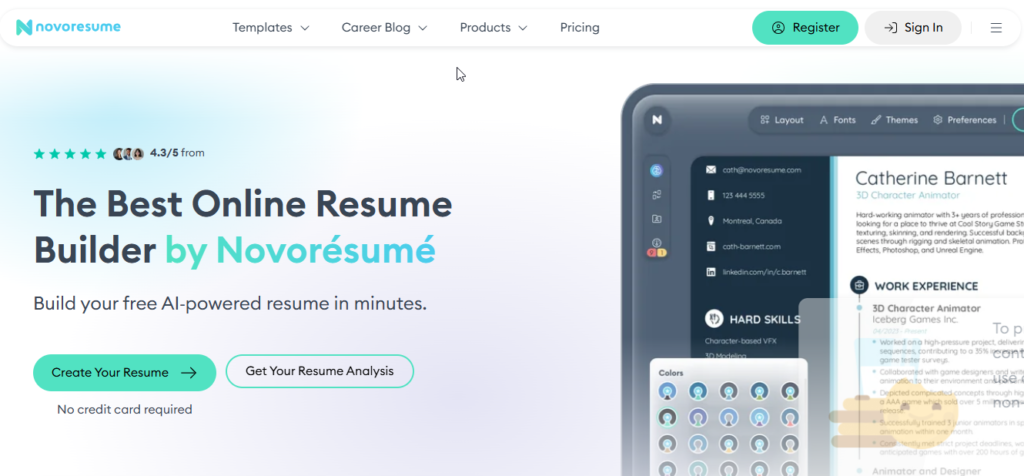
Novorésumé is a resume builder that focuses on layouts easy to read presentation and professional look.
Its formatting system makes sure that resume sections are nicely arranged and stops problems like much empty space or strange page breaks.
The website is great for students, new graduates and workers who need a resume, without complicated design elements.
Key Features
Dynamic Formatting: Automatically adjusts spacing and layout to keep content organized.
AI Content Assistance: Helps improve wording, grammar, and resume descriptions.
Custom Sections: Supports sections for achievements, projects, languages, volunteering, and other relevant experience.
Professional Templates: Provides different layouts for various career stages and professional needs.
ATS Optimization
Novorésumé offers a reasonable balance between visual design and ATS readability.
Its simpler layouts are generally more suitable for automated systems, while users should be cautious about adding unnecessary decorative elements when applying through traditional ATS platforms.
For corporate applications, a clean and straightforward template is usually the safer option.
Templates & Cover Letter Support
The platform offers professional, modern, and creative templates.
Premium options may include additional layouts and matching cover letter designs.
Free Plan & Pricing
Free Plan: Provides access to a basic resume with limitations on length and customization.
Premium: Paid access unlocks additional layouts, features, and customization options.
Pricing can vary depending on the selected billing period and current offers.
Pricing Note: Novorésumé pricing and plan features can change over time. Check the official website for the latest information before purchasing.
Pros
- Clean and polished resume designs
- Strong control over resume layout
- Easy-to-use formatting system
- Suitable for different career stages
- Professional-looking templates
Cons
- Free version has limitations
- Some creative elements may not be ideal for every ATS
- Less focused on detailed job-description keyword matching
Best For: Students, recent graduates, and professionals who want a polished resume without excessive design complexity.
Our Rating: 4.3 / 5.0
9. Resume Worded
Overview
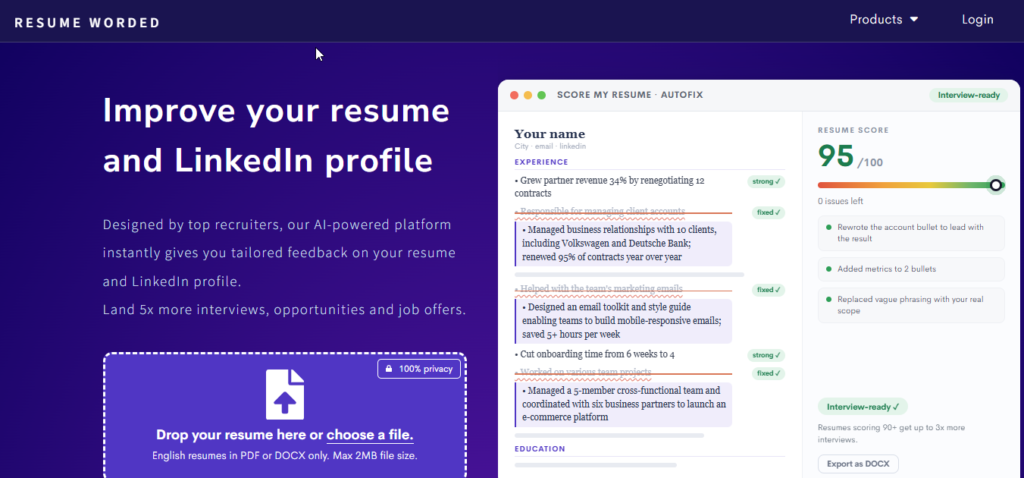
Resume Worded uses a feedback method to improve your resume.
It doesn’t just offer templates. It checks your resume based on factors that make a resume strong. These include using action words showing results keeping things clear and using the keywords.
This way it’s especially helpful, for people who already have a resume but want feedback before sending it out to job applications.
Key Features
Resume Scoring: Provides an overall assessment based on important resume quality factors.
Targeted Resume Analysis: Compares your resume with job requirements to identify potential gaps and missing skills.
AI Bullet Rewriting: Suggests stronger ways to describe responsibilities and achievements.
LinkedIn Profile Review: Provides suggestions for improving areas of your LinkedIn profile that may affect recruiter visibility.
ATS Optimization
Resume Worded focuses heavily on content quality and ATS-friendly structure.
It can help identify passive language, weak bullet points, missing measurable results, and formatting problems that could reduce the effectiveness of a resume.
Its feedback is particularly useful when you want to improve the quality of the actual content rather than simply change the template.
Templates & Cover Letter Support
The platform emphasizes simple, readable resume formats instead of highly visual templates.
It also provides resources and guidance related to cover letters and professional application materials.
Free Plan & Pricing
Free Option: Provides access to basic resume scoring and feedback.
Premium: Adds deeper analysis, targeted job matching, AI rewriting, and additional optimization features.
Pricing depends on the selected billing plan and may change over time.
Pricing Note: Always check the current Resume Worded pricing and subscription terms before purchasing, as prices and plan features may change.
Pros
- Detailed resume feedback
- Strong focus on measurable achievements
- Useful keyword and job-matching analysis
- Helpful LinkedIn optimization
- Good for improving an existing resume
Cons
- Premium pricing can be high for occasional users
- Limited visual customization
- More useful for serious job seekers than casual resume editing
Best For: Career changers, experienced professionals, and applicants targeting competitive corporate or technology roles.
Our Rating: 4.5 / 5.0
10. Huntr
Overview
Huntr combines an AI resume builder with a visual job application tracker.
Instead of managing resumes, job descriptions, deadlines, contacts, and applications across multiple platforms, users can organize their job search from one dashboard.
This makes Huntr particularly useful for people who are actively applying to many positions and need a system for keeping their applications organized.
Key Features
Visual Job Application Tracker: Organizes applications through stages such as Saved, Applied, Interview, and Offer.
Job Clipper: Helps save job listings and organize important information from supported job boards.
AI Resume Tailoring: Compares your resume with a specific job description and suggests relevant changes.
AI Cover Letter Builder: Helps create cover letters based on individual job postings.
Application Organization: Keeps job details, notes, deadlines, and resume versions together.
ATS Optimization
Huntr uses clean resume layouts designed to remain readable by ATS software.
Its AI tailoring features can identify relevant skills and keywords from a job description and help users incorporate them naturally into their resume.
As with other AI resume tools, these suggestions should be reviewed manually to make sure they accurately represent your actual skills and experience.
Templates & Cover Letter Support
Huntr provides ATS-friendly resume templates with customization options for sections, fonts, and other basic design elements.
Users can also create matching cover letters directly from their job application workspace.
Free Plan & Pricing
Free Plan: Provides useful job-tracking functionality along with basic resume tools and limited AI features.
Paid Plans: Expand AI resume customization, cover letter generation, matching features, and other job-search functionality.
Pricing Note: Huntr pricing, feature limits, and available plans can change. Check the official website for the latest pricing before subscribing.
Pros
- Excellent job application tracking system
- Combines resume building and job management
- Useful AI tailoring for individual applications
- Helps keep different resume versions organized
- Useful for high-volume job applications
Cons
- Advanced AI features require a paid plan
- Premium pricing can be expensive for heavy users
- Better suited to active job seekers than people creating a single resume
Best For: Organized job seekers managing multiple applications who want resume customization and application tracking in one place.
Our Rating: 4.4 / 5.0
| Need | Recommended Tool |
|---|---|
| Best for guided resume creation | Zety |
| Best for ATS scanning | Jobscan |
| Best for clean layouts | Novorésumé |
| Best for detailed resume feedback | Resume Worded |
| Best for application tracking | Huntr |
Which one should you choose?
If your main goal is ATS analysis, Jobscan is the strongest choice among these five.
If you’re creating your first resume, Zety provides a more guided experience.
For a clean and professional design, Novorésumé is a solid option, while Resume Worded is better suited to people who already have a resume and want detailed feedback.
If you’re applying to many jobs at once, Huntr’s application-tracking workflow can be more useful than a traditional resume builder.
11. Canva Resume Builder
Overview
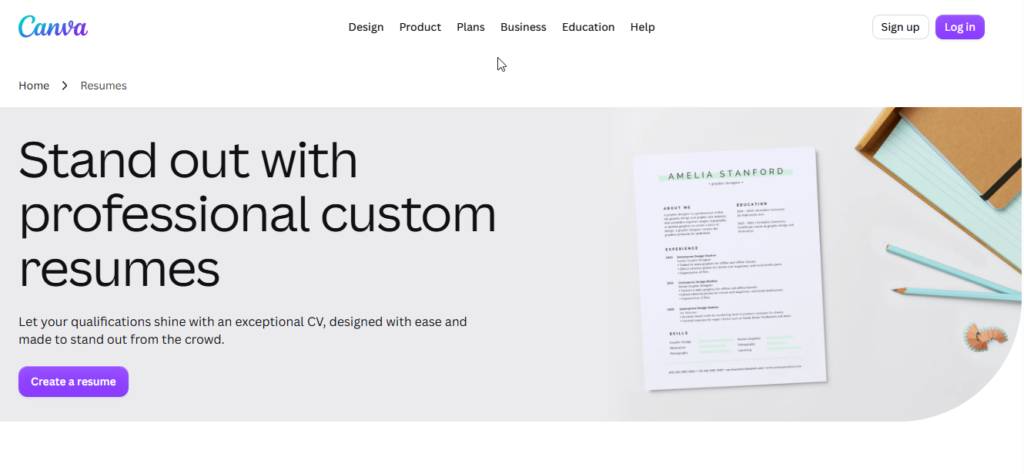
Canva is a known visual design platform that also has a special tool for building resumes. The platform has a drag-and-drop editor and also includes AI features. These tools make it easy to make looking resumes without needing any special design skills.
Other platforms focus mainly on how resumes look to automated tracking systems. Canvas main strength is the ability to be creative. People can change the layout the colors, the fonts, the icons, the spacing and other design parts, inside the editor.
Main AI & Resume Features
AI Writing Assistance: Can help generate, rewrite, and improve resume summaries, descriptions, and bullet points.
Drag-and-Drop Editor: Provides detailed control over layouts, colors, fonts, icons, and spacing.
AI Design Tools: Helps users modify and adapt designs more quickly.
Digital Sharing: Resumes can be exported or shared digitally, depending on the selected features and plan.
Portfolio Support: Users can create additional portfolio and personal-branding materials within the same platform.
ATS Optimization
Canva is strongest when visual presentation is the priority, but ATS compatibility requires more attention.
Some templates use multiple columns, icons, graphics, text boxes, or other design elements that may make parsing more difficult for certain Applicant Tracking Systems.
For corporate applications, it is safer to choose a simple, single-column Canva template with standard headings and minimal graphics.
Templates & Cover Letter Support
Canva offers a large collection of resume templates covering modern, minimalist, professional, and creative styles.
Users can also find matching cover letter and portfolio designs, making Canva useful for building a consistent personal brand.
Free Plan & Pricing
Free Plan: Provides access to many resume templates and basic editing features. Some AI and design features may have usage or availability limits.
Canva Pro: Adds premium templates, graphics, AI capabilities, and additional design features.
Pricing depends on the current subscription and region.
Pricing Note: Canva pricing, AI limits, and available features can change over time and may vary by region. Check the official Canva website before purchasing a subscription.
Pros
- Excellent visual customization
- Large template library
- Easy drag-and-drop editor
- Useful free option
- Good choice for creative resumes
- Helpful for personal branding
Cons
- Some designs may not parse reliably through ATS software
- No dedicated deep job-description matching system
- Requires careful template selection for corporate applications
Best For: Designers, marketers, creative professionals, students, and candidates sending resumes directly to recruiters or hiring managers.
Our Rating: 4.2 / 5.0
12. SkillSyncer
Overview
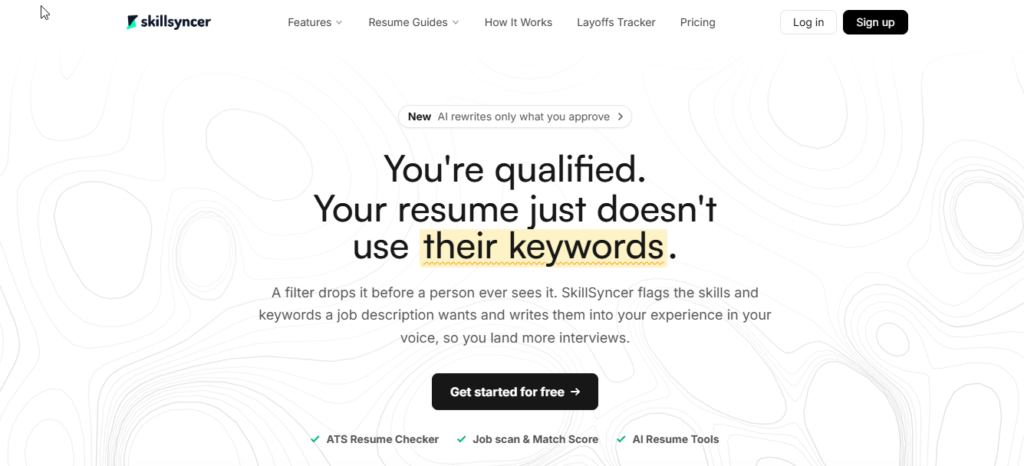
SkillSyncer is a resume optimization tool made to help job seekers find keywords and skills that might be missing from their resumes.
It doesn’t focus on how the resume looks. Instead it compares your resume to a job description you choose. Points out parts that could use improvement.
This is especially helpful, for people who already have a resume but want to make sure it matches the keywords that job applications systems look for before they apply.
Main AI & Resume Features
Match Score: Provides a percentage-based comparison between your resume and a target job posting.
Keyword Analysis: Identifies important terms and skills appearing in the job description.
Auto-Optimize: Helps identify opportunities to incorporate relevant keywords into appropriate resume sections.
AI Bullet Suggestions: Generates role-specific bullet-point ideas based on job requirements.
Job Scanner: Helps analyze supported job listings and identify relevant requirements.
ATS Optimization
ATS optimization is the core purpose of SkillSyncer.
The platform looks for missing technical skills, industry terminology, and relevant keywords while helping users avoid simply stuffing keywords into their resumes.
The goal is to make the resume more relevant to the specific position while keeping the wording natural for human recruiters.
Templates & Cover Letter Support
SkillSyncer focuses more on resume analysis than visual design.
Its approach prioritizes straightforward structures and readability, while its cover letter capabilities are more limited than those found in some all-in-one resume platforms.
Free Plan & Pricing
Free Plan: Offers limited resume scans and AI usage.
Paid Plans: Unlock additional scans and expanded optimization capabilities.
The exact limits and pricing can change depending on the current plan.
Pricing Note: SkillSyncer pricing, scan limits, and available features may change over time. Check the official website for current plan details before subscribing.
Pros
- Strong focus on ATS keyword optimization
- Useful automated optimization features
- Helpful for tailoring resumes to specific jobs
- Relatively straightforward interface
- Useful for candidates on a budget
Cons
- Limited visual design functionality
- Less comprehensive LinkedIn optimization
- Mainly focused on resume keyword analysis
- Not a complete job-search management platform
Best For: Students, budget-conscious job seekers, and applicants who want a straightforward way to improve ATS keyword matching.
Our Rating: 4.3 / 5.0
13. Standard Resume
Overview
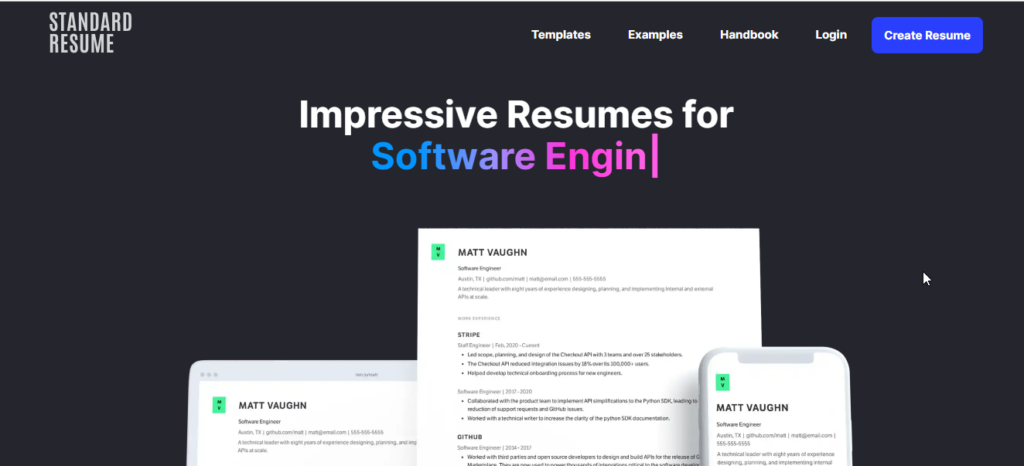
Standard Resume is a resume and portfolio platform. It focuses on typography. It uses layouts. It ensures accessibility.
This platform works best for technology professionals. It works best for engineers. It works best for product managers. It works best for candidates. These people want a resume. They do not want visual decoration.
One special feature is the ability to make a web-based version of your resume. Another special feature is the ability to make a document. Both versions are available. Both versions are easy to use.
Main AI & Resume Features
AI Writing Assistance: Helps rewrite experience descriptions, improve wording, and suggest stronger action verbs.
Responsive Web Resume: Creates an online resume that adapts to phones, tablets, and desktop screens.
Automatic Layout Management: Keeps spacing, margins, and sections consistent.
Privacy Controls: Provides options for managing access to your online resume and personal information.
ATS Optimization
Standard Resume’s minimalist structure is well suited to ATS readability.
It relies on straightforward sections, conventional typography, and clean layouts instead of complicated graphics or visual elements.
This makes it a practical option for applicants targeting traditional corporate hiring systems.
Templates & Cover Letter Support
The platform focuses on typography-driven resume designs rather than heavily decorated templates.
Users can create both digital and document-based resume materials while maintaining a consistent professional presentation.
Free Plan & Pricing
Free Plan: Allows users to create and edit basic resume content with access to limited features.
Pro Plan: Unlocks additional export, AI, and premium functionality.
Pricing can vary based on the current billing plan.
Pricing Note: Standard Resume pricing and available features can change. Check the official website for the latest plan information before subscribing.
Pros
- Clean and professional layouts
- Strong ATS-friendly approach
- Mobile-responsive online resume
- Easy-to-share web resume
- Simple interface
- Useful for technology professionals
Cons
- Limited creative design options
- Not ideal for highly visual resumes
- Lacks deep side-by-side job matching compared with dedicated ATS tools
Best For: Software developers, product managers, technology professionals, and corporate applicants who want a clean resume plus a shareable online profile.
Our Rating: 4.2 / 5.0
14. Resume Genius
Overview
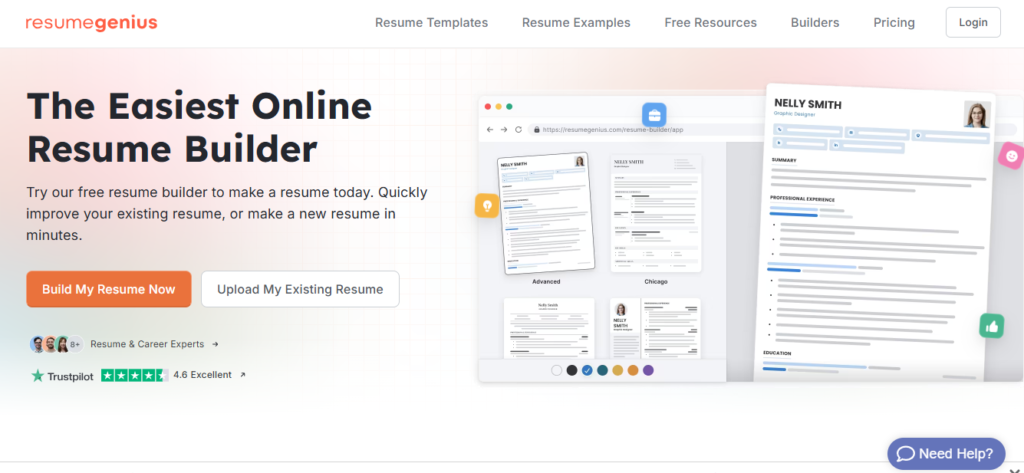
Resume Genius is a guided resume creation platform that makes it easier for people who do not know how to structure a resume from scratch. Resume Genius guides you through the writing process step by step.
Resume Genius has a workflow that combines guided questions, pre‑written phrases and automatic formatting. Each step helps you build a resume.
Resume Genius is especially useful for first‑time job seekers who need help turning work experience into professional resume content. Resume Genius turns experience, into polished resume material.
Main AI & Resume Features
Guided Resume Builder: Collects information through a series of questions and organizes it into appropriate sections.
Pre-Written Bullet Suggestions: Provides job-specific phrases and examples.
Automatic Formatting: Handles spacing, margins, and font sizing to maintain a consistent layout.
Cover Letter Builder: Uses resume information to help create matching cover letters.
ATS Optimization
Resume Genius uses conventional resume structures with clear headings and straightforward formatting.
These characteristics can make its templates suitable for ATS systems.
However, its main focus is guided resume creation rather than detailed, real-time keyword matching against individual job descriptions.
Templates & Cover Letter Support
Users can choose from professional, modern, simple, and creative templates.
Matching cover letter formats are also available for users who want their application documents to maintain a consistent appearance.
Free Plan & Pricing
Free Option: Users can create a resume and access limited functionality, while export options may be restricted.
Paid Plans: Additional export options and premium features require a paid plan.
Trial and subscription terms can change, so review the current billing conditions before starting a trial.
Pricing Note: Trial prices, renewal terms, and available features may change. Always review the current checkout and subscription terms before purchasing.
Pros
- Beginner-friendly interface
- Large collection of pre-written phrases
- Simple step-by-step process
- Professional resume layouts
- Matching cover letter support
Cons
- Free export options may be limited
- Trial subscriptions may convert into recurring plans
- Less advanced keyword analysis than specialized ATS platforms
Best For: First-time job seekers, students, and entry-level applicants who want guided assistance creating a standard resume.
Our Rating: 4.1 / 5.0
15. ChatGPT
Overview
ChatGPT is different from point-and-click resume builders.
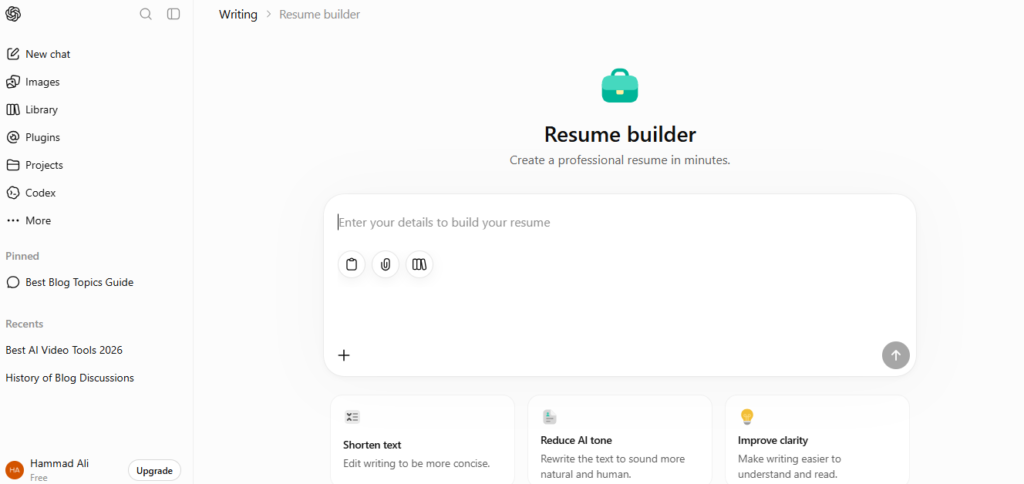
Most resume builders rely on -designed templates. They give users a structure. Don’t help much with content. ChatGPT does something. It acts like an AI writing assistant. It helps users write, rewrite and improve resume content from scratch or based on what they have.
Users can share their resume and a job description. Then they can ask ChatGPT to find keywords in the job posting. It can also suggest ways to phrase bullet points. It can create a summary that matches the job. Better it can tailor the entire resume to fit a specific role. This gives users control. It helps them focus on what matters—showing off their skills and experience in the way possible. ChatGPT doesn’t just fill a template. It helps users think through how to present their background
It’s not a tool. It’s a partner, in crafting a resume.
Main AI & Resume Features
Resume Writing: Creates summaries, experience descriptions, achievement bullets, and skills sections from the information provided.
Job Description Analysis: Can compare resume content with a target job posting and identify relevant keywords or potential gaps.
Interactive Rewriting: Can adjust wording, tone, length, and style based on specific instructions.
Cover Letter Creation: Generates customized cover letters based on the target role and candidate experience.
Interview Preparation: Can create interview questions and practice answers based on the resume and target position.
Multilingual Support: Can translate and adapt resume content for different languages and markets.
ATS Optimization
ChatGPT itself does not determine whether a final PDF will successfully pass every ATS.
Its main strength is content optimization.
For example, you can ask it to identify relevant keywords from a job description and rewrite your experience bullets around those requirements.
The final resume should then be placed into a clean, ATS-friendly Word, Google Docs, or resume-builder template.
Avoid adding unnecessary tables, graphics, text boxes, or complicated layouts after generating the content.
Templates & Cover Letter Support
ChatGPT does not function primarily as a visual drag-and-drop resume designer.
Instead, it generates the written content that can then be placed into Word, Google Docs, Canva, or a dedicated resume builder.
For cover letters, however, it is highly flexible and can create different versions for different job applications.
Also Read: ChatGPT Review 2026: Features, Pricing, Pros & Cons
Free Plan & Pricing
Free Plan: Provides access to core ChatGPT capabilities for resume writing, rewriting, keyword analysis, and career-related tasks, subject to current usage limits.
ChatGPT Plus: A paid subscription provides higher usage limits and additional capabilities.
Pricing Note: ChatGPT plans, pricing, usage limits, and available features can change. Check the official ChatGPT pricing page for the latest information before subscribing.
Pros
- Highly flexible resume writing assistant
- Can tailor content to individual job descriptions
- Useful for rewriting and keyword analysis
- Can generate customized cover letters
- Helpful for interview preparation
- Free option available
- Works with many different resume workflows
Cons
- Does not replace a dedicated visual resume builder
- Users must provide accurate information
- ATS performance depends heavily on the final document formatting
- Human review is still important
- Results depend on the quality of the instructions and information provided
Best For: Tech-savvy job seekers, freelancers, career changers, and anyone who wants maximum control over resume content without relying entirely on a dedicated resume builder.
Our Rating: 4.6 / 5.0
| Need | Recommended Tool |
|---|---|
| Best for visual customization | Canva |
| Best for keyword matching | SkillSyncer |
| Best for minimalist resumes | Standard Resume |
| Best for beginners | Resume Genius |
| Best for flexible AI writing | ChatGPT |
Which one should you choose?
If visual design is your top priority, Canva provides the most creative flexibility.
If you already have a resume and mainly want to improve its ATS keyword matching, SkillSyncer is a more focused option.
For a simple, minimalist resume, Standard Resume is a good fit, particularly for technology and corporate professionals.
If you are creating your first resume, Resume Genius can provide useful step-by-step guidance.
For users who want maximum flexibility over resume writing, rewriting, job-description analysis, cover letters, and interview preparation, ChatGPT is the most versatile option in this group.
Important: AI-generated resume content should always be reviewed carefully. Never add skills, qualifications, job titles, achievements, certifications, or experience that you do not actually have.
How to Choose the Right AI Resume Builder
There isn’t one AI resume builder that is perfect for everyone. The right choice depends on your experience level, industry, application strategy, ATS requirements, and budget.
Here are the easiest ways to narrow down your options.
1. Best AI Resume Tools for Strict ATS Optimization
If you’re applying to large corporations, banks, healthcare organizations, government positions, or other companies that use automated screening systems, ATS compatibility should be one of your highest priorities.
Top Choices:
- Rezi
- Jobscan
- Resume Worded
These platforms focus heavily on resume structure, keyword matching, formatting, and job-description analysis.
Best choice for pure ATS optimization: Rezi
If you already have a resume and mainly want to check how closely it matches a specific job description, Jobscan is another strong option.
2. Best Options for Creative Careers and Visual Resumes
Not every job application needs an ultra-minimalist resume.
For fields such as graphic design, marketing, advertising, media, branding, and other creative industries, visual presentation can sometimes play a larger role.
Top Choices:
- Kickresume
- Enhancv
- Canva Resume Builder
These tools provide more control over layouts, typography, colors, and visual presentation.
However, there is an important distinction:
A beautiful resume isn’t automatically an ATS-friendly resume.
If you’re submitting through an online application portal, use a simple template even when using a design-focused platform.
3. Best Tools for Managing Multiple Job Applications
If you’re applying for many jobs at the same time, creating a resume is only one part of the process.
You also need to keep track of:
- Job descriptions
- Application dates
- Resume versions
- Interviews
- Follow-ups
- Recruiter contacts
- Application status
Top Choices:
- Teal
- Huntr
Both are especially useful for people who want to combine resume customization with job-search organization.
Best choice for job tracking: Teal
Best choice for a visual application pipeline: Huntr
4. Best Free AI Resume Tools
If you don’t want to spend money on a resume builder, you still have several good options.
Top Choices:
- ChatGPT
- Canva Free
- SkillSyncer
- Teal Free
ChatGPT is particularly flexible because you can use it to rewrite experience, create professional summaries, analyze job descriptions, and generate tailored bullet points.
Canva is useful when visual design is more important, while SkillSyncer focuses more heavily on keyword matching.
Best overall free AI writing option: ChatGPT
5. Best AI Resume Builders for Beginners
If you’re creating your first resume, you may not know what information belongs in each section or how to describe your experience professionally.
In that situation, guided builders can make the process much easier.
Top Choices:
- Zety
- Resume.io
- Resume Genius
- Novorésumé
These platforms provide structured forms, templates, examples, and pre-written suggestions that can help you get started faster.
Best for guided creation: Zety
How to Choose the Right AI Resume Builder
There isn’t one AI resume builder that is perfect for everyone. The right choice depends on your experience level, industry, application strategy, ATS requirements, and budget.
Here are the easiest ways to narrow down your options.
1. Best AI Resume Tools for Strict ATS Optimization
If you’re applying to large corporations, banks, healthcare organizations, government positions, or other companies that use automated screening systems, ATS compatibility should be one of your highest priorities.
Top Choices:
- Rezi
- Jobscan
- Resume Worded
These platforms focus heavily on resume structure, keyword matching, formatting, and job-description analysis.
Best choice for pure ATS optimization: Rezi
If you already have a resume and mainly want to check how closely it matches a specific job description, Jobscan is another strong option.
2. Best Options for Creative Careers and Visual Resumes
Not every job application needs an ultra-minimalist resume.
For fields such as graphic design, marketing, advertising, media, branding, and other creative industries, visual presentation can sometimes play a larger role.
Top Choices:
- Kickresume
- Enhancv
- Canva Resume Builder
These tools provide more control over layouts, typography, colors, and visual presentation.
However, there is an important distinction:
A beautiful resume isn’t automatically an ATS-friendly resume.
If you’re submitting through an online application portal, use a simple template even when using a design-focused platform.
3. Best Tools for Managing Multiple Job Applications
If you’re applying for many jobs at the same time, creating a resume is only one part of the process.
You also need to keep track of:
- Job descriptions
- Application dates
- Resume versions
- Interviews
- Follow-ups
- Recruiter contacts
- Application status
Top Choices:
- Teal
- Huntr
Both are especially useful for people who want to combine resume customization with job-search organization.
Best choice for job tracking: Teal
Best choice for a visual application pipeline: Huntr
4. Best Free AI Resume Tools
If you don’t want to spend money on a resume builder, you still have several good options.
Top Choices:
- ChatGPT
- Canva Free
- SkillSyncer
- Teal Free
ChatGPT is particularly flexible because you can use it to rewrite experience, create professional summaries, analyze job descriptions, and generate tailored bullet points.
Canva is useful when visual design is more important, while SkillSyncer focuses more heavily on keyword matching.
Best overall free AI writing option: ChatGPT
5. Best AI Resume Builders for Beginners
If you’re creating your first resume, you may not know what information belongs in each section or how to describe your experience professionally.
In that situation, guided builders can make the process much easier.
Top Choices:
- Zety
- Resume.io
- Resume Genius
- Novorésumé
These platforms provide structured forms, templates, examples, and pre-written suggestions that can help you get started faster.
Best for guided creation: Zety
How to Make an AI-Generated Resume More Effective
Simply generating a resume with AI isn’t enough. You can improve the final result with a few practical steps.
1. Start With Your Real Experience
Give the AI accurate information about:
- Previous jobs
- Education
- Skills
- Certifications
- Projects
- Achievements
- Tools you actually use
The better the input, the more useful the output.
2. Tailor the Resume to Each Job
Avoid sending exactly the same resume to every employer.
Read the job description and identify important requirements. Then customize your resume around the skills and experience you genuinely have.
3. Use Relevant Keywords Naturally
ATS systems often look for terms related to the job description.
However, don’t repeatedly insert keywords just to increase their frequency.
Keyword relevance is more important than keyword stuffing.
4. Focus on Achievements
Where possible, show the outcome of your work instead of simply describing your responsibilities.
For example:
Weak:
Managed customer support tickets.
Better:
Managed customer support requests and helped reduce average response time by 20%.
Again, only use measurable figures when they are accurate.
5. Keep the Final Resume Easy to Scan
Use:
- Clear section headings
- Simple formatting
- Consistent fonts
- Short bullet points
- Logical spacing
- Relevant information
Avoid unnecessary graphics when applying through an ATS.
Frequently Asked Questions
What is the best AI resume builder in 2026?
The best tool depends on your needs. Rezi works well if you want to optimize your resume for tracking systems. Teal stands out for keeping track of job applications and tailoring resumes to roles. Kickresume is a choice if you want help with writing and also want a clean professional look, for your resume.
Which AI resume builder is best for ATS?
Rezi, Jobscan, and Resume Worded are among the strongest choices for ATS-focused resume optimization in this comparison.
Rezi emphasizes resume structure and ATS-friendly formatting, while Jobscan is particularly useful for comparing your resume against a specific job description.
What is the best free AI resume builder?
There isn’t one universal winner.
ChatGPT is excellent for free-form resume writing and rewriting. Teal is useful for job tracking and resume management, while Canva’s free plan is attractive for users who prioritize design.
Your best option depends on whether you care most about writing, ATS optimization, tracking, or visual presentation.
Can AI create a professional resume?
Yes. AI can help create professional summaries, rewrite experience bullets, organize information, suggest relevant skills, and tailor content to job descriptions.
However, AI should be treated as an assistant rather than a replacement for your judgment.
Always review the final document and verify every important detail before submitting it.
Are AI-generated resumes ATS-friendly?
They can be, but it depends heavily on the template and formatting.
A simple single-column resume with clear headings and standard text is generally safer for ATS systems than a heavily designed document containing multiple columns, icons, charts, text boxes, or graphics.
For applications submitted through an ATS portal, simple is usually safer.
Can I use ChatGPT to create a resume?
Yes. You can provide your work history, skills, education, and a target job description and ask ChatGPT to:
- Rewrite your bullet points
- Create a professional summary
- Identify missing keywords
- Tailor your resume to a job
- Improve wording
- Draft a cover letter
- Prepare interview questions
After generating the content, place it into a clean Word, Google Docs, or ATS-friendly resume template.
Are AI resume builders worth paying for?
They can be worthwhile for people actively applying to many jobs.
Paid plans may provide advanced keyword matching, additional AI credits, deeper resume analysis, job tracking, and other features.
However, you don’t necessarily need to pay. Someone applying for only a few jobs may get excellent results by combining a free AI writing tool with a standard document editor.
Can an AI resume builder guarantee an interview?
No.
No AI resume tool can guarantee an interview, employment, or 100% ATS approval.
Your actual qualifications, experience, application quality, networking, interview performance, and the employer’s requirements all influence the final hiring decision.
AI tools can improve your application materials, but they cannot guarantee the outcome.
Our Quick Picks
| Need | Recommended Tool |
|---|---|
| 🏆 Best Overall ATS Focus | Rezi |
| 🎯 Best for Job Matching | Jobscan |
| 📋 Best for Job Tracking | Teal |
| 🎨 Best for Visual Design | Kickresume |
| 🖌️ Best for Creative Resumes | Canva |
| 💼 Best for Application Management | Huntr |
| 💰 Best Free AI Writing Option | ChatGPT |
| 👨🎓 Best for Beginners | Zety |
| 🔍 Best for Recruiter-Style Feedback | Resume Worded |
| 💡 Best Budget ATS Scanner | SkillSyncer |
Conclusion
Choosing the best AI resume builder in 2026 depends on what you need most from your job search. If ATS optimization is your priority, tools such as Rezi, Jobscan, and Resume Worded can help analyze your resume and improve its alignment with specific job descriptions.
For people managing multiple applications, Teal and Huntr combine resume customization with useful job-tracking features. If visual design matters more, Kickresume, Enhancv, and Canva offer more creative options, although ATS-friendly layouts should be preferred for applications submitted through online hiring systems.
For users who want flexible AI writing assistance without committing to a paid resume platform, ChatGPT can help with resume rewriting, job-description analysis, keyword suggestions, cover letters, and interview preparation.
Ultimately, an AI resume builder should be treated as a productivity assistant not a guarantee of employment. The strongest resume is still one that accurately represents your real skills, experience, and achievements.
Choose the tool that fits your career goals, customize your resume for each relevant position, review every AI-generated detail, and keep the final document clear, honest, and easy to scan.
Related Articles
Best AI Writing Tools 2026: 15 Best AI Writers Compared
Compare the top AI writing assistants for blogging, copywriting, SEO, and content creation.
Best AI Image Generators 2026: 12 Best AI Art Tools Compared
Explore the leading AI image generators for creating stunning artwork, logos, and realistic visuals.
Best AI Chatbots 2026: 10 Best AI Assistants Compared
Find the best AI chatbots for productivity, research, coding, and everyday tasks.
15 Best AI Presentation Makers in 2026: Compared
Discover the best AI presentation makers.
15 Best AI Logo Makers in 2026: Tested & Compared
Compare the best AI logo makers
15 Best AI Voice Generators in 2026: Compared
Discover the best AI voice generators