
Introduction (15 Best AI Marketi)
AI has become a part of modern marketing. Of using artificial intelligence just for generating text businesses now use AI marketing tools for SEO research, content creation, customer segmentation, email automation, social media management, advertising and campaign analysis.
The right AI marketing software can help marketers save time, automate work and manage more marketing activities without significantly increasing their workload. These benefits are especially useful, for businesses, startups, ecommerce stores, agencies and lean marketing teams.
However choosing the platform isn’t always easy. There are hundreds of AI-powered marketing products and each one focuses on different areas. Some are designed primarily for SEO while others specialize in content, social media, email marketing, CRM automation or advertising creatives.
For this guide we compared 15 AI marketing platforms based on their features, usability, pricing, automation capabilities, marketing use cases and overall value.
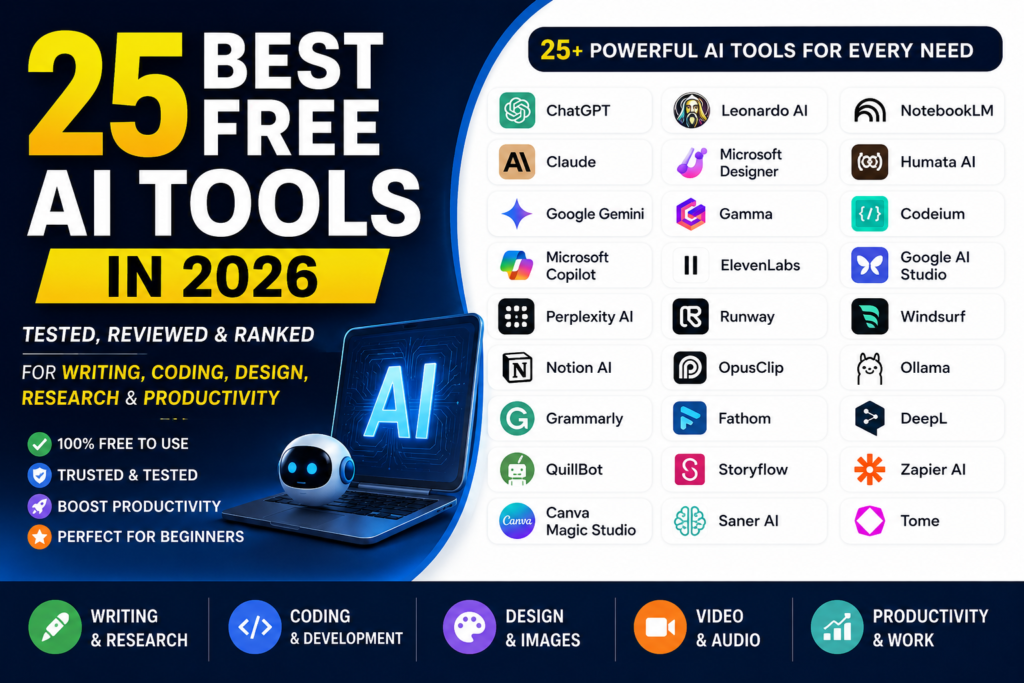
Also Read: 25 Best Free AI Tools (Tested & Reviewed)
Table of Contents
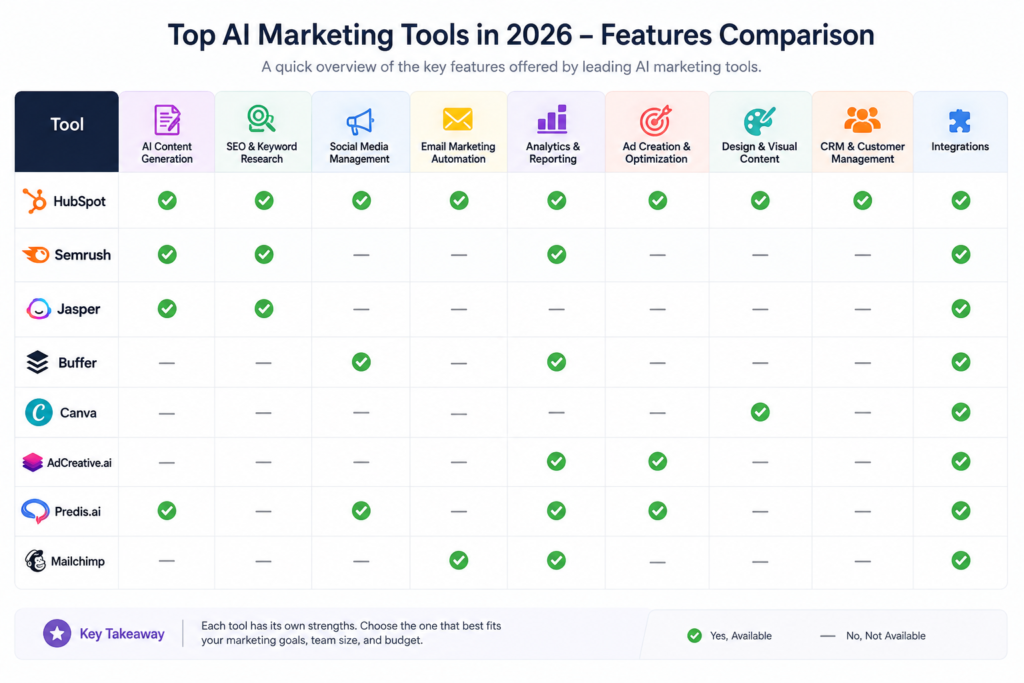
Quick Comparison: Best AI Marketing Tools 2026
| Tool | Best For | Free Plan | Starting Price | Main Strength | Ease of Use | Rating |
|---|---|---|---|---|---|---|
| HubSpot | CRM & Marketing Automation | Yes | ~$20/seat/mo | CRM, automation & Breeze AI | Beginner–Intermediate | 4.8/5 |
| Jasper | Brand Copywriting | No | $39/mo annually | Brand voice & campaigns | Intermediate | 4.6/5 |
| Semrush | SEO & Research | Trial | $139.95/mo | SEO & competitive research | Intermediate–Advanced | 4.8/5 |
| Surfer | On-Page SEO | Trial | $89/mo | SERP-based optimization | Beginner–Intermediate | 4.5/5 |
| Copy.ai | GTM Workflows | No | $24/mo annually | AI workflows & automation | Intermediate | 4.4/5 |
| Canva | Visual Marketing | Yes | $15/mo | AI design & content | Beginner | 4.7/5 |
| Buffer | Social Media | Yes | $5/channel/mo | Scheduling & AI writing | Beginner | 4.3/5 |
| Hootsuite | Enterprise Social | Trial | $99/user/mo | Social management & listening | Intermediate | 4.4/5 |
| Mailchimp | Email Marketing | Yes | ~$13/mo | Automation & segmentation | Beginner | 4.5/5 |
| Grammarly | Editing & Brand Voice | Yes | $12/user/mo | Writing & tone improvement | Beginner | 4.7/5 |
| Writesonic | AI Content & GEO | Trial | Varies | AI search visibility & content | Intermediate | 4.3/5 |
| AdCreative.ai | Ad Creatives | Trial | $39/mo | AI advertising designs | Beginner–Intermediate | 4.2/5 |
| Ocoya | Social Content | Trial | $15/mo | Design, copy & scheduling | Beginner | 4.1/5 |
| Predis.ai | Reels & Carousels | Limited | $19/mo annually | Visual social content | Beginner | 4.4/5 |
| Flick | Instagram Growth | Limited | ~£11/mo | Hashtags & social planning | Beginner | 4.2/5 |
Note: Prices and features can change over time. Always check the official website before purchasing a subscription.
Also Read: Best AI SEO Tools in 2026: 15 Tools for Better Rankings
How We Compared These AI Marketing Tools
We looked beyond the promotional features listed by software companies and focused on how each platform fits into real marketing workflows.
Our comparison considered the following areas:
Overall reliability: Product maturity, support, updates, and long-term usefulness.
AI capabilities: How effectively the platform uses AI for marketing tasks.
Marketing use cases: Whether it supports content, lead generation, campaigns, customer acquisition, or other marketing activities.
Content quality: Accuracy, readability, structure, and usefulness of generated content.
SEO features: Keyword research, search intent, content optimization, SERP analysis, and related capabilities.
Social media: Scheduling, content creation, captions, hashtags, analytics, and platform support.
Email marketing: Automation, personalization, segmentation, subject lines, and campaign management.
Advertising: Ad copy, creative generation, variations, and performance-related features.
Automation: Ability to create multi-step workflows and automate repetitive tasks.
Analytics: Reporting, performance insights, attribution, and optimization features.
Integrations: Compatibility with CRMs, CMS platforms, ecommerce tools, and productivity software.
Ease of use: Interface, setup process, learning curve, and accessibility for beginners.
Pricing and value: Subscription cost, usage limits, seats, credits, and overall value.
Free options: Free plans, trials, and limitations.
Small-business suitability: Affordability, scalability, and ease of implementation.
1. HubSpot
Overview
HubSpot is a customer platform that brings together CRM, marketing, sales and customer service tools. The AI features are part of the system, through Breeze AI so companies can use AI while they work with customer details, marketing projects, content and sales tasks.
For businesses that are growing and for B2B teams HubSpot can be very helpful because marketing and CRM data are kept in the system.
Key Features
- Breeze Copilot & Agents: Assist with content creation, CRM tasks, analysis, and routine marketing activities.
- AI Content Hub: Supports blog content, landing pages, translations, and other content workflows.
- Predictive Lead Scoring: Helps identify and prioritize potentially valuable leads.
- Workflow Automation: Automates emails, tasks, contact updates, and other actions.
- Social & Campaign Management: Supports social publishing, campaign tracking, and advertising workflows.
- Marketing Analytics: Connects marketing activity with customer and revenue data.
AI Marketing Capabilities
HubSpot’s major advantage is the combination of AI with CRM information. Instead of working with completely isolated prompts, marketers can use customer and campaign context to create more targeted content and communications.
This makes HubSpot more suitable for businesses that need marketing automation alongside CRM functionality.
Ease of Use
HubSpot offers a relatively intuitive interface with visual builders and drag-and-drop workflows. Basic marketing tasks are accessible to beginners, although advanced CRM customization and reporting can require more time to learn.
Pricing
HubSpot provides a free CRM with basic features. Paid Marketing Hub plans start from around $20 per seat per month according to the supplied pricing information, while advanced plans can become considerably more expensive.
Pros
- Strong CRM and marketing integration.
- Useful AI-powered personalization.
- Extensive automation capabilities.
- Large integration ecosystem.
Cons
- Costs can increase as contacts and users grow.
- Advanced automation requires higher-tier plans.
- Higher-level plans can require additional onboarding costs.
Best For
Growing companies, B2B businesses, and marketing teams that want CRM, automation, email, and marketing tools in one platform.
Our Rating
4.8/5 — One of the strongest all-in-one options for CRM-driven marketing automation.
2. Jasper
Overview
Jasper is an AI marketing platform that helps with content creation and keeping brand consistency. Jasper is especially good, for companies that have team members who need to produce marketing content while keeping the brand voice the same.
Users can give Jasper brand guidelines, product details and other knowledge so that the content Jasper creates fits the organization’s style better.
Key Features
- Brand Voice: Helps maintain a consistent tone across marketing content.
- Knowledge Assets: Stores product and company information for content generation.
- Marketing Templates: Includes templates for ads, emails, blog content, scripts, and other marketing formats.
- Campaign Workflows: Creates multiple marketing assets from a single campaign brief.
- Surfer Integration: Supports SEO-focused content workflows.
- Browser Tools: Helps create and edit content across different online platforms.
AI Marketing Capabilities
Jasper’s main strength is controlled content generation. Instead of repeatedly explaining a company’s tone and messaging, teams can establish brand rules and reuse them across different marketing materials.
Ease of Use
The editor is familiar to users who have worked with document-based writing platforms. Templates and structured workflows also make prompt creation easier for non-technical users.
Pricing
The supplied pricing information lists a 7-day trial, with the Creator plan starting at $49 monthly or $39 monthly when billed annually.
Pros
- Strong brand voice controls.
- Useful for large-scale content production.
- Supports multiple marketing formats.
- Good collaboration features.
Cons
- More expensive than general-purpose AI writing tools.
- Requires initial setup for best results.
- AI-generated information still needs fact-checking.
Best For
Marketing agencies, content teams, and businesses that need consistent brand messaging across multiple channels.
Our Rating
4.6/5 — A strong choice for professional marketing teams focused on brand consistency.
Also Read: Best AI Meeting Assistants in 2026
3. Semrush
Overview
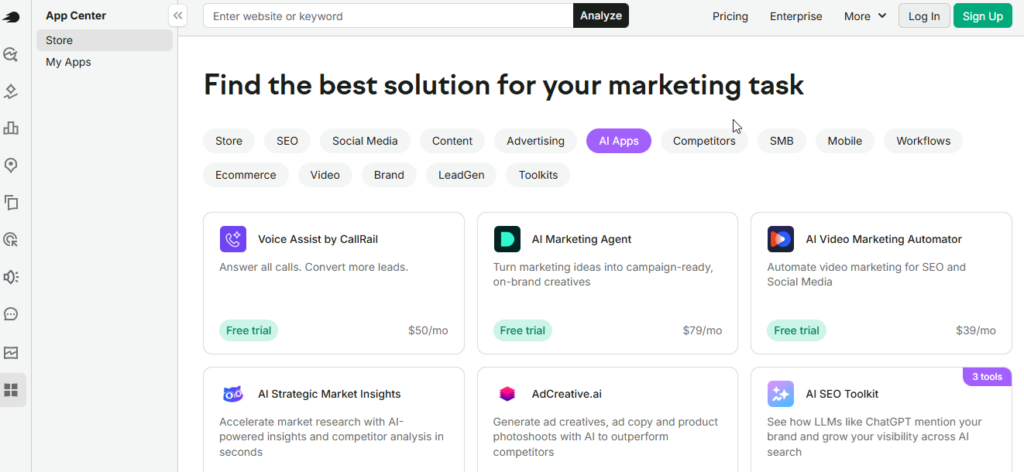
Semrush is well known for SEO for keyword research for competitor analysis and for search visibility. The AI features of Semrush have broadened its abilities, past the SEO research.
Semrush helps marketers understand search demand. Semrush helps marketers analyze competitors. Semrush helps marketers find content opportunities. Semrush helps marketers audit websites. Semrush helps marketers monitor visibility.
Key Features
- AI Copilot: Provides recommendations and alerts based on account data.
- AI Visibility Tracking: Monitors brand visibility in traditional and AI-powered search environments.
- Keyword Magic Tool: Provides keyword ideas, search volume, intent, and difficulty information.
- SEO Writing Tools: Helps create and optimize search-focused content.
- Competitive Research: Analyzes competitor keywords, traffic, advertising, and backlinks.
- Site Audit: Finds technical SEO issues and provides optimization recommendations.
AI Marketing Capabilities
Semrush combines large-scale search data with AI-driven recommendations. This can help marketers identify keyword opportunities, understand competitors, organize content topics, and find areas where a website can improve.
Ease of Use
Semrush has many features, so beginners may need some time to become comfortable with the platform. Its guided features and AI assistance can make the learning process easier.
Pricing
The supplied pricing lists the Pro plan at $139.95 per month, with lower effective pricing for annual billing. Higher plans cost more and provide additional capabilities.
Pros
- Extensive SEO and competitor data.
- Strong keyword research capabilities.
- Technical SEO auditing.
- Search visibility tracking.
- Useful content marketing features.
Cons
- Expensive for beginners.
- Additional users may increase costs.
- Large number of features can feel overwhelming.
Best For
SEO professionals, content marketers, agencies, and businesses focused heavily on organic search growth.
Our Rating
4.8/5 — One of the strongest choices for SEO research and competitive intelligence.
4. Surfer
Overview
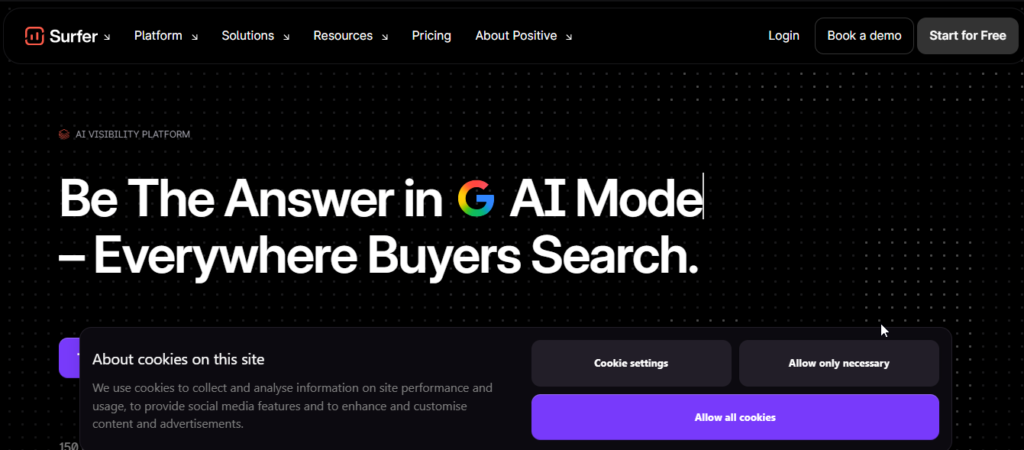
Surfer focuses on content optimization and on-page SEO. It analyzes search results for a target keyword and uses that information to provide recommendations for improving content.
For writers and content teams, its live scoring system makes SEO optimization easier to understand.
Key Features
- Content Editor: Provides live content scoring and optimization suggestions.
- Surfer AI: Helps generate search-focused articles.
- SERP Analyzer: Examines competing pages and their content structure.
- Keyword Research: Helps organize related topics and keyword clusters.
- Content Audit: Finds opportunities to improve existing pages.
- Auto-Optimize: Helps update older content based on current search conditions.
AI Marketing Capabilities
Surfer combines AI content generation with search-result analysis. This means its recommendations are based on the competitive search environment rather than relying solely on a general AI model.
Ease of Use
The split-screen editor and live content score make the platform relatively easy for writers and marketers to understand.
Pricing
The supplied information lists the Essential plan at $89 monthly, with lower monthly pricing when billed annually.
Pros
- Easy-to-understand content scoring.
- Useful SERP-based recommendations.
- Helpful for content updates.
- Integrates with popular writing workflows.
Cons
- Usage limits apply to different plans.
- More focused on content SEO than technical SEO.
- Following keyword recommendations too closely can make writing repetitive.
Best For
SEO writers, bloggers, content agencies, and businesses producing large amounts of search-focused content.
Our Rating
4.5/5 — A strong option for on-page SEO and content optimization.
Also Read: 15 Best AI Voice Generators
5. Copy.ai
Overview
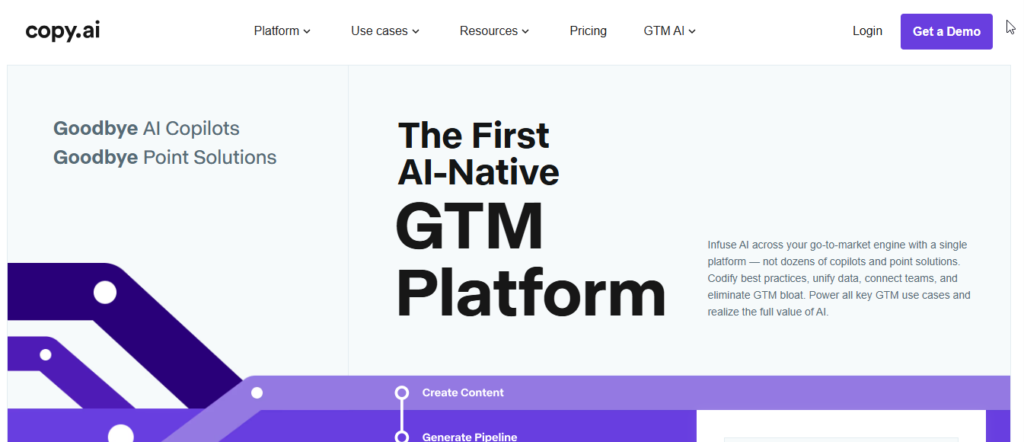
Copy.ai has expanded beyond basic AI copywriting and now focuses heavily on Go-To-Market (GTM) workflows. The platform can automate multi-step tasks involving marketing, sales, and revenue operations.
Instead of asking AI to write one paragraph at a time, teams can create workflows that process information and produce several related marketing assets.
Key Features
- AI Workflows & Agents: Automates multi-step marketing processes.
- Multi-Model Support: Provides access to different AI models.
- Brand Voices: Helps maintain consistent messaging.
- GTM Templates: Includes workflows for launches, sales content, and outreach.
- Bulk Processing: Useful for generating large quantities of marketing assets.
- Integrations: Connects with CRM and productivity platforms.
AI Marketing Capabilities
Copy.ai is particularly useful when a marketing task involves multiple steps. For example, a workflow can process source information and turn it into different marketing materials instead of requiring each asset to be created separately.
Ease of Use
Basic features are easy to understand. More advanced workflows can require some knowledge of automation logic.
Pricing
The supplied information lists the Chat plan at $29 monthly or $24 monthly when billed annually.
Pros
- Strong workflow automation.
- Multiple AI model options.
- Useful for bulk content tasks.
- Good for GTM teams.
Cons
- No permanent free plan according to the supplied information.
- Advanced workflows take time to configure.
- Not as specialized in SEO as dedicated SEO platforms.
Best For
GTM teams, sales enablement teams, revenue operations, and marketing departments that want to automate repetitive workflows.
Our Rating
4.4/5 — A capable option for marketing workflow automation.
6. Canva
Overview
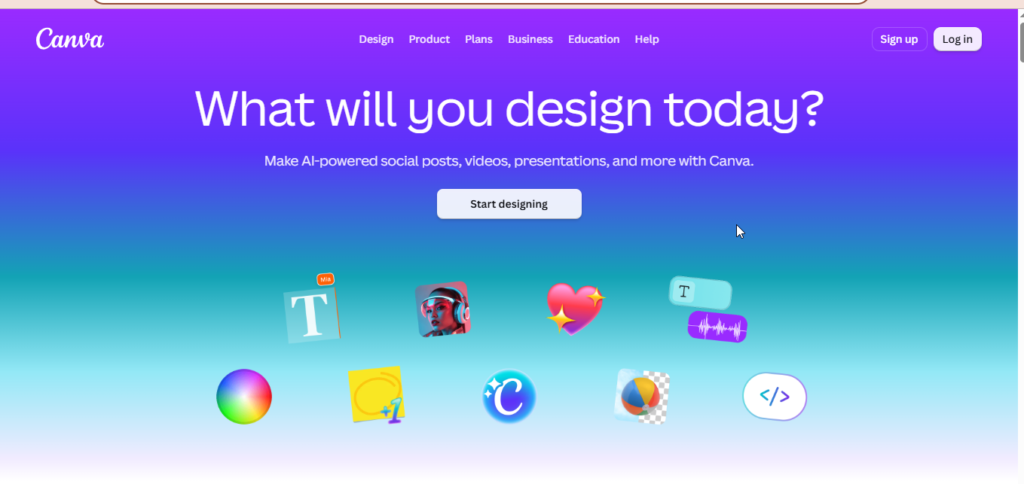
Canva has become much more than a traditional graphic design platform. Its Magic Studio features bring AI into image creation, editing, video, presentations, and marketing design.
For marketers without professional design skills, Canva makes it possible to create social posts, advertisements, presentations, banners, and promotional videos quickly.
Key Features
- Magic Studio: AI-powered design and editing tools.
- AI Image & Video Generation: Creates visual content from prompts.
- Magic Switch: Adapts designs into different formats.
- Brand Hub: Stores logos, fonts, colors, and brand assets.
- Magic Eraser: Removes unwanted objects from images.
- Magic Write: Helps create headlines, captions, and marketing copy.
AI Marketing Capabilities
Canva’s biggest strength is visual content production. A single design can be adapted into different sizes and formats for multiple marketing channels, saving considerable production time.
Ease of Use
Canva is one of the easiest tools on this list. Its drag-and-drop editor and ready-made templates make it accessible even to people without graphic design experience.
Pricing
Canva offers a Free plan. The supplied information lists Canva Pro at approximately $15 per month or $120 annually.
Pros
- Very beginner-friendly.
- Large collection of templates.
- Useful AI image and editing features.
- Strong brand management tools.
Cons
- Less advanced than professional design software.
- AI-generated visuals may need editing.
- AI usage limits can apply to paid plans.
Best For
Small businesses, bloggers, social media managers, marketers, and creators who need professional-looking visuals without hiring a designer.
Our Rating
4.7/5 — One of the best AI-powered design platforms for marketers.
Also Read: 12 Best AI Video Generators
7. Buffer
Overview
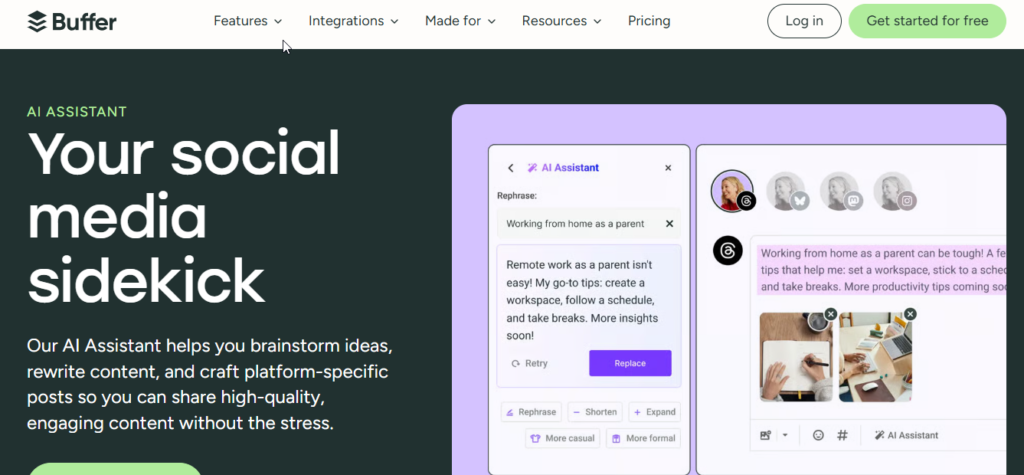
Buffer is a social media management platform focused on scheduling, publishing, analytics, and content creation. Its AI Assistant helps marketers generate ideas, rewrite content, and adapt posts for different social networks.
Key Features
- AI social content assistant.
- Multi-platform scheduling.
- Content planning workspace.
- First-comment scheduling.
- Social performance analytics.
- Simple landing-page tools.
AI Marketing Capabilities
Buffer can turn a blog post, product description, or existing text into platform-specific social posts. This makes it useful for marketers who want to repurpose existing content instead of creating every social post from scratch.
Ease of Use
Buffer is one of the simpler social media tools available. Its clean interface makes it particularly suitable for beginners and small teams.
Pricing
The supplied information lists a Free plan with up to three channels. The Essentials plan starts at $6 per channel monthly, or $5 per channel when billed annually.
Pros
- Simple interface.
- Affordable starting plans.
- Useful free tier.
- Easy social scheduling.
Cons
- Costs increase with additional channels.
- Limited built-in visual AI generation.
- Analytics are less advanced than enterprise platforms.
Best For
Creators, small businesses, bloggers, and teams looking for straightforward social media management.
Our Rating
4.3/5 — A simple and affordable option for social scheduling.
8. Hootsuite
Overview
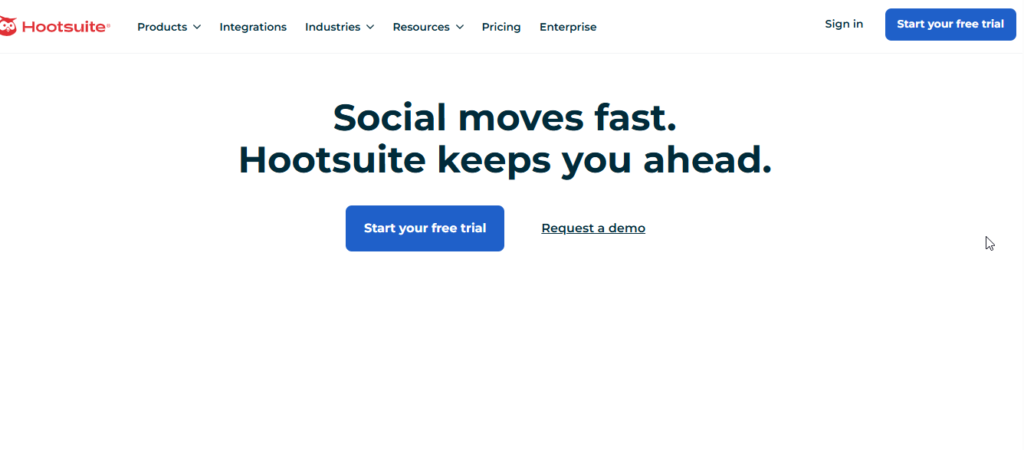
Hootsuite is designed for organizations managing multiple social media accounts and larger teams. It combines scheduling, social listening, analytics, inbox management, and team approval features.
Its OwlyWriter AI adds AI-assisted content creation and repurposing.
Key Features
- OwlyWriter AI.
- Social listening.
- Unified social inbox.
- Employee advocacy.
- Custom reporting.
- Team permissions and approval workflows.
AI Marketing Capabilities
Hootsuite’s AI can help create social content, repurpose existing posts, and support social monitoring. Combined with its listening tools, it can be useful for brands that need to monitor conversations at scale.
Ease of Use
The platform offers many advanced features, which can make it more complicated than simple scheduling tools such as Buffer.
Pricing
The supplied information lists the Standard plan from $99 per user per month when billed annually.
Pros
- Strong social listening.
- Centralized social inbox.
- Advanced team controls.
- Detailed reporting.
Cons
- Expensive for small businesses.
- Per-user pricing can become costly.
- More complicated than basic scheduling platforms.
Best For
Large marketing teams, agencies, brands, and organizations managing multiple social channels.
Our Rating
4.4/5 — A powerful social media management platform for larger teams.
9. Mailchimp
Overview
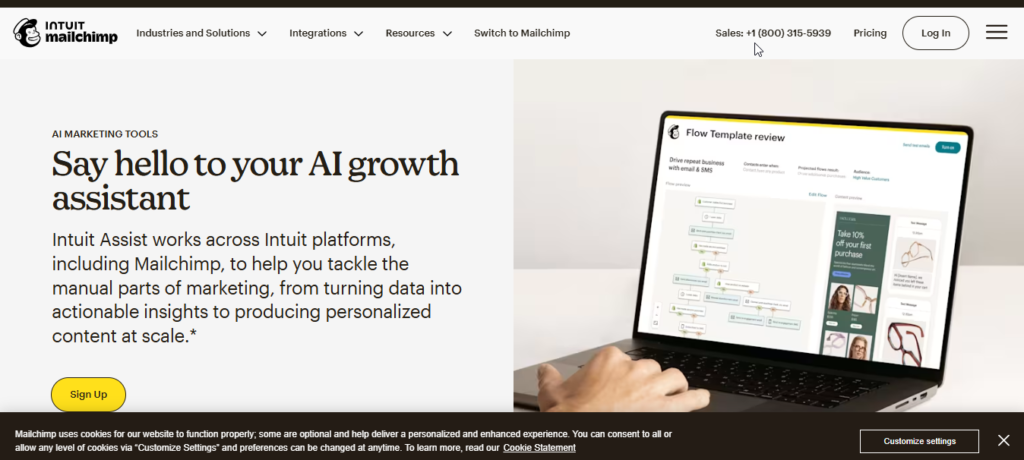
Mailchimp is an email marketing and customer engagement platform that helps businesses create campaigns, automate customer journeys, and segment subscribers.
Its AI features add automated writing assistance and predictive insights to traditional email marketing workflows.
Key Features
- Intuit Assist: Helps create email copy and marketing content.
- Customer Journey Builder: Creates automated email sequences.
- Predictive Segmentation: Helps identify customer groups.
- Send-Time Optimization: Helps determine suitable delivery times.
- Dynamic Content: Personalizes email content.
- Ecommerce Integrations: Connects with platforms such as Shopify and WooCommerce.
AI Marketing Capabilities
Mailchimp combines AI-assisted content creation with customer data. Businesses can use these features to personalize campaigns, identify audience segments, and automate follow-up emails.
Ease of Use
The drag-and-drop editor and visual automation builder make Mailchimp relatively accessible to beginners.
Pricing
The supplied information lists a Free plan and paid plans starting around $13 monthly, depending on contacts and features.
Pros
- Beginner-friendly email builder.
- Useful automation tools.
- Audience segmentation.
- Ecommerce integrations.
Cons
- Free-plan limits can be restrictive.
- Costs increase as contact lists grow.
- Advanced automation requires higher plans.
Best For
Small businesses, ecommerce stores, newsletter publishers, and marketers focused on email campaigns.
Our Rating
4.5/5 — A reliable option for email marketing and customer automation.
10. Grammarly
Overview
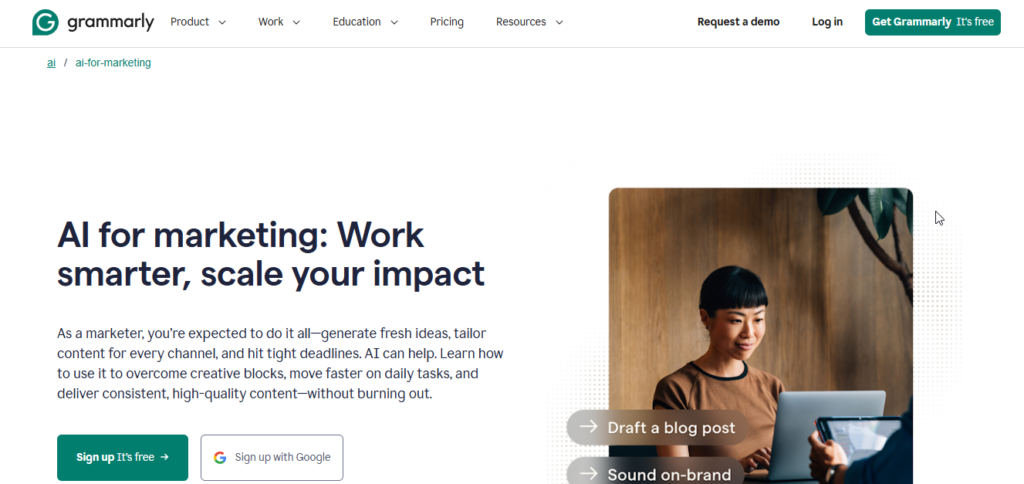
Grammarly is best known as a writing and editing assistant, but its AI features make it useful for marketing teams as well.
It can improve clarity, adjust tone, rewrite sentences, and help organizations maintain consistent communication across different platforms.
Key Features
- Real-time grammar and clarity suggestions.
- AI-powered rewriting.
- Brand style guides.
- Tone detection.
- Plagiarism and citation checking.
- Browser, desktop, and mobile support.
AI Marketing Capabilities
Grammarly works as an editing layer across emails, websites, documents, social platforms, and other applications. It can help marketers make content clearer, more concise, and closer to their desired tone.
Ease of Use
Setup is simple. Once installed, Grammarly works in the background and provides suggestions while users write.
Pricing
The supplied information lists a Free plan, with Premium starting around $12 per month when billed annually.
Pros
- Very easy to use.
- Works across many applications.
- Strong editing and tone tools.
- Useful brand style controls.
Cons
- Suggestions can sometimes change intended wording.
- AI usage limits may apply.
- Requires permissions to work within some applications.
Best For
Content writers, marketers, sales teams, customer support teams, and businesses that want consistent communication.
Our Rating
4.7/5 — An excellent choice for editing, clarity, and brand voice consistency.
11. Writesonic
Overview
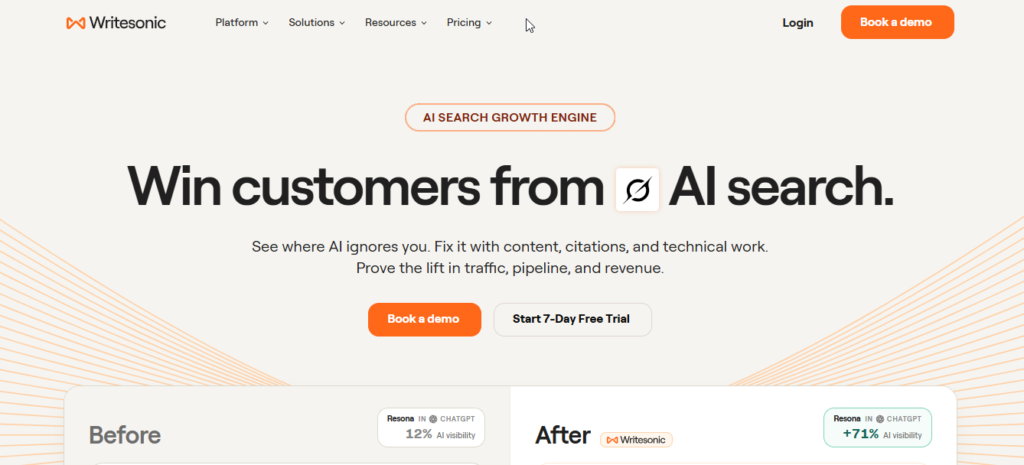
Writesonic combines AI content creation with SEO and AI-search visibility features. Its positioning around Generative Engine Optimization (GEO) makes it particularly interesting for marketers who want to understand how brands appear in AI-generated search results.
Key Features
- AI Article Writer.
- GEO and AI visibility tracking.
- Chatsonic research assistant.
- AI image generation.
- Brand voice and knowledge base.
- Marketing templates.
AI Marketing Capabilities
Writesonic combines content generation with search and research capabilities. Its visibility features also focus on how brands appear in AI-powered answer engines.
Ease of Use
The platform provides guided workflows for creating long-form content, making it relatively straightforward once users understand the different tools.
Pricing
Pricing varies by product and usage. The supplied information lists writing plans starting around $19–$49 monthly, while advanced GEO/visibility plans cost significantly more.
Pros
- Strong focus on AI search visibility.
- Real-time research capabilities.
- Content and image generation.
- Multiple marketing templates.
Cons
- Advanced GEO features can be expensive.
- Output quality depends on the setup.
- Large feature set can feel cluttered.
Best For
SEO teams, agencies, content marketers, and businesses interested in both traditional search and AI search visibility.
Our Rating
4.3/5 — A useful combination of AI content creation and emerging AI-search optimization.
12. AdCreative.ai
Overview
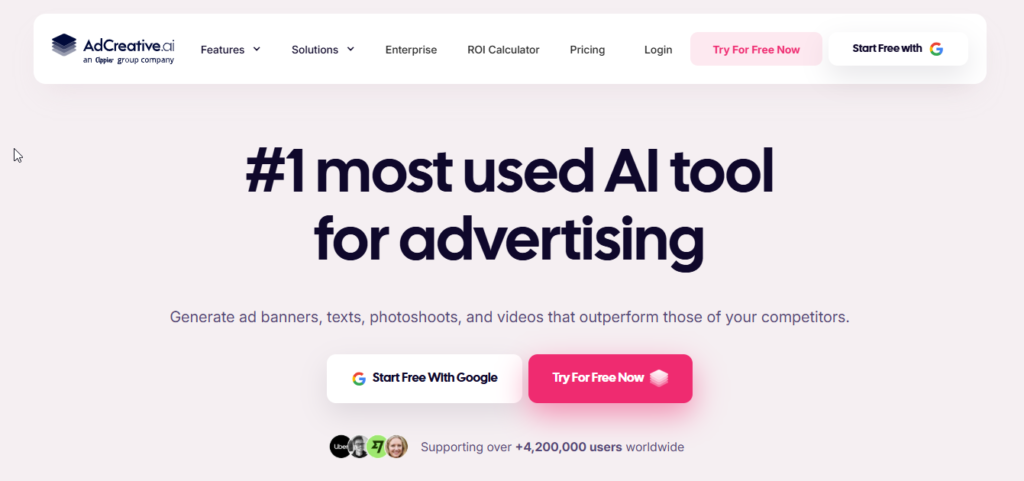
AdCreative.ai is designed specifically for advertising and performance marketing. It generates visual ad concepts, copy, and variations that marketers can use across paid advertising campaigns.
Key Features
- AI ad creative generation.
- Creative performance scoring.
- AI headlines and ad copy.
- Short-form video and UGC concepts.
- Competitor creative insights.
- Multi-brand asset management.
AI Marketing Capabilities
The platform uses AI to create multiple visual and copy variations quickly. This can help advertisers test more creative concepts without producing every design manually.
Ease of Use
The process is relatively straightforward: select the brand, provide the required information, choose the format, and generate creative variations.
Pricing
The supplied information lists a Starter plan at $39 per month, with more advanced plans costing considerably more.
Pros
- Fast ad creative production.
- Multiple variations from one input.
- Useful for ecommerce advertising.
- Supports multiple brands.
Cons
- Credit limits apply.
- Advanced video features require higher plans.
- Some designs may need additional customization.
Best For
Ecommerce brands, paid media teams, agencies, and advertisers running performance campaigns.
Our Rating
4.2/5 — A useful AI solution for producing advertising creatives at scale.
13. Ocoya
Overview
Ocoya combines social media design, AI copywriting, scheduling, and analytics in one platform. This makes it appealing to users who would rather manage several social media tasks from one dashboard.
Key Features
- AI copywriting.
- Visual design editor.
- Social media scheduling.
- Ecommerce integrations.
- Hashtag generation.
- Analytics and reporting.
- Multi-workspace support.
AI Marketing Capabilities
Ocoya brings several social marketing tasks together. Users can create visuals, generate captions, find hashtags, and schedule posts without constantly switching between different tools.
Ease of Use
The unified dashboard is designed for users who want a straightforward workflow without managing multiple separate applications.
Pricing
The supplied information lists the Bronze plan at $15 per month, with higher plans available for additional profiles and credits.
Pros
- Combines multiple marketing tasks.
- Affordable starting plan.
- Ecommerce integrations.
- Multi-language content support.
Cons
- Higher tiers become more expensive.
- AI credits limit high-volume usage.
- Social integrations may occasionally need reconnection.
Best For
Small businesses, ecommerce sellers, freelancers, and agencies managing social media.
Our Rating
4.1/5 — A practical all-in-one social marketing platform.
14. Predis.ai
Overview
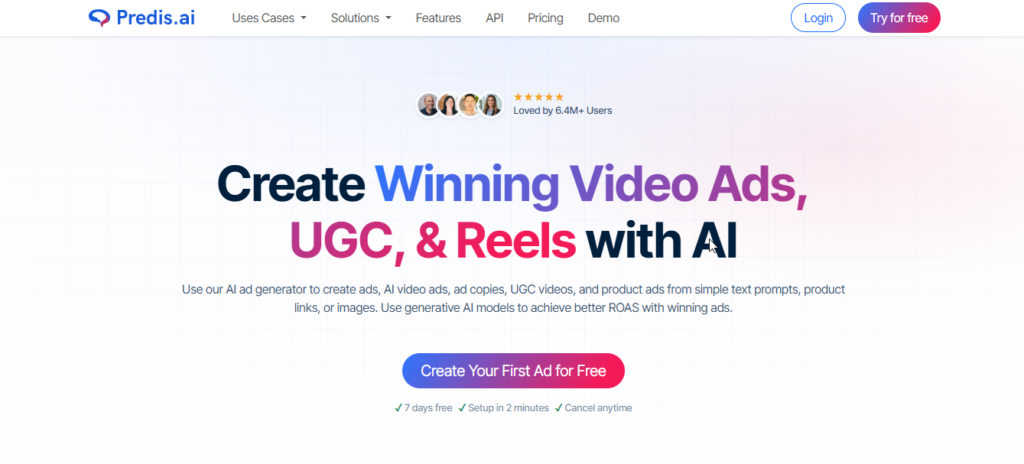
Predis.ai specializes in generating social media content from simple inputs such as text, product pages, or blog URLs.
It can create social posts, carousels, short videos, captions, and other visual content, making it particularly useful for ecommerce and social-first brands.
Key Features
- Text-to-video and Reel creation.
- AI carousel generation.
- Ecommerce product imports.
- Competitor content analysis.
- Brand kit support.
- Social media scheduling.
AI Marketing Capabilities
Predis.ai focuses on creating complete social assets rather than just generating captions. A single product or content idea can be transformed into visual posts, carousels, short videos, captions, and hashtags.
Ease of Use
The workflow is designed for beginners. Users can provide a prompt or URL and then customize the generated content before publishing.
Pricing
The supplied information lists a Free plan with limited credits. Paid plans start around $19 monthly, with lower monthly pricing available through annual billing.
Pros
- Fast carousel creation.
- Useful for short-form video.
- Ecommerce integrations.
- Competitor analysis features.
- Free tier available.
Cons
- Credit-based usage limits.
- Generated designs may require editing.
- Less flexibility than professional design software.
Best For
Ecommerce stores, Instagram creators, social media agencies, and businesses producing frequent visual content.
Our Rating
4.4/5 — A strong option for automated social posts, carousels, and short videos.
15. Flick
Overview
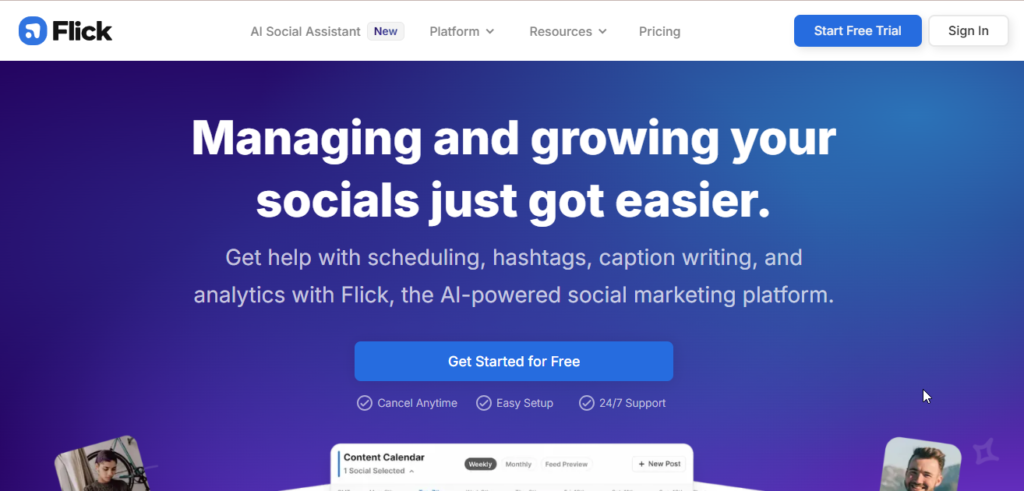
Flick is a social media marketing platform that focuses heavily on content planning, Instagram growth, hashtags, scheduling, and analytics.
It started with a strong focus on Instagram hashtag research and expanded into a broader social media assistant for creators and small businesses.
Key Features
- AI content brainstorming.
- Caption generation.
- Hashtag research.
- Visual post scheduling.
- Content repurposing.
- Social analytics.
- Educational resources.
AI Marketing Capabilities
Flick’s AI helps marketers brainstorm content ideas, develop hooks, create captions, and plan content around specific topics. Its hashtag research features can also help users identify potentially useful hashtag opportunities.
Ease of Use
The interface is designed for creators and beginners, with a visual planning system that makes organizing social content straightforward.
Pricing
The supplied information lists the Solo plan from approximately £11 per month, with higher plans available for additional profiles and features.
Pros
- Strong Instagram-focused features.
- Useful hashtag research.
- Simple visual planner.
- Helpful AI brainstorming.
Cons
- More focused on social platforms than broader marketing.
- No major built-in AI image/video generation.
- Advanced analytics are more limited than enterprise platforms.
Best For
Instagram creators, small businesses, influencers, solopreneurs, and social media managers.
Our Rating
4.2/5 — A useful social media assistant for content planning and Instagram growth.
Best AI Marketing Tools by Use Case
If you don’t need a complete marketing platform, choosing a tool based on your specific goal can be easier.
- Best Overall: HubSpot — Best for combining CRM, marketing automation, customer data, and AI.
- Best for SEO: Semrush — Strong keyword research, competitor analysis, technical SEO, and search visibility.
- Best for Content Marketing: Jasper — Excellent for maintaining brand voice across large-scale content production.
- Best for Social Media: Buffer — Simple scheduling with useful AI-assisted content creation.
- Best for Email Marketing: Mailchimp — Strong combination of email automation, segmentation, and AI assistance.
- Best for Advertising: AdCreative.ai — Designed for generating advertising creatives and variations.
- Best for Small Businesses: Canva — Easy visual content creation without professional design skills.
- Best for Startups: Copy.ai — Useful for automating GTM and marketing workflows.
- Best Free AI Marketing Tool: Canva Free — Provides useful design capabilities without a paid subscription.
- Best for Marketing Agencies: Semrush — Strong research, reporting, and multi-site SEO capabilities.
- Best for Ecommerce: Predis.ai — Converts product information into social content.
- Best for Beginners: Grammarly — Simple setup and immediate writing assistance.
- Best for AI Copywriting: Jasper — Strong brand voice and marketing-focused content workflows.
AI Marketing Tools vs. Traditional Marketing
| Dimension | AI Marketing Tools | Traditional Marketing |
|---|---|---|
| Cost | Can reduce repetitive operational work | Often requires more manual resources |
| Speed | Creates and adapts assets quickly | Production usually takes longer |
| Content | Generates multiple variations quickly | Human-created content often takes more time |
| Research | Processes large datasets rapidly | Research is more manual |
| Personalization | Can personalize content using customer data | Often relies on manual segmentation |
| Automation | Supports multi-step automated workflows | More manual processes and handoffs |
| Creativity | Generates ideas and variations | Humans provide original creative direction |
| Strategy | Provides data and recommendations | Humans define overall strategy |
| Scalability | Can increase output without equal headcount growth | Scaling often requires additional resources |
| Accuracy | Requires human fact-checking | Expert-created content can be more reliable |
| Human Oversight | Still essential | Naturally built into the process |
AI can significantly improve marketing efficiency, but it doesn’t eliminate the need for human marketers. The best approach is to use AI for repetitive work, research, drafts, and data analysis while keeping humans responsible for strategy, creativity, fact-checking, and final decisions.
Are AI Marketing Tools Worth It in 2026?
For many businesses, AI marketing software can be worthwhile when it solves a specific problem rather than simply adding another subscription.
Main Benefits
- Save Time: Automate repetitive tasks such as social scheduling, content formatting, keyword research, and email creation.
- Reduce Resource Requirements: Small teams can handle more marketing activities without expanding their workforce immediately.
- Get Faster Insights: AI can process large amounts of marketing and customer data quickly.
- Improve Consistency: Content can be adapted across blogs, social media, emails, and advertisements.
- Scale Marketing Operations: Businesses can produce more variations and test more ideas without increasing manual workload at the same rate.
Potential Limitations
- Generic Content: Unedited AI content can sound repetitive or lack a unique brand perspective.
- Incorrect Information: AI systems can produce inaccurate claims, statistics, or product information.
- Subscription Costs: Purchasing too many overlapping tools can quickly increase monthly expenses.
The best way to use AI marketing tools is as productivity assistants rather than complete replacements for marketers.
Are There Free AI Marketing Tools?
Free AI marketing tools generally fall into three categories.
1. Completely Free Tools
Some basic AI utilities and open-source tools can be used without paying a subscription. However, their features may be more limited than those offered by commercial platforms.
2. Freemium Platforms
Tools such as Canva, Buffer, Mailchimp, and Grammarly provide free plans with usage restrictions.
These plans can be enough for beginners, creators, and very small businesses. As requirements increase, users can upgrade to paid features.
3. Free Trials
Some platforms use short-term trials instead of permanent free plans. This approach allows users to test the software before committing to a subscription.
Always check the current terms because free plans, credits, and trial periods can change.
How to Choose the Best AI Marketing Tool
Before subscribing to an AI marketing platform, consider these 10 factors:
- Define Your Goal: Decide whether you need SEO, content, social media, email, advertising, or automation.
- Choose Your Main Channel: Start with the tool that solves your most important marketing problem.
- Check AI Features: Make sure the AI actually provides useful capabilities for your workflow.
- Check Integrations: Confirm compatibility with your CRM, WordPress website, Shopify store, analytics tools, or other software.
- Understand Pricing: Look at seats, credits, words, channels, contacts, and other usage limits.
- Use a Trial: Test the platform with real marketing tasks before paying.
- Consider Ease of Use: A powerful tool isn’t useful if your team can’t operate it efficiently.
- Review Privacy: Check how customer information and business data are handled.
- Check Commercial Rights: Confirm that generated content and assets can be used commercially under the platform’s current terms.
- Keep Human Review: Create a process for checking AI-generated content before publishing.
How to Use AI Marketing Tools Effectively
Getting good results from AI depends heavily on how you use the software.
Give the AI Enough Context
Don’t rely on vague prompts. Include your target audience, campaign objective, tone, product information, and desired result.
Create Brand Guidelines
Maintain consistent information about your brand voice, terminology, audience, and messaging.
Fact-Check AI Content
Review statistics, product claims, quotations, and other important information before publication.
Add Your Own Perspective
AI-generated content becomes more useful when you add original examples, experiences, data, opinions, and customer insights.
Combine Specialized Tools
You don’t necessarily need one platform to handle everything. For example, you might use Semrush for keyword research, Surfer for content optimization, and Grammarly for final editing.
Monitor Results
Track rankings, conversions, engagement, CTR, email performance, and other relevant metrics to determine whether an AI tool is actually improving your marketing.
Keep Humans in Control
AI can assist with execution, but humans should remain responsible for important decisions and final publishing.
Common AI Marketing Mistakes to Avoid
- Publishing Raw AI Content: Always edit and review AI-generated material.
- Using Weak Prompts: Give the AI enough context to produce useful results.
- Skipping Fact-Checking: Verify important information before publication.
- Following Hype: Choose software based on your actual needs rather than popularity alone.
- Buying Too Many Tools: Avoid paying for several platforms with nearly identical features.
- Ignoring Privacy: Don’t upload sensitive customer or business information without understanding how it is handled.
- Inconsistent Brand Voice: Use shared brand guidelines across your AI tools.
- Expecting AI to Replace Strategy: AI can assist marketers but doesn’t replace strategic thinking.
- Ignoring Performance Data: Measure whether AI-assisted campaigns actually produce results.
- Over-Automating Customer Communication: Important customer interactions may still require genuine human support.
Frequently Asked Questions
What are the best AI marketing tools in 2026?
Some of the strongest options include HubSpot for CRM and marketing automation, Semrush for SEO, Jasper for brand-focused content, Surfer for on-page SEO, Buffer for social media, and Canva for visual marketing.
The best option depends on your marketing goals, budget, and business size.
What is the best AI marketing tool for beginners?
Canva and Grammarly are excellent starting points. Both are relatively easy to set up and don’t require advanced technical knowledge.
What is the best free AI marketing tool?
Canva’s Free plan is a strong choice for visual marketing. Buffer is useful for free social media scheduling, while Mailchimp can help with basic email marketing.
Can AI marketing tools replace human marketers?
No. AI can automate repetitive work and assist with content, research, and analysis, but humans are still needed for strategy, creativity, fact-checking, positioning, and meaningful customer communication.
What are the best AI tools for digital marketing?
For different areas of digital marketing, Semrush is useful for SEO, AdCreative.ai for advertising creatives, Copy.ai for GTM workflows, and Mailchimp for email marketing.
Which AI marketing tool is best for SEO?
Semrush is a strong all-around SEO platform, while Surfer is particularly useful for optimizing individual articles and on-page content.
Which AI marketing tools are best for small businesses?
Canva, Buffer, and Mailchimp are practical choices for small businesses because they cover visual content, social media scheduling, and email marketing.
Can AI marketing tools help with social media?
Yes. Platforms such as Buffer, Hootsuite, Predis.ai, and Flick can help with scheduling, captions, content ideas, hashtags, analytics, and visual content.
Are AI marketing tools worth paying for?
They can be, provided the tool solves a genuine problem. Before paying, determine how much time or money the software can realistically save and whether its features justify the subscription.
How do I choose the right AI marketing software?
Start with your biggest marketing challenge. Then compare features, integrations, pricing, usage limits, ease of use, privacy policies, and trial options before making a decision.
Final Verdict
The best AI marketing tools 2026 depends largely on what you want to accomplish.
- Choose HubSpot for CRM, lead management, and marketing automation.
- Choose Semrush for SEO research, competitor analysis, and search visibility.
- Choose Jasper for consistent brand-focused marketing content.
- Choose Surfer for on-page SEO and content optimization.
- Choose Buffer for simple and affordable social media scheduling.
- Choose Canva for creating marketing graphics and visual content.
- Choose AdCreative.ai for AI-assisted advertising creatives.
- Choose Predis.ai for automated social posts, carousels, and short videos.
You don’t need to subscribe to all 15 platforms. Start with one or two tools that solve your biggest marketing challenges, test them with real projects, and expand your toolkit only when you have a clear reason to do so.
That approach can help you control costs while still getting the productivity benefits of AI-powered marketing.
Conclusion
The best AI marketing tools in 2026 are not always the ones with the features. The right choice depends on your marketing goals, your budget, how many people’re on your team and which channels you use the most.
For companies that want a marketing and CRM solution HubSpot is an option. Semrush is better for SEO. Getting visibility through search engines while Jasper is good at keeping the brand voice throughout all marketing content. For media Buffer gives a low-cost way to manage posts. Canva is great for making visual marketing materials even if you don’t have design skills.
If you are focused on paid ads AdCreative.ai can create versions of ads quickly. Ecommerce companies could find Predis.ai helpful. Mailchimp is still a choice for email marketing and customer automation.
The important thing is to not sign up for tools at once. Start with one or two platforms that solve your marketing problems try out their features check the quality of the results and add tools only when there is a reason to do so.
When used the way AI marketing tools can save time make work easier and help small teams do better. Human thinking is still very important, for strategy checking facts coming up with ideas keeping the brand voice and making sure the final content is good.
In short, AI should support your marketing team—not replace it. The best results come from combining AI-powered automation with human expertise and a clear marketing strategy.
Related Articles
Best AI Video Generators 2026
Compare the best AI video generators for marketing, YouTube, social media, presentations.
Best AI Writing Tools 2026: 15 Best AI Writers Compared
Compare the top AI writing assistants for blogging, copywriting, SEO, and content creation.
Best AI Image Generators 2026: 12 Best AI Art Tools Compared
Explore the leading AI image generators for creating stunning artwork, logos, and realistic visuals.
Best AI Chatbots 2026: 10 Best AI Assistants Compared
Find the best AI chatbots for productivity, research, coding, and everyday tasks.
Best AI Productivity Tools 2026: Features, Pricing, Pros & Cons
Find the top free & paid AI productivity apps
15 Best AI Resume Builder Tools in 2026: Tested & Compared
AI resume builder tools. Compare features, pricing, ATS optimization.
15 Best AI Presentation Makers in 2026: Tested & Compared
Discover the best AI presentation makers.

Pingback: Best AI Image Generators 2026: 12 Best AI Art Tools Compared (Free & Paid) - AI Crest Lab
Pingback: Best AI Meeting Assistants in 2026: Top Tools for Notes, Transcripts & Summaries - AI Crest Lab