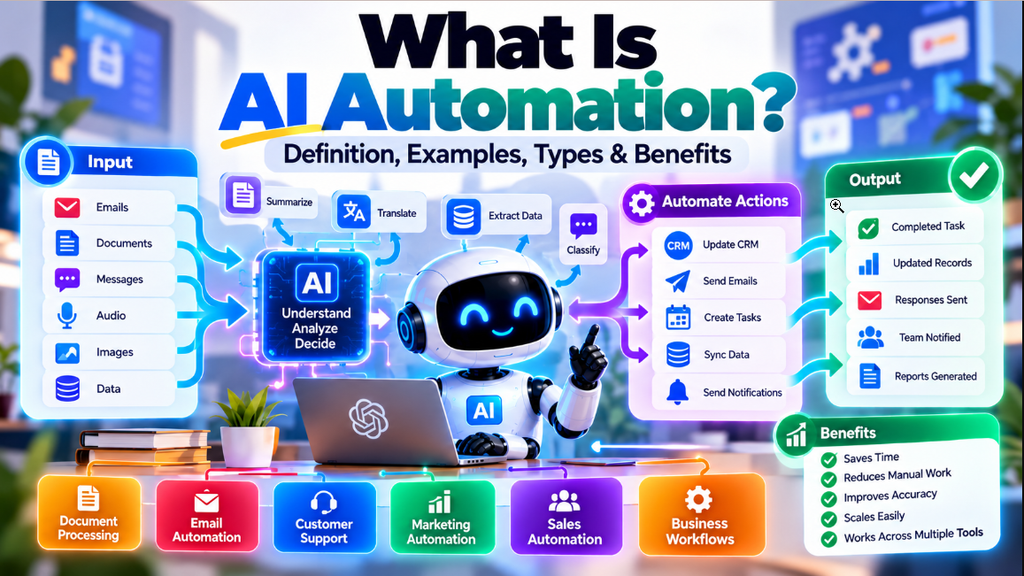
Businesses today spend an amount of time doing repetitive tasks. Employees may have to sort emails move data, between spreadsheets, process documents, update CRM records prepare reports or follow up with customers.
Traditional automation can handle many of these processes but it usually depends on fixed rules. When data becomes more complex or arrives in a format rule‑based automation can struggle.
AI automation adds thinking to these automated workflows. Of only following fixed instructions an AI‑powered workflow can read text, analyze data, sort information pull out key details create content and help make decisions before the next automated step starts.
For example an AI automation system could read a customer email understand the customer’s problem identify its priority pull related data from a database and send that data to the right team.
In this guide, we’ll explain what AI automation is, how it works, the different types of AI automation, real-world examples, popular tools, benefits, limitations, risks, and how beginners can get started.
Table of Contents
What Is AI Automation?
AI automation is the use of artificial intelligence within automated workflows to handle tasks that require understanding, classification, analysis, content generation, or decision-making.
It combines two main concepts:
- Artificial Intelligence: Helps software understand and process information.
- Automation: Allows software to perform actions automatically based on defined workflows.
When these technologies are combined, a workflow can do more than simply move information from one application to another. It can first understand the information and then determine what should happen next.
Understanding AI Automation Meaning
To understand AI automation more clearly, consider a simple example.
Suppose a business receives hundreds of customer emails every day.
A traditional automation might look for a specific word in the subject line and move the email to a particular folder.
An AI-powered workflow can go further. It can read the entire message, understand the customer’s request, identify whether the issue is urgent, categorize the ticket, and send it to the correct department.
This makes AI automation particularly useful when the information being processed is not perfectly structured.
How AI Combines With Automation
Traditional automation generally works with clearly defined rules.
For example:
If a new form is submitted → add the information to a spreadsheet.
AI automation can introduce an additional intelligence layer:
If a new form is submitted → understand the request → classify the lead → extract important information → update the CRM → notify the sales team.
The exact workflow depends on the tools, AI model, and business rules being used.
Why AI Makes Workflows More Flexible
A major advantage of AI automation is its ability to work with unstructured information.
This can include:
- Emails
- PDFs
- Customer reviews
- Documents
- Audio transcripts
- Images
- Free-form text
For example, a hotel may receive customer feedback in many different forms.
One customer might write:
“The room wasn’t ready when we arrived.”
Another might say:
“We had to wait a long time before getting our room.”
A keyword-based system may treat these messages differently. An AI system can recognize that both messages describe a similar type of customer-service problem.
How Does AI Automation Work?
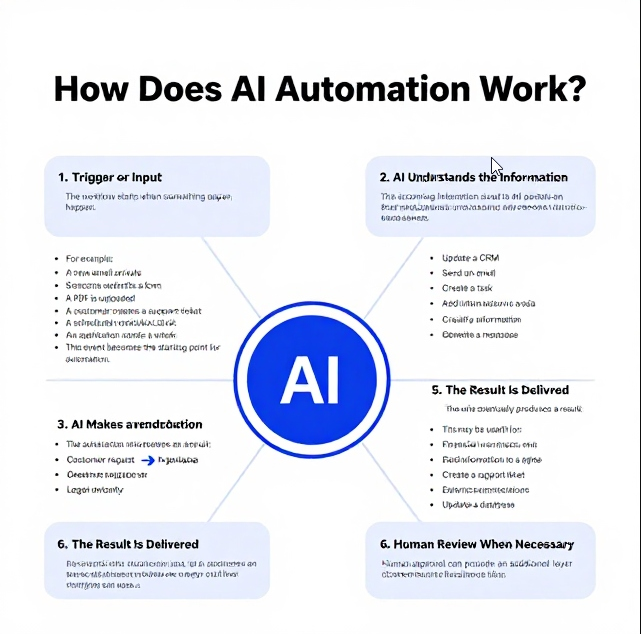
An AI automation workflow usually connects an input or trigger with an AI model and a series of automated actions.
Although implementations can vary, a typical workflow can be understood through these stages.
1. Trigger or Input
The workflow starts when something happens.
For example:
- A new email arrives
- Someone submits a form
- A PDF is uploaded
- A customer creates a support ticket
- A scheduled workflow starts
- An application sends a webhook
This event becomes the starting point for the automation.
2. AI Understands the Information
The incoming information is sent to an AI model for processing.
Depending on the task, the AI may:
- Read text
- Analyze an image
- Extract information from a document
- Understand customer intent
- Summarize content
- Classify information
- Generate a response
3. AI Makes a Decision or Generates an Output
After analyzing the information, the AI produces an output that the workflow can use.
For example, an AI system might determine that:
Customer request → Refund inquiry → High priority
The automation can then use this result to decide what happens next.
4. Automation Performs an Action
The automation platform takes the AI’s output and performs the required action.
For example, it could:
- Update a CRM
- Send an email
- Create a task
- Add information to a spreadsheet
- Create a support ticket
- Send a Slack notification
- Update a database
5. The Result Is Delivered
The workflow eventually produces a result.
For example, the system may send a response to a customer, notify an employee, update a record, or generate a report.
6. Human Review When Necessary
Not every action should happen automatically.
For sensitive operations, a workflow can pause and request human approval.
This may be useful for:
- Financial transactions
- Refunds
- Legal documents
- Important customer complaints
- External communications
- High-value sales decisions
Human approval can provide an additional layer of control before the final action is taken.
AI Automation vs Traditional Automation
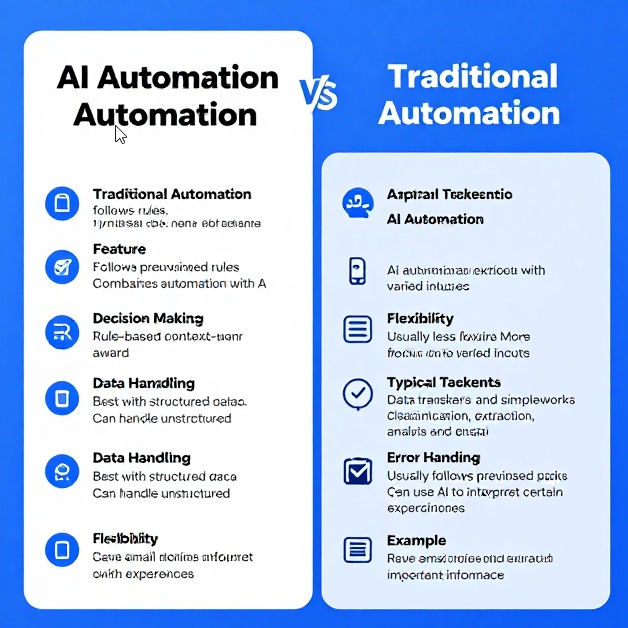
AI automation and traditional automation both aim to reduce manual work, but they handle information differently.
| Feature | Traditional Automation | AI Automation |
|---|---|---|
| Main Approach | Follows predefined rules | Combines automation with AI |
| Decision Making | Rule-based | Context-aware |
| Data Handling | Best with structured data | Can handle unstructured data |
| Flexibility | Usually less flexible | More flexible with varied inputs |
| Typical Tasks | Data transfers and simple workflows | Classification, extraction, analysis and generation |
| Error Handling | Usually follows predefined paths | Can use AI to interpret certain exceptions |
| Example | Save email attachments to a folder | Read an invoice and extract its important information |
A simple way to remember the difference is:
Traditional automation follows rules. AI automation can understand information before performing the next automated action.
AI Automation vs AI Agents
The terms AI automation and AI agents are closely related, but they are not exactly the same.
What Is AI Automation?
AI automation usually follows a workflow that has been designed in advance.
For example:
New email → AI analyzes email → classify message → update CRM → notify employee
The workflow’s overall structure is defined beforehand, while AI handles specific tasks within that workflow.
You can also learn more about AI agents to understand how agent-based systems differ from structured automation.
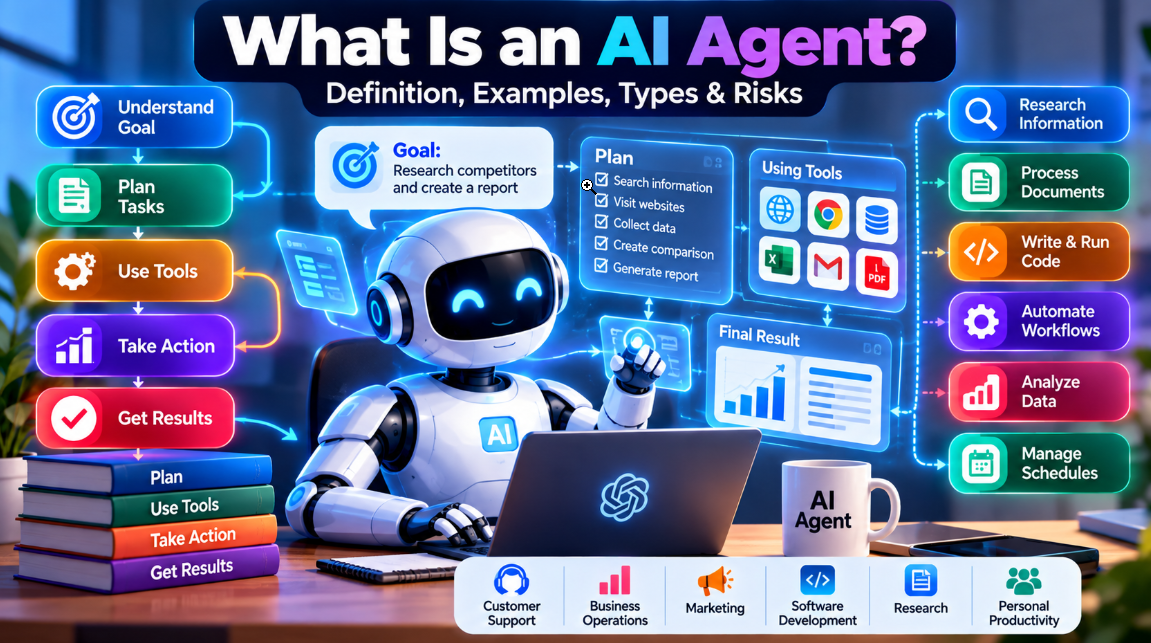
What Is an AI Agent?
An AI agent is generally given a goal and can determine which steps or tools may be needed to achieve that goal.
For example, instead of giving an agent a fixed sequence, you might tell it:
“Research three competitors and prepare a comparison report.”
The agent may determine that it needs to search the web, collect information, compare the results, create a document, and then provide the final report.
AI Automation vs AI Agents
| Dimension | AI Automation | AI Agents |
|---|---|---|
| Workflow | Usually predefined | Can be dynamically planned |
| Autonomy | Low to medium | Medium to high |
| Decision Process | AI performs specific tasks | AI may decide which steps to take |
| Predictability | Generally more predictable | Can be less predictable |
| Best For | Repeatable workflows | More open-ended tasks |
| Control | Easier to define and monitor | Requires stronger guardrails |
The two approaches can also be used together. An AI agent may trigger or interact with automated workflows as part of a larger system.
Types of AI Automation
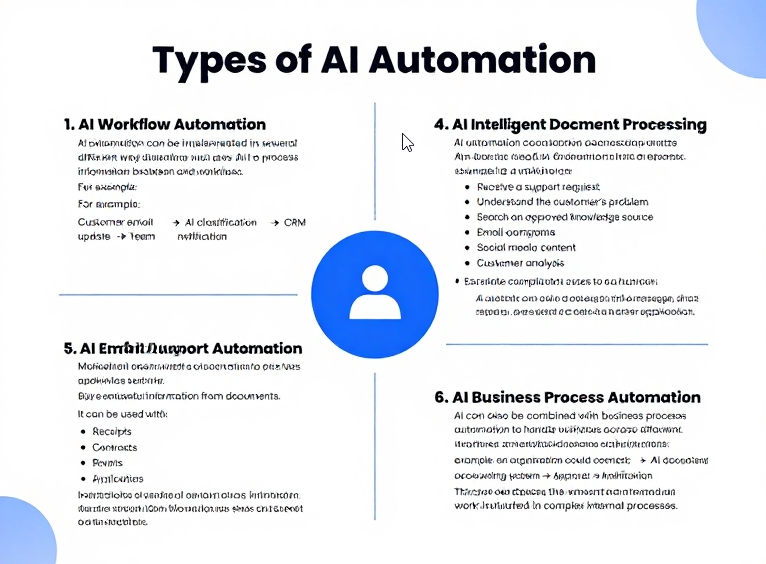
AI automation can be implemented in several different ways depending on the business problem and workflow.
1. AI Workflow Automation
AI workflow automation connects multiple applications and uses AI to process information between different steps.
For example:
Customer email → AI classification → CRM update → Team notification
2. Intelligent Document Processing
Intelligent document processing uses AI to extract useful information from documents.
It can be used with:
- Invoices
- Receipts
- Contracts
- Forms
- Reports
- Applications
Instead of manually entering information, the system can identify relevant fields and pass them to another application.
3. AI Email Automation
AI can analyze incoming emails and determine their:
- Intent
- Priority
- Topic
- Sentiment
- Required action
The workflow can then categorize the message, draft a response, or send it to the appropriate team.
4. AI Customer Support Automation
AI automation can help businesses process customer support requests.
For example, a workflow can:
- Receive a support request.
- Understand the customer’s problem.
- Search an approved knowledge source.
- Prepare a response.
- Escalate complicated cases to a human.
AI chatbots can also be part of these workflows. You can explore our guide to the best AI chatbots.
5. AI Marketing Automation
Marketing teams can use AI automation to assist with activities such as:
- Content generation
- Customer segmentation
- Email campaigns
- Social media content
- Content repurposing
- Customer analysis
For additional tools, see our guide to AI marketing tools.
6. AI Business Process Automation
AI can also be combined with business process automation to handle workflows across different departments.
For example, an organization could connect:
Email → AI document processing → Accounting system → Approval → Notification
This can reduce the amount of manual work involved in complex internal processes.
What Can AI Automation Do?
AI automation can be used for a wide range of business and productivity tasks.
Email Classification and Routing
AI can read incoming emails, understand their purpose, determine their priority, and route them to the appropriate team.
Invoice and Receipt Processing
AI can extract information such as:
- Vendor name
- Invoice number
- Amount
- Due date
- Line items
The extracted information can then be transferred to accounting software.
Lead Qualification
AI can analyze incoming leads and determine whether they match a company’s target customer profile.
The workflow can then assign a lead score, update the CRM, and notify the sales team.
Meeting Summaries and Follow-Ups
AI automation can process meeting transcripts, identify important decisions, extract action items, and create follow-up tasks.
Dedicated AI meeting assistants can also support these workflows.
Software Development Workflows
AI can assist with code review, documentation, testing, and other development-related processes.
Developers can combine these workflows with AI coding tools to improve development productivity.
Content Repurposing
A long article, podcast, or video transcript can be processed by AI and transformed into different content formats, such as:
- Social media posts
- Short summaries
- Newsletter drafts
- Content ideas
- Article outlines
Real-World Examples of AI Automation

AI automation can be applied to many practical business situations.
1. Customer Support Triage
Imagine an online store receiving hundreds of support requests every day.
An AI automation workflow could:
- Receive the support ticket.
- Identify the customer’s problem.
- Determine its priority.
- Check available customer information.
- Prepare a response.
- Update the support system.
- Escalate complex cases to an employee.
Simple requests can move through the workflow automatically while more complicated issues can be sent to human support staff.
2. Lead Qualification and CRM Enrichment
A software company regularly gets messages through its website.
An automated system can look at each message take out important information put the lead into groups update the customer database and let the sales person know about it.
This helps sales people focus on having conversations, with customers rather than spending time sorting every message by hand.
3. Accounts Payable and Invoice Processing
Businesses often receive invoices in different formats.
An AI automation workflow can read an invoice, extract the relevant information, compare it with available purchase-order information, and prepare the data for accounting software.
A human employee can review the information before payment is finalized.
4. HR and Resume Screening
I think recruitment teams can collect applications for a job opening.
Artificial intelligence tools can help sort through those applications by pulling out details and checking how well each person matches what the job needs.. People who are hiring should still be the ones to decide who gets the job.
They know the team and the work better, than any machine. AI can help,. It shouldn’t make the final choice.
5. Meeting Transcript Processing
After a business meeting, an automated workflow can send the transcript to an AI model.
The AI can identify:
- Key decisions
- Action items
- Important discussion points
- Follow-up tasks
The workflow can then create tasks in a project management system or prepare a summary for the team.
6. Social Media Monitoring
Businesses can also use AI automation to monitor public mentions of their products or services.
A workflow can collect mentions, analyze sentiment, identify potentially negative feedback, and prepare response drafts for a community manager.
Detailed Example: From Input to Action
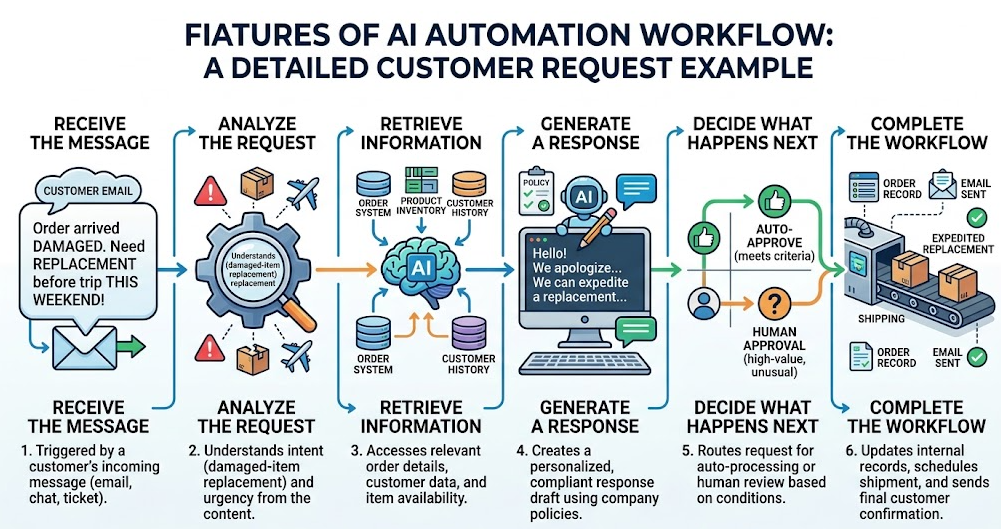
Consider a customer who sends the following message:
“My order arrived damaged and I need a replacement before my trip this weekend.”
An AI automation workflow could process this request in several stages.
Step 1: Receive the Message
The customer’s email becomes the trigger for the workflow.
Step 2: Analyze the Request
The AI identifies the request as a damaged-item replacement and recognizes that the customer considers it urgent.
Step 3: Retrieve Information
The workflow retrieves the relevant order information from the company’s system.
Step 4: Generate a Response
Using the available information and company policies, AI prepares a suitable response.
Step 5: Decide What Happens Next
If the request meets predefined conditions, the workflow can continue.
If the request involves a high-value replacement or an unusual situation, it can send the case to a human employee for approval.
Step 6: Complete the Workflow
After approval, the system can update the relevant records and send the appropriate communication to the customer.
This illustrates how AI can handle the understanding and decision-support layer, while automation handles the actual movement of information and execution of actions.
Benefits of AI Automation
AI automation can provide several practical advantages when implemented correctly.
1. Significant Time Savings
Automating repetitive activities can reduce the amount of time employees spend on manual data entry, classification, document processing, and other routine tasks.
2. Scalability
Automated workflows can process a large increase in tasks without requiring the same increase in manual effort.
3. Better Handling of Unstructured Information
AI can work with information that does not follow a strict format, including emails, documents, images, and natural-language requests.
4. More Consistent Processes
A properly designed workflow can apply the same processing steps repeatedly, helping reduce inconsistencies in repetitive operations.
5. Integration Between Systems
AI automation can connect different applications so information can move between them automatically.
For example:
Form → AI analysis → CRM → Email → Notification
Limitations of AI Automation
AI automation is useful, but it does not eliminate every problem associated with business processes.
1. AI Can Make Mistakes
AI models can misunderstand information, extract incorrect details, or generate inaccurate content.
For important workflows, validation should be built into the process.
2. Workflows Can Break
Automation often depends on APIs, websites, databases, and third-party applications.
Changes to these systems can cause an existing workflow to stop working correctly.
3. Data Quality Matters
AI cannot reliably produce accurate results from poor or outdated information.
If a CRM contains incorrect records or an internal knowledge base is outdated, the resulting automation may also produce poor results.
4. Setup Can Be Complicated
Simple workflows can be relatively easy to create, but larger workflows may require technical knowledge, testing, error handling, and ongoing maintenance.
5. Costs Can Increase
AI automation may involve model usage, API calls, document processing, cloud infrastructure, and other services.
High-volume workflows should therefore be monitored carefully.
6. Edge Cases Still Require Humans
Some situations are too unusual or sensitive to handle safely through automation alone.
Human review remains important for cases involving significant financial, legal, security, or customer-impact decisions.
Risks and Security Concerns
Connecting AI to business systems introduces additional risks.
The more systems and permissions an automation has, the more carefully it needs to be controlled.
Data Privacy
AI workflows may process:
- Customer information
- Financial records
- Business documents
- Personal information
- Internal company data
Organizations should understand where this information is processed and which services receive it.
Unintended Actions
An incorrectly configured workflow could send an inaccurate email, update the wrong CRM record, or perform an unintended action.
Prompt Injection
Malicious instructions can sometimes be included in information that an AI system is processing.
For example, an external document could contain instructions designed to manipulate the AI into ignoring its original task.
Practical Safeguards
Businesses can reduce these risks by using:
- Human approval: Require approval for high-impact actions.
- Least-privilege access: Give workflows only the permissions they actually need.
- Audit logs: Record important workflow activities.
- Testing: Test workflows with normal and unusual inputs.
- Monitoring: Regularly review automated executions for unexpected behavior.
Popular AI Automation Tools
Several platforms can be used to create AI-powered workflows.
1. Zapier
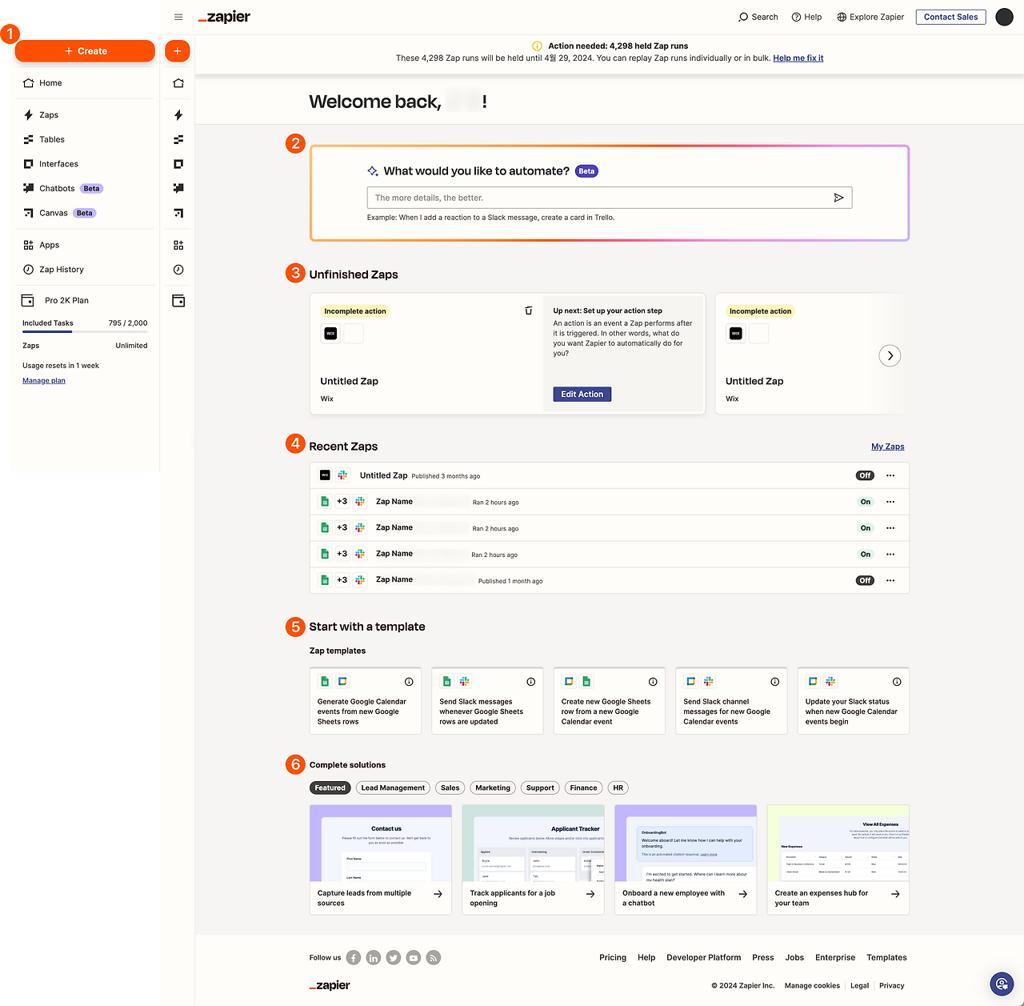
Zapier is widely used for connecting different applications and creating automated workflows.
It can be useful for businesses that want to create integrations without building everything from scratch.
Best for: Beginners and straightforward business workflows.
2. Make
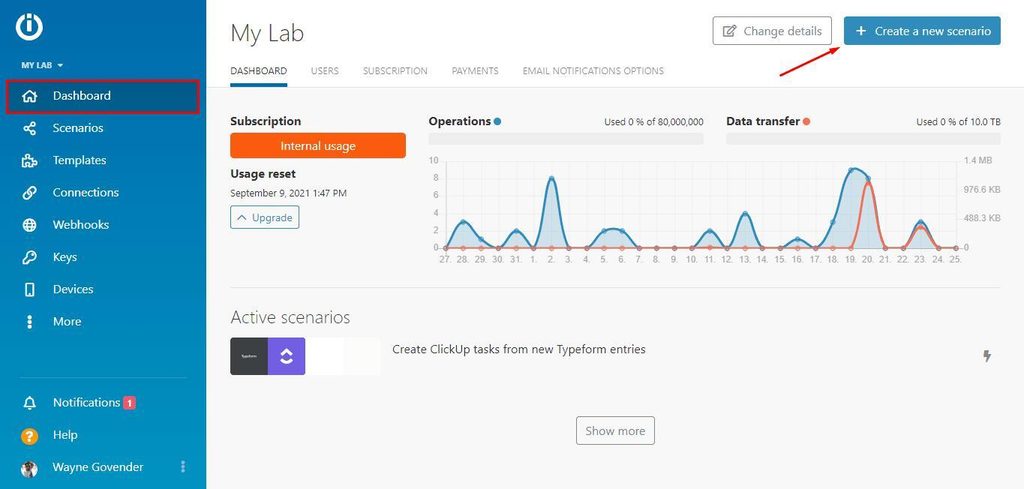
Make provides a visual workflow environment that allows users to connect applications and create more detailed automation scenarios.
Best for: Users who need more complex workflows and branching logic.
3. Microsoft Power Automate

Microsoft Power Automate is designed for workflow automation across Microsoft’s ecosystem and other connected applications.
Best for: Organizations already using Microsoft 365 and related business software.
4. UiPath
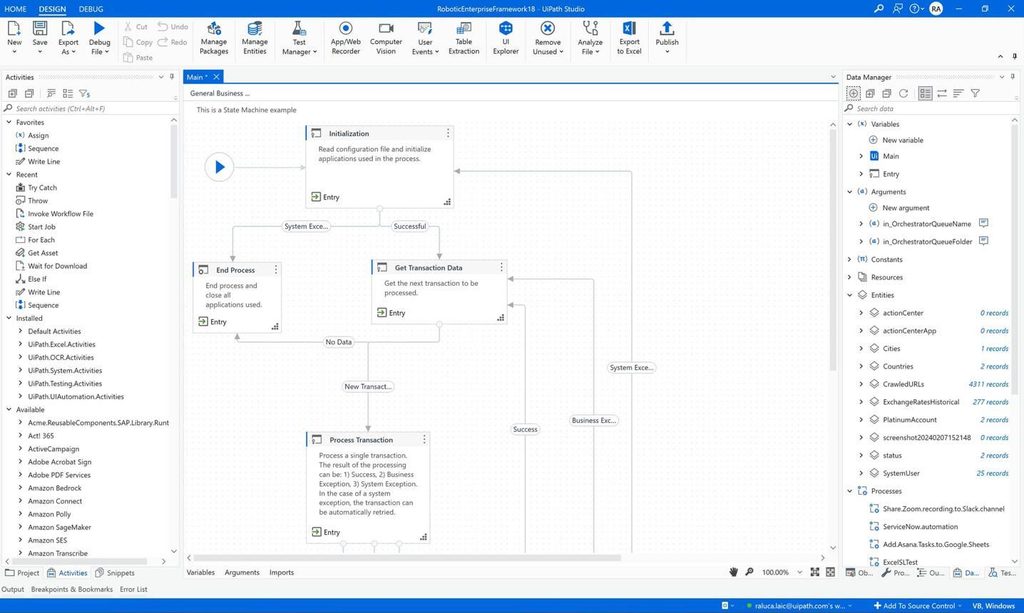
UiPath focuses heavily on enterprise automation, including document processing, robotic process automation, and business workflows.
Best for: Larger organizations and complex enterprise processes.
5. HubSpot and Salesforce
CRM platforms such as HubSpot and Salesforce provide automation and AI capabilities for sales, marketing, customer management, and related workflows.
Best for: Businesses where CRM-based automation is a major requirement.
How to Choose an AI Automation Tool
The best platform depends on the type of workflow you want to build.
Consider these factors before choosing a tool.
Workflow Complexity
Simple workflows may only require basic trigger-and-action functionality, while complex processes may need branching, conditions, data transformations, and error handling.
App Integrations
Check whether the platform supports the applications your business already uses.
Security
Businesses handling sensitive information should evaluate features such as access controls, authentication, logging, and data protection.
Pricing
Consider both the platform’s subscription price and the additional cost of AI model usage, API calls, and other services.
Human Approval
For important workflows, make sure the platform can pause automation and request human approval before performing sensitive actions.
AI Automation for Small Businesses
AI automation is not limited to large companies.
Small businesses can also automate many repetitive activities without building highly complex systems.
Some useful examples include:
- Capturing website leads
- Sending appointment reminders
- Sorting customer emails
- Processing receipts
- Creating social media drafts
- Organizing customer information
- Preparing meeting summaries
For more productivity-focused solutions, you can also explore our guide to the best AI productivity tools.
The best approach for a small business is usually to start with one repetitive task, measure the results, and expand the workflow gradually.
How to Get Started With AI Automation
If you’re new to AI automation, you don’t need to automate your entire business at once.
A practical starting process is:
1. Find a Repetitive Task
Look for something your team performs frequently and manually.
2. Map the Existing Process
Write down what happens from the beginning to the end of the task.
3. Identify Where AI Is Useful
Decide where AI can add value.
For example:
- Understanding an email
- Extracting information
- Classifying a request
- Summarizing a document
- Generating a draft
4. Choose an Automation Platform
Select a platform that supports the applications and workflow requirements you have.
5. Build a Small Prototype
Start with a simple workflow instead of creating a complicated system immediately.
6. Test It
Use different examples, including unusual inputs, to see how reliably the workflow performs.
7. Add Human Approval
Require approval for sensitive or high-impact actions.
8. Monitor the Workflow
Review results regularly and improve prompts, rules, integrations, and error handling when necessary.
Is AI Automation Fully Autonomous?
AI automation does not necessarily mean that everything happens without humans.
The level of automation can vary.
Assisted Automation
AI performs tasks such as drafting, summarizing, or extracting information, but a person reviews the result.
Semi-Autonomous Automation
Routine tasks can happen automatically, while unusual or sensitive cases are sent to a human.
Fully Autonomous Automation
Certain low-risk and predictable processes may run without manual approval.
However, fully autonomous operation should be approached carefully, particularly when workflows can affect finances, legal matters, sensitive data, or customers.
Future of AI Automation
AI automation is likely to continue developing as AI models, software integrations, and workflow platforms become more capable.
Some areas to watch include:
Multi-Agent Workflows
AI automation systems may increasingly work alongside multiple specialized AI agents that handle different parts of a larger process.
Multimodal Automation
Future workflows will increasingly be able to process different forms of information, including text, images, audio, and video.
More Adaptive Workflows
Automation platforms may become better at detecting failed steps and finding alternative ways to complete a workflow.
Natural-Language Workflow Building
Instead of manually configuring every part of an automation, users may increasingly be able to describe what they want in natural language and have software create the initial workflow.
Frequently Asked Questions
What is AI automation in simple words?
AI automation combines artificial intelligence with automated software workflows. It allows systems to understand information, make certain decisions, and perform actions with less manual intervention.
How does AI automation work?
A typical workflow starts with a trigger, sends information to an AI model for analysis, uses the result to determine what should happen next, and then performs an automated action.
What is an example of AI automation?
Reading incoming customer emails, identifying their intent, extracting relevant information, updating a CRM, and preparing a response is one example of AI automation.
What is the difference between AI and automation?
Automation focuses on performing predefined tasks automatically, while AI focuses on understanding information, recognizing patterns, generating content, and supporting decision-making. AI automation combines both.
What is the difference between AI automation and AI agents?
AI automation generally follows a workflow designed in advance, while an AI agent can be given a goal and determine some of the steps and tools needed to achieve it.
Is AI automation expensive for small businesses?
Not necessarily. Costs depend on the automation platform, AI model, number of tasks, and complexity of the workflow. Small businesses can begin with relatively simple workflows and scale them as needed.
Can small businesses use AI automation?
Yes. Small businesses can use AI automation for tasks such as lead management, email processing, appointment scheduling, document processing, customer support, and content workflows.
What are the main risks of AI automation?
Common risks include inaccurate AI outputs, data privacy issues, unexpected automated actions, prompt injection, integration failures, and excessive dependence on automation.
Can AI automation completely replace human workers?
AI automation is mainly useful for reducing repetitive manual work. Human judgment remains important for complex, sensitive, creative, and high-impact decisions.
How can beginners start using AI automation?
Start with one repetitive task, map the process, identify where AI can help, choose a suitable automation platform, build a small workflow, test it carefully, and add human approval where necessary.
Conclusion
I see AI automation combining intelligence with software automation to improve how workflows handle world information.
I notice that traditional automation works well when tasks follow rules. AI automation becomes more helpful when workflows include emails, documents, natural language requests, customer messages or other information that needs understanding.
From customer support and invoice processing to lead qualification, marketing, meetings and business operations AI automation can reduce work. Help teams handle information more efficiently.
However I think automation should not be seen as a replacement for oversight in every situation. AI can make mistakes like workflows can. Sensitive information needs protection.
The best approach I recommend is to start automate a defined process test it with different inputs limit system permissions and keep human approval, for important decisions.
As AI models and automation platforms continue to improve I believe AI automation is likely to become a part of how businesses manage everyday digital workflows.

Hammad Ali is an AI and technology enthusiast who writes about Generative AI, AI tools, automation, and emerging technologies in simple, practical language.


2 thoughts on “What Is AI Automation? Definition, Examples, Types & Benefits”